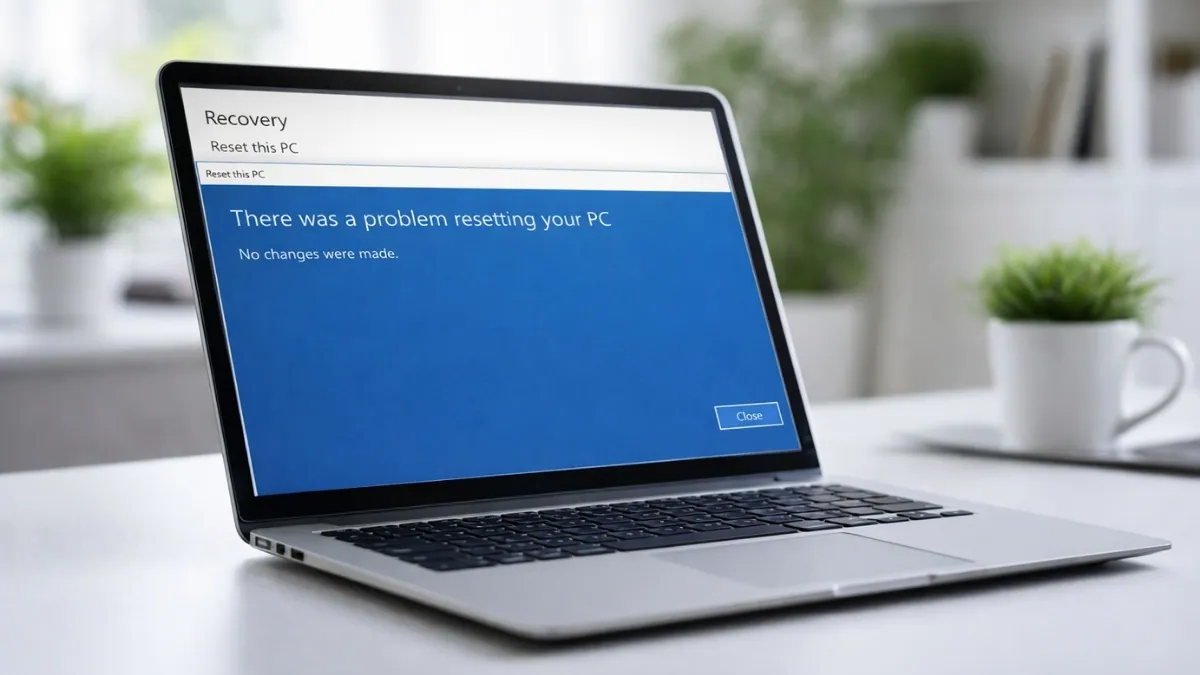
If you were planning to reset your Windows 11 PC, you may want to wait. Microsoft has confirmed that recent April 2026 updates are causing the “Reset this PC” feature to fail on some systems. This issue affects Windows 11 version 24H2 and early 25H2 builds after installing updates KB5077212 and KB5079420.
When users try to reset their PC, the process does not complete. In many cases, an error appears saying, “There was a problem resetting your PC. No changes were made.” Some systems simply restart and return to the same setup without resetting anything.
This problem does not affect normal use. Your PC will still work fine for daily tasks, gaming, and browsing. The issue only appears when you try to reset your system.
The failure is linked to the Windows Recovery Environment, also known as WinRE. This is the built-in system that helps reinstall Windows without using a USB or external tool. Right now, WinRE is not able to properly start or complete the reset process on affected systems.
The issue seems to be caused by how Windows handles recovery files after these updates. The reset feature needs a correct path to find clean system files. If that path is broken, the system cannot continue with the reinstall process.
Here is how different reset options behave right now:
| Reset Method | What It Uses | Current Status |
|---|---|---|
| Local Reinstall | Files stored on your PC | Often fails |
| Cloud Download | Files from Microsoft servers | Sometimes works |
Local reinstall fails more often because it depends on files already stored on your device. Cloud download may work better since it pulls fresh files from Microsoft, but it is not fully reliable for all users.
For home users, this issue only matters if you need to reset your PC. If your system is working fine, you do not need to worry right now. But if your PC runs into problems and you need to reset it, this bug can block the process.
Also Read: Best Windows 11 Laptops
For businesses and IT teams, this can be more serious. Many organizations use the reset feature to quickly prepare devices for new users. If reset fails, it can slow down work and increase support time.
If you are affected, there are a few ways to fix or work around the issue:
| Workaround | What To Do |
|---|---|
| Bootable USB Install | Create a Windows installation USB and reinstall Windows |
| In-place Upgrade | Use a Windows ISO file to reinstall while keeping files and apps |
| Uninstall Updates | Remove KB5077212 or KB5079420 if possible |
Using a bootable USB is the most reliable method because it does not depend on the broken recovery system. An in-place upgrade is also a good option if you want to keep your data. Removing the update can help, but only if your system still allows it.
If you are not sure whether your PC is affected, you can check your update history. Go to Settings, then Windows Update, and open Update History. Look for KB5077212 or KB5079420 in the list.
There is no need to uninstall the update if your system is working fine and you do not plan to reset your PC. However, if you think you may need to reset your system soon, it is a good idea to prepare a USB installer in advance.
Microsoft is working on a fix. The company is expected to release a solution through a future update or a Known Issue Rollback. A timeline has not been shared yet, but issues like this are usually fixed quickly.
This situation shows how important the built-in recovery system has become in Windows. Many users now depend on reset features instead of reinstalling Windows manually. When that system fails, it removes an important safety option.
For now, the best approach is simple. Avoid using the reset feature on affected systems unless it is necessary. If you need to reinstall Windows, use a USB installer or an in-place upgrade. The issue does not affect everyday use, but it can become a problem when you need recovery the most.
Source: X