When evaluating a PC or laptop, most people focus on processor names, generation, RAM size, or storage capacity and type. While these specifications matter, they do not always reflect how fast or smooth a system feels during real-world use. Two devices with similar hardware can perform very differently in everyday tasks such as browsing, multitasking, or content creation.
This gap between specifications and real performance is why performance testing matters.
Users need a simple and reliable way to compare PC and laptop performance without relying on marketing claims or complex technical charts. Hardware benchmarks make it easier to understand how a system behaves under common workloads.
Benchmark software addresses this need by measuring performance in controlled, repeatable scenarios. Geekbench 6 is one such benchmark that helps explain how a PC or laptop performs during everyday computing tasks rather than relying only on paper specifications.
Understanding how Geekbench 6 works makes it easier to interpret performance differences between similar devices.
What Is Geekbench 6?
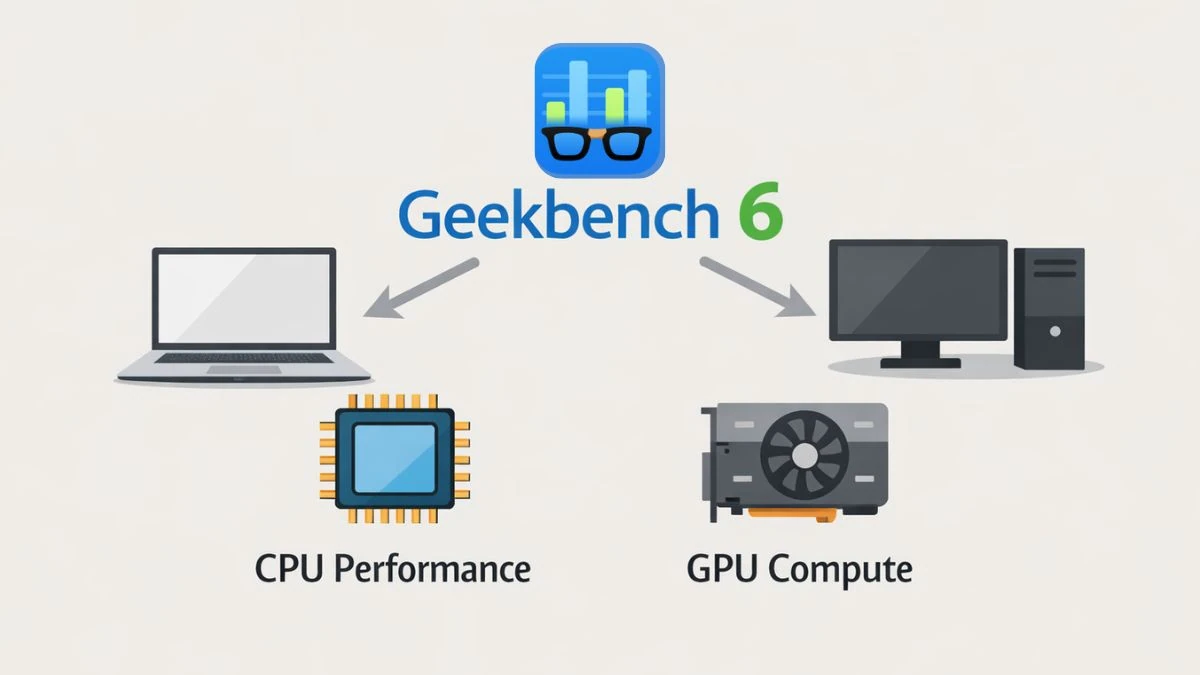
Geekbench 6 is a benchmarking software that measures CPU performance and GPU compute capability using real-world workloads. It runs the same standardized tests on different devices to produce performance scores that show how a PC or laptop handles everyday computing tasks.
Who Should Use Geekbench 6?
Geekbench 6 is useful for a wide range of users who want a clear and practical view of system performance.
Laptop buyers can compare different models to understand real performance differences beyond specifications. Reviewers and testers rely on Geekbench 6 for fair and repeatable benchmarking across platforms. Students learning about computer hardware can use it to see how processors behave under real workloads.
Creators working with photos, videos, or code can evaluate whether a system can handle demanding tasks efficiently. Gamers may use Geekbench 6 to assess CPU strength and system balance, though it does not measure in-game performance.
What Does Geekbench 6 Test on a PC or Laptop?
Geekbench 6 focuses on measuring how a PC or laptop performs during realistic workloads rather than artificial stress scenarios. It evaluates processor and graphics-related tasks that reflect how systems are commonly used in everyday computing.
CPU Performance Test
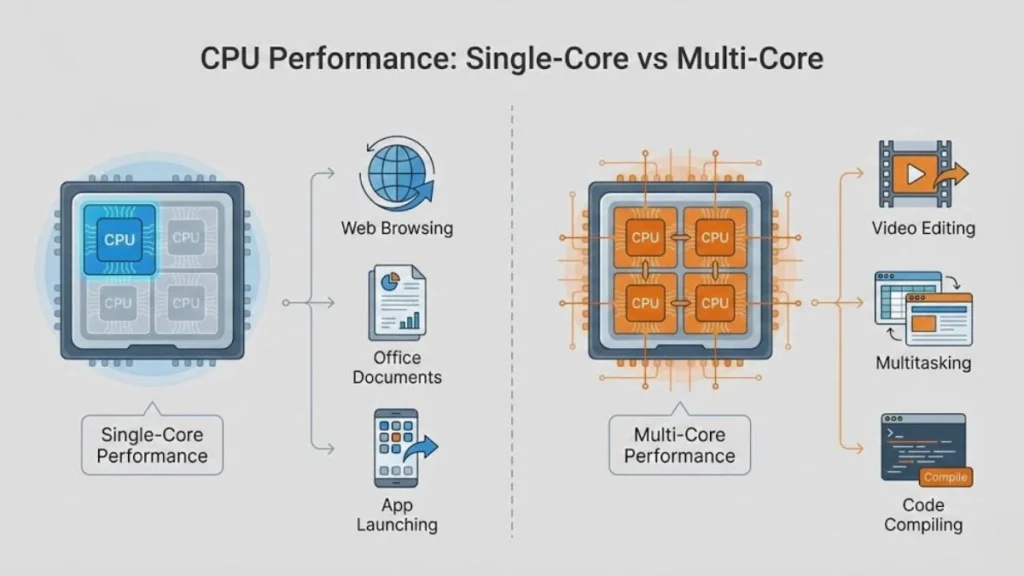
The CPU performance test measures both single-core and multi-core performance.
Single-core results represent common tasks such as web browsing, document editing, and general application responsiveness.
Multi-core results show how well a processor handles heavier activities like file compression, code compilation, and multitasking.
This difference helps explain whether a PC or laptop is better suited for quick everyday interactions or more demanding parallel workloads.
GPU Compute Test
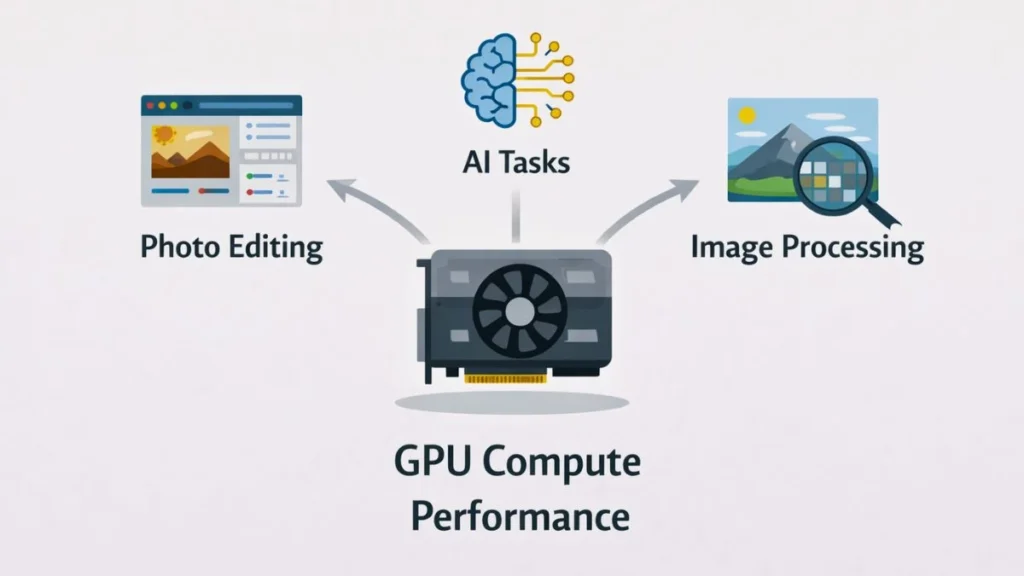
The GPU compute test measures graphics and compute tasks related to image processing, computer vision, and machine learning.
It evaluates how the graphics processor handles modern workloads such as photo editing and AI-assisted processing.
This test does not measure gaming frame rates and should not be treated as a gaming FPS benchmark. Geekbench 6 GPU scores are best used to compare compute capability rather than predict in-game performance.
Geekbench 6 Single-Core vs Multi-Core Scores
Geekbench 6 reports two primary CPU scores: single-core and multi-core. Each score represents a different type of performance, and both are important for understanding how a PC or laptop behaves in everyday use.
The single-core score shows how fast a single CPU core can process tasks. This directly affects everyday activities such as web browsing, opening applications, office work, and system responsiveness. Many applications and some games still rely heavily on single-core performance, making this score critical for smooth daily usage.
The multi-core score measures how effectively all CPU cores work together. This score becomes important during demanding workloads such as video editing, file compression, software development, rendering, and heavy multitasking. Systems with higher multi-core scores handle sustained workloads more efficiently and complete complex tasks faster.
Looking at both scores together provides a more accurate picture of how a PC or laptop will perform across different usage scenarios.
Which Geekbench 6 Score Matters More?
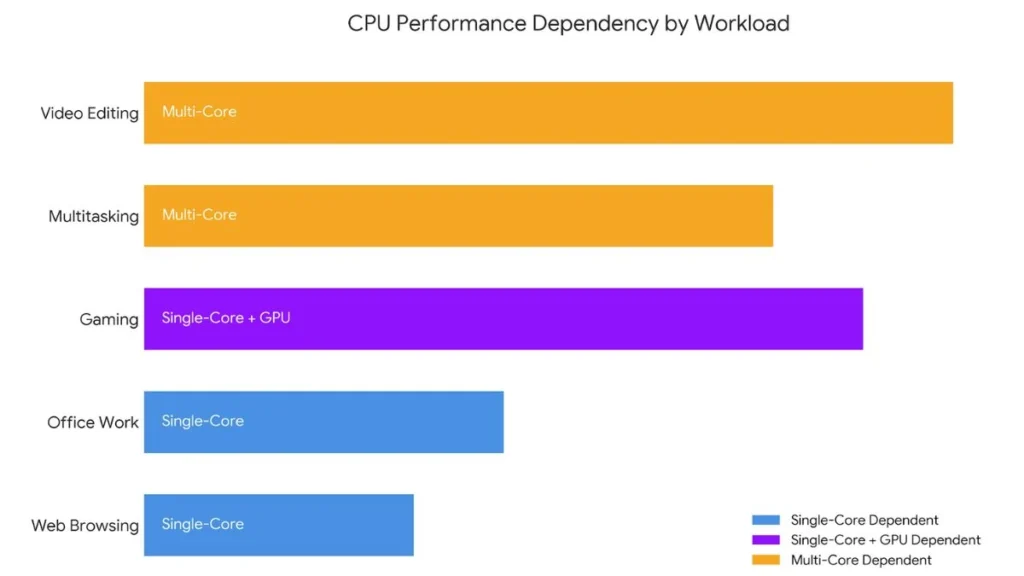
| Task Type | Geekbench 6 Score That Matters |
| Web browsing | Single-core |
| Office work | Single-core |
| Gaming | Single-core + GPU Performance |
| Video editing | Multi-core |
| Coding & compiling | Multi-core |
| Multitasking | Multi-core |
No single score tells the full story. A balanced combination of strong single-core and multi-core performance is the best indicator of overall PC or laptop performance in everyday and professional workloads.
How Geekbench 6 Works
Geekbench 6 follows a standardized benchmarking methodology to ensure results remain fair, repeatable, and easy to compare. It runs the same set of tests on every supported device, whether it is a PC, laptop, or mobile system.
This approach ensures performance measurement is based on equal workloads rather than brand, operating system, or platform-specific optimization.
The benchmark uses short, controlled workloads that typically complete within a few minutes. These workloads are designed around modern usage patterns and include tasks such as processing large images, handling complex documents, encrypting data, and running AI-related operations. Each test behaves consistently across platforms so results remain comparable.
After testing is complete, Geekbench 6 applies score normalization. This process aligns raw performance results against a fixed reference system so scores remain consistent across different hardware generations. Because of this methodology, Geekbench 6 is best used as a comparison tool to evaluate relative performance between devices rather than as a direct measurement of real-time speed.
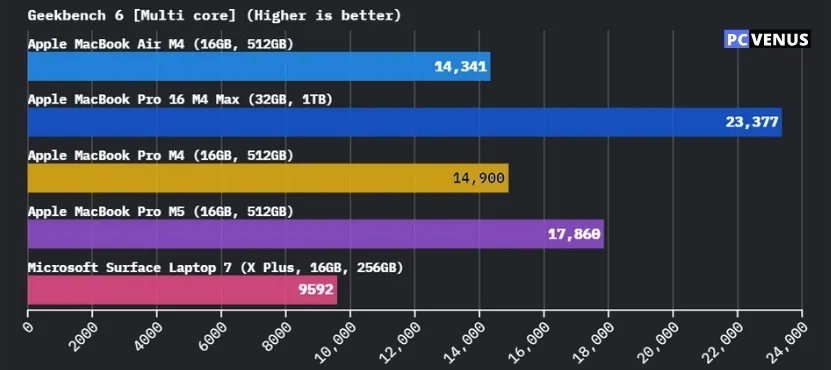
What Is a Good Geekbench 6 Score?
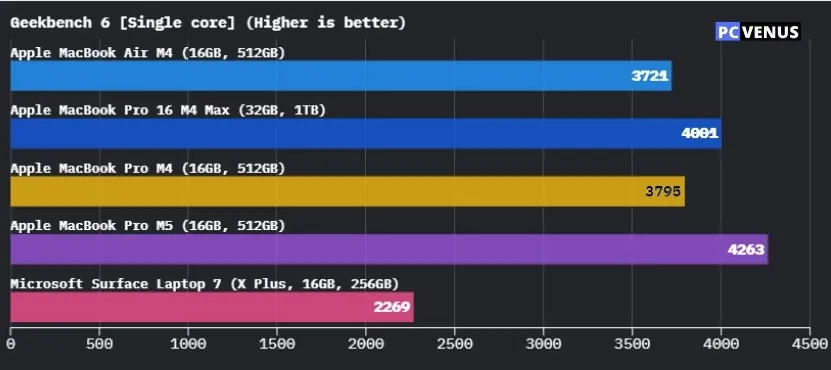
There is no single “good” Geekbench 6 score for every device, because performance depends on the device type, intended use, and system design.
Laptops, desktops, and compact systems operate under different power and cooling limits, which naturally leads to different performance levels.
Entry-level laptops intended for basic tasks usually score lower, while mid-range systems deliver balanced performance for daily work. High-performance PCs and workstations score higher because they are built to handle sustained and demanding workloads.
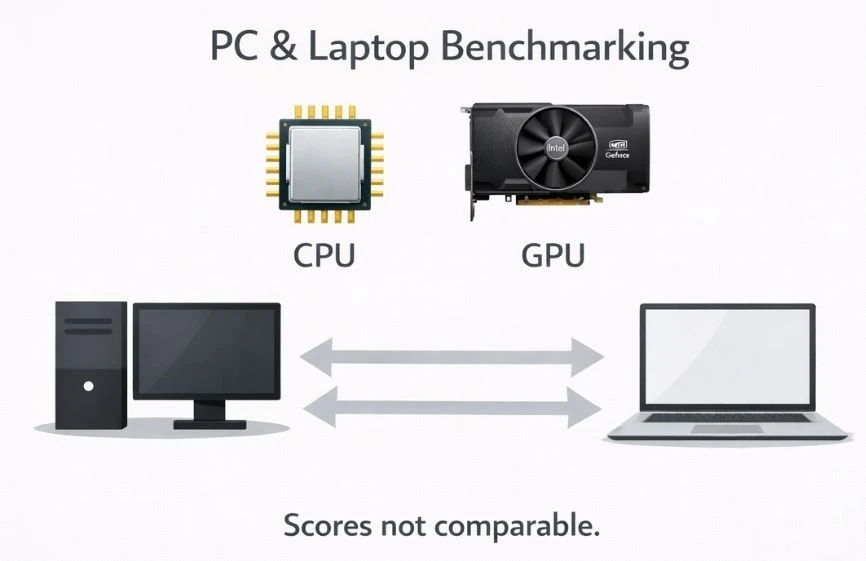
Exact numbers can vary due to cooling design, power limits, and performance modes. For this reason, Geekbench 6 scores should always be compared between similar devices rather than across different categories.
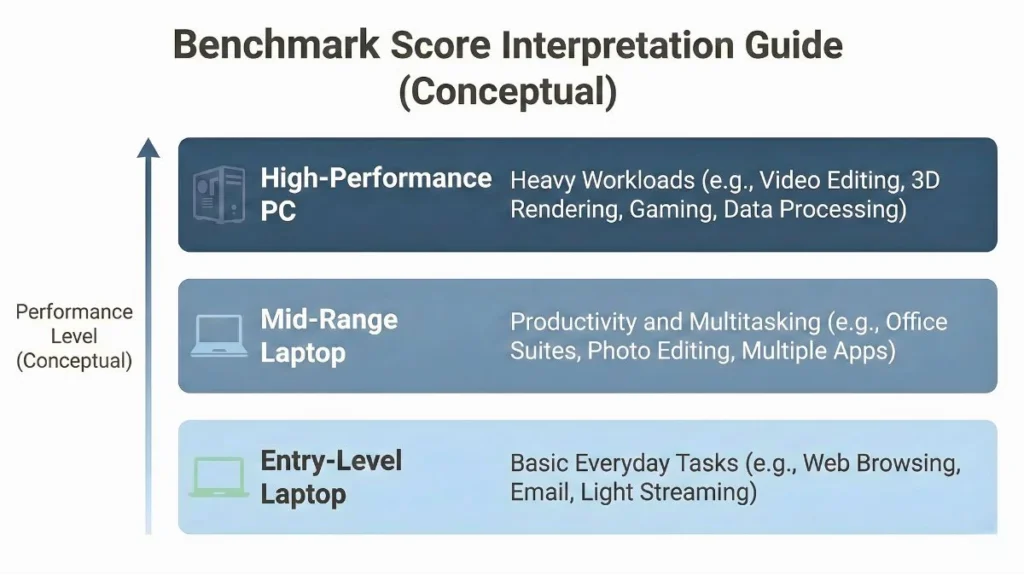
| Device Tier | Typical Single-Core Score | Typical Multi-Core Score | Real-World Context |
| Entry-Level Laptop (Budget / Student) | 1,500 – 2,000 | 5,000 – 8,000 | Good for web browsing, Netflix, and writing essays. May struggle with 4K video editing. |
| Mid-Range Laptop (Business / Ultrabooks) | 2,200 – 2,600 | 10,000 – 14,000 | Perfect for heavy multitasking, large spreadsheets, and light photo editing. |
| High-Performance (Gaming / Creator) | 2,800+ | 16,000+ | Required for professional 3D rendering, compiling large codebases, and AAA gaming. |
These values should be presented as general estimates, not fixed targets, and only used to compare similar device categories.
Why Geekbench 6 Scores Are Different on Laptops
Geekbench 6 scores often vary on laptops because portable systems operate under tighter power and thermal limits than desktops. Many laptops are designed to balance performance with battery life, which directly affects benchmark results.
Cooling design is a major factor. Thin and light laptops have limited airflow and may throttle under heavy workloads, while larger or gaming laptops can maintain higher performance due to better cooling systems.
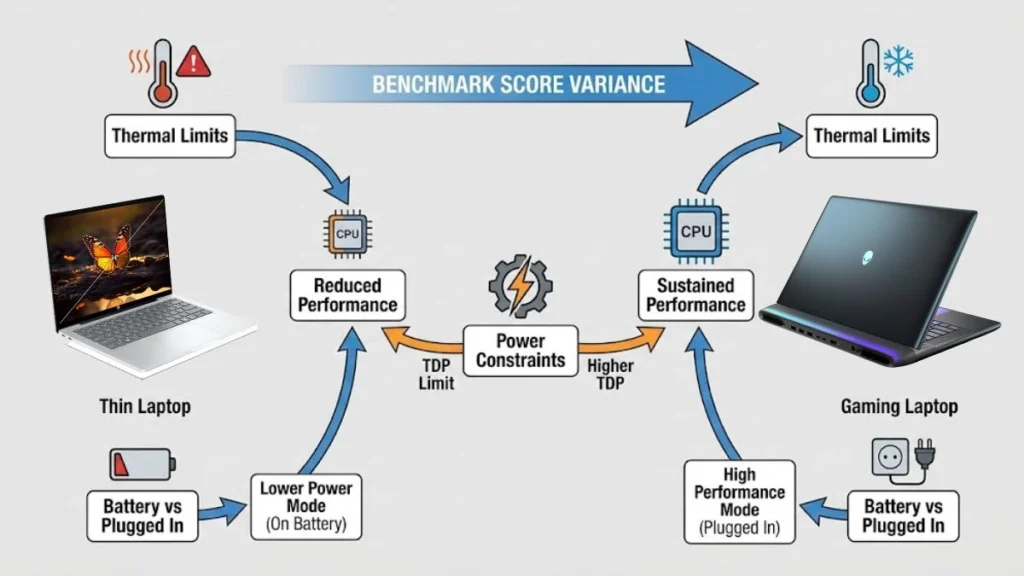
Power mode also matters. Performance often drops when a laptop runs on battery, and system performance profiles can change how much power the processor is allowed to use. These factors explain why laptops with similar hardware can produce different Geekbench 6 scores.
For fair comparison, laptop Geekbench 6 scores should be checked while plugged in and set to performance mode.
How to Download and Run Geekbench 6 (Easy Guide)
Downloading Geekbench 6 is simple and takes only a few minutes.
Step 1: Open your web browser and go to geekbench.com.
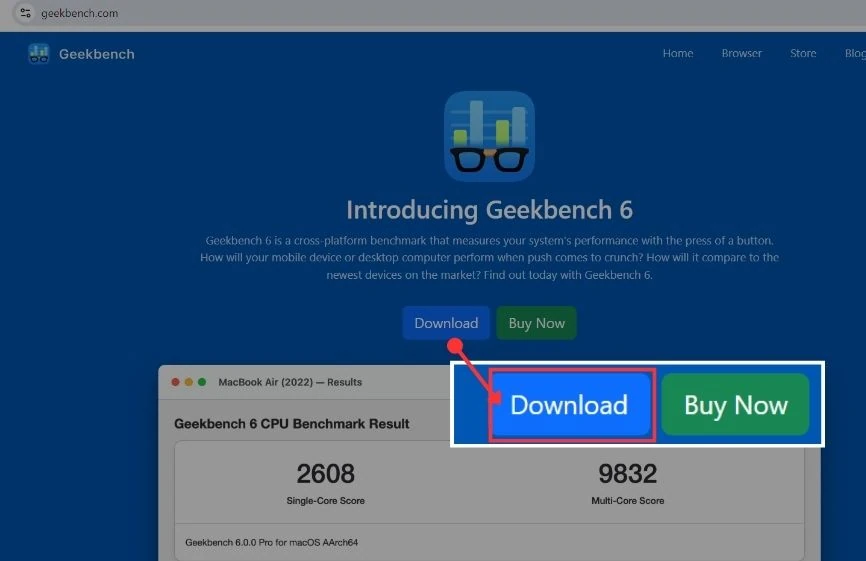
Step 2: On the top menu, click Download. This will open the Geekbench 6 download page.
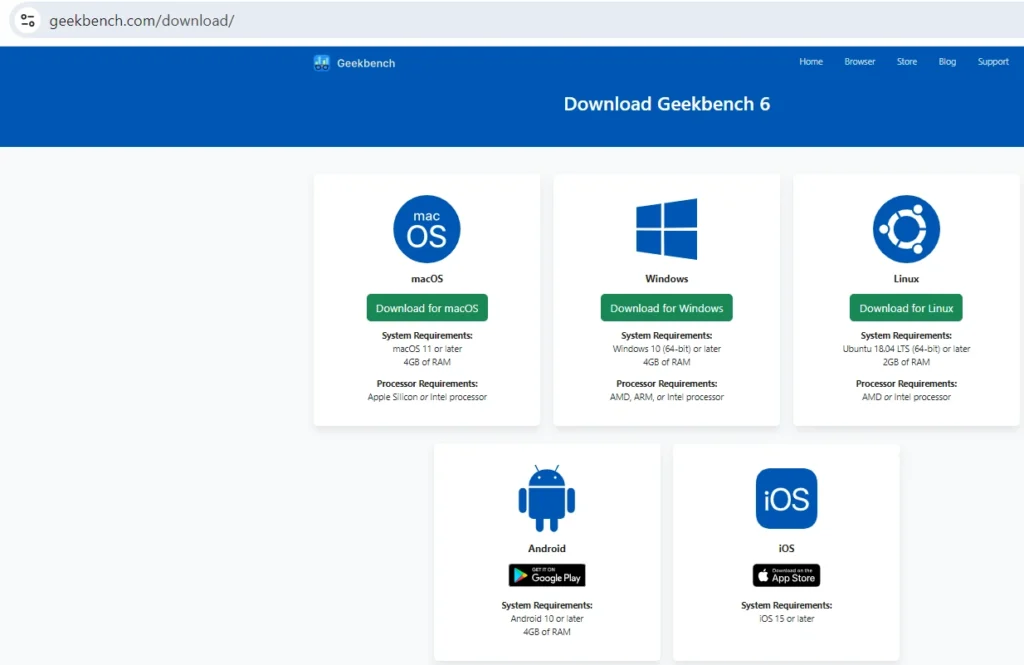
You will see different download options for Windows, macOS, Linux, Android, and iOS.
Step 3: Select the option that matches your PC or laptop and start the download.
If you click Buy Now, a different page will open for Geekbench 6 Pro.
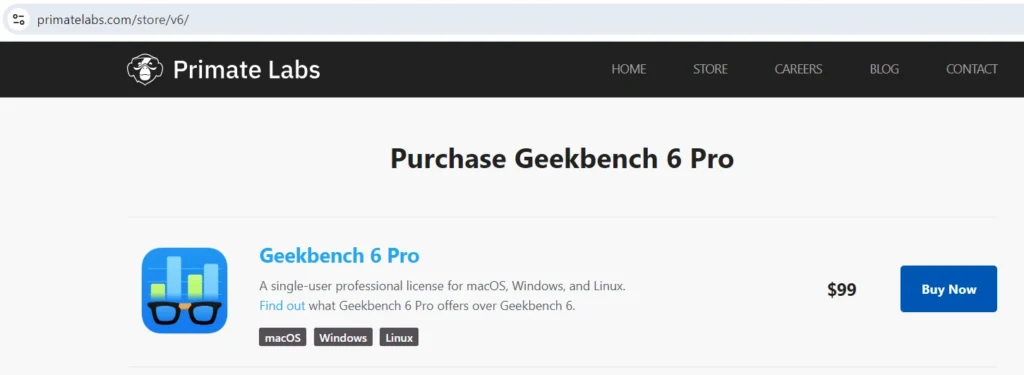
This page is only for the paid version. You do not need it for normal testing.
Step 4: After the download finishes, install Geekbench 6 and open the app.
Before starting the test, close other apps like browsers or music players.
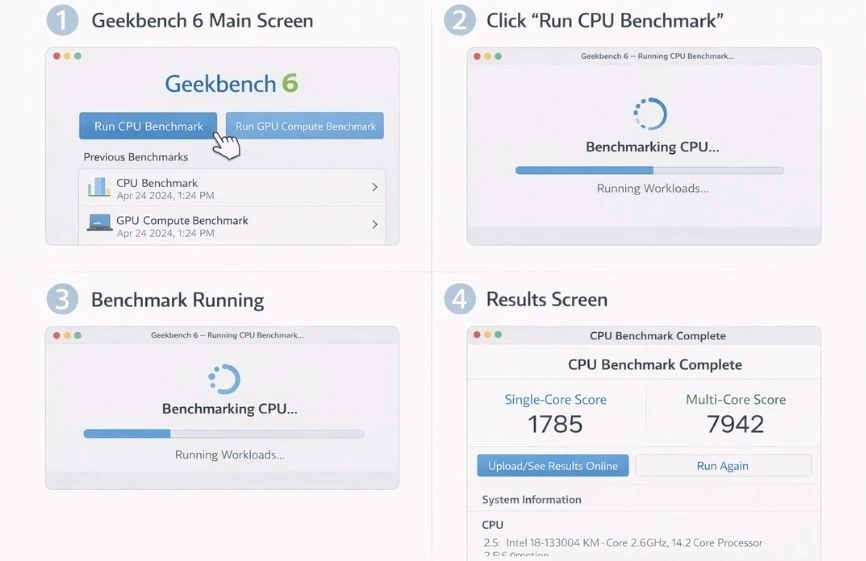
Step 5: Now click Run CPU Benchmark and wait for the test to finish.
For best results, keep your laptop plugged in during the test.
Geekbench 6 vs Geekbench 5
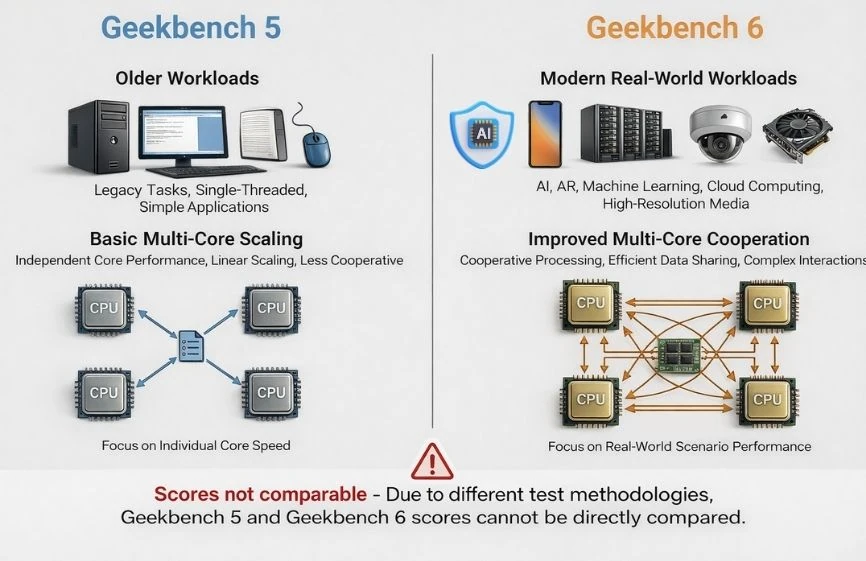
Geekbench 6 is designed to reflect modern computing workloads and replaces Geekbench 5 as the recommended benchmark for current hardware. It introduces updated tests that better represent real-world usage, including image processing, AI-related tasks, and handling larger data sets.
Multi-core testing has also been improved. Geekbench 6 measures how CPU cores work together on shared workloads instead of scaling results from individual cores. This makes scores more relevant for modern processors with hybrid core designs.
Rather than focusing on abstract calculations, Geekbench 6 uses workloads that mirror common computing activities. These include background blurring during video calls, AI-based object removal in images, and applying complex filters to high-resolution photos. These changes help explain why systems may score differently in Geekbench 6 compared to Geekbench 5.
Because Geekbench 6 and Geekbench 5 use different workloads and scoring models, their scores are not directly comparable.
| Feature | Geekbench 5 | Geekbench 6 |
| Workload type | Older tasks | Real-world tests |
| Multi-core testing | Basic scaling | Improved cooperation |
| Score comparison | Same version only | Not comparable |
This is why Geekbench 5 results should not be used to judge modern hardware.
Is Geekbench 6 Safe and Free?
Many users are confused about whether the free version of Geekbench 6 gives lower or less accurate results than the paid version. This is a common and reasonable concern.
Geekbench 6 is safe to use for normal performance testing. It runs short tests and does not harm your PC or laptop when used correctly.
The free version uses the same tests and the same scoring system as the Pro version. This means the results are just as accurate. Paying for the Pro version does not increase scores or improve accuracy.
The Pro version is meant for advanced users and businesses. It adds extra features like automated testing and offline result storage. For most users, the free version is enough to test and compare performance correctly.
Limitations of Geekbench 6
Geekbench 6 measures short-duration performance, which means it does not reflect sustained workloads over long periods. As a result, it may not show thermal throttling or long-term performance behavior.
It is also not a gaming benchmark. Geekbench 6 does not measure in-game frame rates or real-time graphics performance. Its GPU test focuses on compute tasks rather than gaming workloads.
For a complete performance picture, Geekbench 6 should be used alongside tools that test sustained CPU loads, gaming performance, or long-term system stability.
Frequently Asked Questions
What is Geekbench 6 used for?
Geekbench 6 is used to measure CPU performance and GPU compute performance on PCs, laptops, and other devices. It helps users compare how different systems perform in everyday tasks by running the same tests on each device.
Is Geekbench 6 accurate?
Geekbench 6 is accurate for comparing devices tested under similar conditions. It runs the same workloads each time, which makes results consistent and repeatable. However, it should be used as a comparison tool, not as an exact measure of overall system speed.
Why is my Geekbench 6 score lower than expected?
Scores can be lower if background apps are running, power-saving mode is enabled, or the system is overheating. On laptops, performance often drops when the device is running on battery or has strict power limits.
Can Geekbench 6 measure gaming performance?
Geekbench 6 does not measure gaming performance or frame rates. It focuses on CPU and GPU compute tasks instead. Gaming performance depends on many other factors and should be tested using dedicated gaming benchmarks.
Can I compare Geekbench 5 and Geekbench 6 scores?
Geekbench 5 and Geekbench 6 scores cannot be compared. Each version uses different tests and a different scoring system, so scores are only meaningful within the same version.
Conclusion
Geekbench 6 fits best as a reference tool for comparing performance between similar PCs and laptops. It helps highlight differences that specifications alone often fail to show, especially when evaluating newer hardware.
At the same time, benchmark results are only one part of the picture. Real-world experience depends on how a system is designed, cooled, and used day to day.
Viewed in that context, Geekbench 6 becomes most useful not as a final verdict, but as a reliable starting point for understanding overall system performance.