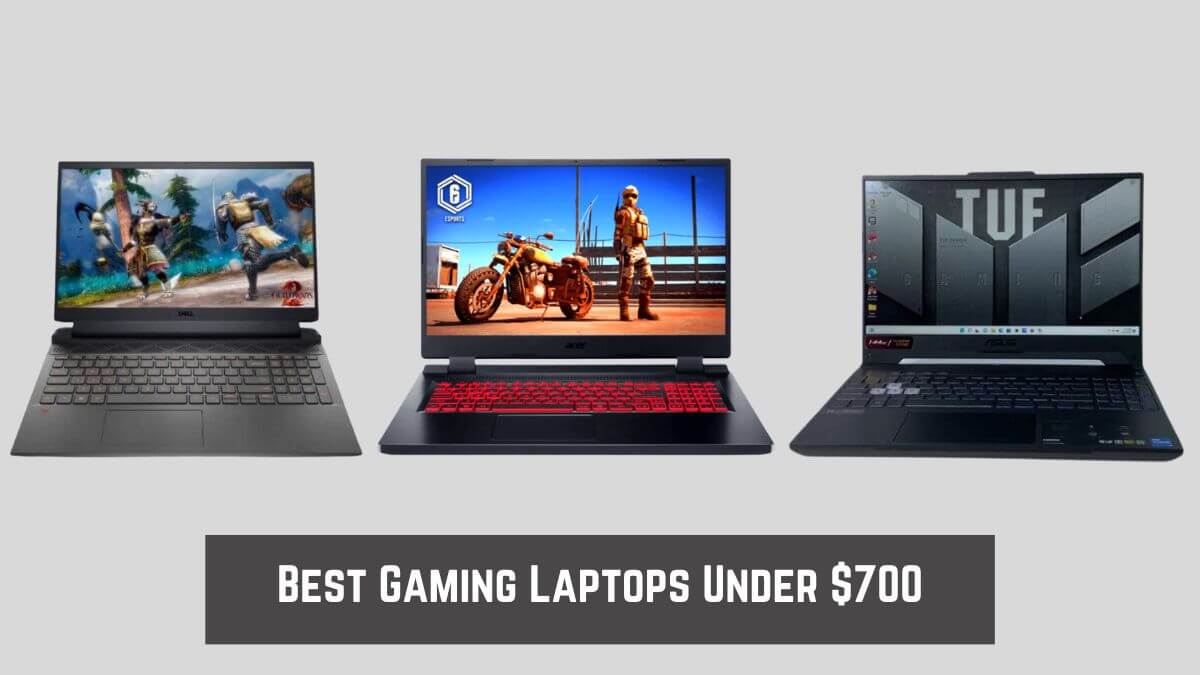
In 2026, this usually means choosing between entry-level dedicated GPUs, higher-power CPUs, or better cooling, but rarely all three.
You compare specifications, open ten tabs, get your hopes up for a while, and then realize that half the options aren’t as good in real-world use as they look on paper.
Prices quickly escalate, and the models that remain within budget often have hidden flaws that aren’t immediately apparent.
After spending time with numerous budget machines, one thing becomes clear.
At this price point, specifications alone don’t matter as much as balance. A laptop that looks powerful but overheats, throttles, or runs slowly outside of games quickly becomes frustrating. On the other hand, a well-tuned system with intelligent compromises can deliver smooth 1080p gaming and feel reliable for everyday tasks.
That’s where our top budget gaming laptop picks come in. These laptops were chosen because they remain stable during extended gaming sessions, feel responsive in daily use, and don’t fall apart after the initial excitement wears off.
Some are better for students, some for portability, some for pure gaming value, but all of them are genuinely useful.
What follows isn’t about chasing perfection. It’s about understanding what a $700 gaming laptop can realistically deliver in 2026, and choosing laptops that actually live up to that expectation.
Quick Overview: Our top 3 Picks Best Gaming Laptops Under $700
| Image | Product | Feature | Price |
|---|---|---|---|
Best Overall
 |
Acer Nitro V |
| Check Price | TOP Pick 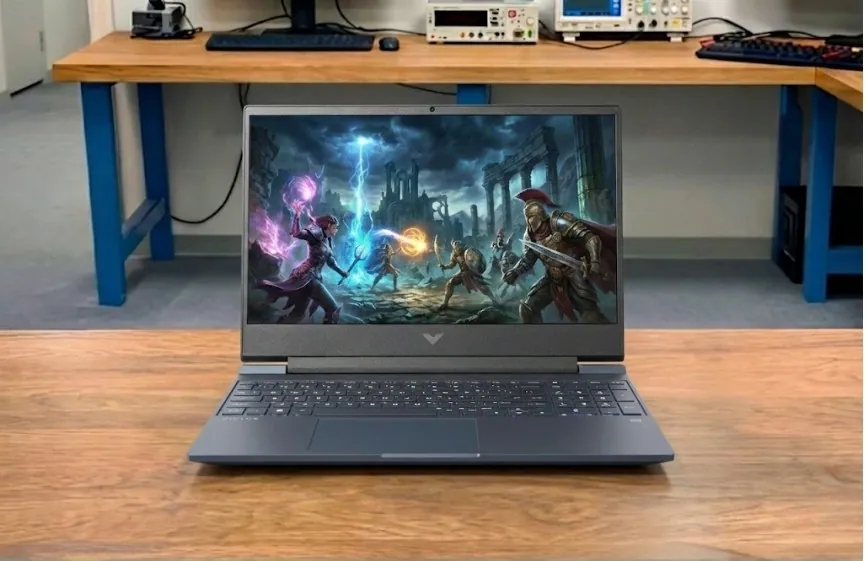 |
HP Victus 15 |
| Check Price | Best with Large-Screen 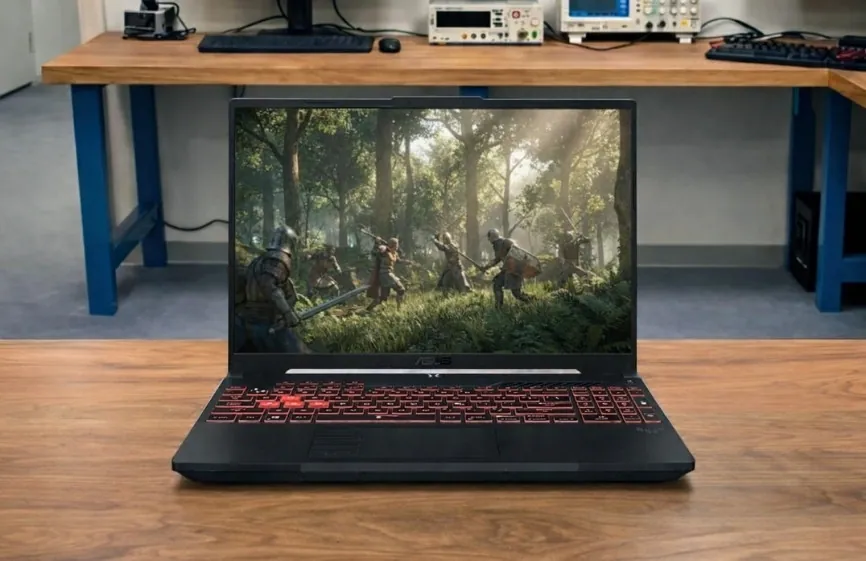 |
ASUS TUF A16 |
| Check Price |
How We Tested These Gaming Laptops
We test all gaming laptops under $700 by putting them through real-world use, not just focusing on specifications. Each laptop is evaluated for gaming performance, system stability, thermal behavior, and everyday tasks such as browsing, streaming, and productivity work.
To support our real-world usage findings, we test storage, display, memory, and battery performance. We also run standard benchmarks such as Geekbench and other CPU and GPU tests like 3DMark, Geekbench Metal tests, and more. These benchmarks help confirm performance, but our final recommendations are based on how the laptops perform during actual gaming and everyday use.
Recent Updates
Click here to see the latest updates
- January 04, 2026: I updated this article by removing the Dell G15 5535 and Lenovo Ideapad 3 Gaming because they are older models and are harder to find at good prices now. I replaced the ASUS TUF F15 with the newer ASUS TUF A16 as the A16 offers better performance and is more relevant for buyers today. I also added the Acer Nitro V and HP Victus 15 to improve overall value and current availability under the $700 range.
- October 14, 2021: This article was first published.
What Should You Look for in a Gaming Laptop?
To choose a gaming laptop under $700, you need to consider hardware options that impact gaming performance, thermals, and upgradeability.
Specifications such as the graphics processor, CPU class, display refresh rate, cooling design, and memory configuration determine whether a system can reliably run modern games.
The detailed buying guide below explains these parameters in a structured way, allowing for a direct comparison of laptops based on performance-related factors rather than marketing specifications.
Go to the detailed buying guide: How to choose the best gaming laptop under $700
The Best Gaming Laptops Under $700 (2026)
| Product Name | CPU | GPU | RAM | Storage | Display | Weight | Best For |
|---|---|---|---|---|---|---|---|
| Acer Nitro V | Intel Core i5-13420H | NVIDIA GeForce RTX 5050 | 16GB DDR5 | 512GB SSD | 15.6-inch FHD IPS, 165Hz | 5.06 lbs (2.29 kg) | Best overall gaming performance under $700 |
| HP Victus 15 | AMD Ryzen 7 7445HS | NVIDIA GeForce RTX 4050 | 16GB DDR5 | 512GB SSD | 15.6-inch FHD IPS, 144Hz | 5.06 lbs (2.29 kg) | Best value for smooth 1080p gaming |
| ASUS TUF A16 | AMD Ryzen 7 7445HS | NVIDIA GeForce RTX 4050 | 16GB DDR5 | 512GB SSD | 16-inch FHD, 144Hz | 4.85 lbs (2.2 kg) | Best large-screen laptop for long sessions |
| Lenovo LOQ 15 Essential | Intel Core i5-12450HX | NVIDIA GeForce RTX 4050 | 8GB DDR4 | 512GB SSD | 15.6-inch FHD IPS, 144Hz | 4.18 lbs (1.89 kg) | Best balanced option for students |
| MSI Thin 15 | Intel Core i7-13620H | NVIDIA GeForce RTX 4050 | 16GB DDR4 | 512GB SSD | 15.6-inch FHD IPS, 144Hz | 4.1 lbs (1.86 kg) | Best thin laptop focused on performance |
Overall Best Laptop


1. Acer Nitro V
Key Specs
| Processor | Intel Core i5-13420H |
| Graphics | NVIDIA RTX 5050 |
| Memory | 16GB DDR5 |
| Storage | 512GB SSD |
| Display | 15.6-inch FHD (1920 x 1080) IPS, 165Hz Refresh Rate |
| Weight | 5.06 lbs (2.29 kg) |
Check Current Pricing
The Acer Nitro V replaces the older Nitro 5 and is a more robust and balanced gaming laptop at a price point under $700. Acer has clearly prioritized performance, while also addressing the shortcomings of previous Nitro models.
The Intel Core i5-13420H delivers fast and consistent performance for gaming, streaming, and everyday tasks.
It handles modern games without lag and runs background applications smoothly. With an RTX 5050 with 8GB GDDR7, this laptop shows a clear improvement over RTX 3050 systems. Competitive games like Valorant, CS2, and Fortnite run at high frame rates, while more demanding AAA titles run smoothly at 1080p on medium to high settings.
The 165Hz Full HD IPS display is one of its biggest strengths. Motion looks smooth, screen tearing is minimized, and fast-paced gameplay feels more responsive. Viewing angles are good, and the panel looks sharp for both gaming and regular use.
With 16GB of pre-installed RAM, multitasking is smooth right out of the box. The 512GB PCIe Gen 4 SSD keeps boot times and game loading fast, and storage is easy to upgrade if you need more space later.
Cooling performance is reliable. The dual-fan system keeps temperatures under control during extended gaming sessions. Fan noise increases under heavy load, but the laptop maintains stable performance without sudden slowdowns.
Battery life follows the standard pattern for gaming laptops. For light tasks like browsing, video playback, and document work, the Nitro V provides approximately 5 to 6 hours of use. Gaming sessions should always be done while plugged in for full performance.
The port selection is excellent for this price range, including Thunderbolt 4, HDMI 2.1, USB-A ports, Ethernet, and Wi-Fi 6, making it easy to connect external displays and accessories.
Who Is It Best For
Gamers who want the best overall performance under $700, with a modern GPU, high refresh rate display, and solid long-term usability.
Who Should Skip It
Users who prioritize long battery life or want a thin, premium metal design for travel.
Pros
✔ Smooth gameplay in modern games
✔ Stays stable during long gaming sessions
✔ Display feels smooth in fast-paced games
✔ Ready to use without immediate upgrades
✔ Easy to connect monitors and accessories
Cons
✘ Fan noise increases during heavy gaming
✘ Battery drains fast while gaming
✘ Design looks simple, not premium
See our full Acer Nitro V Review
Best Budget HP Laptop for Gaming
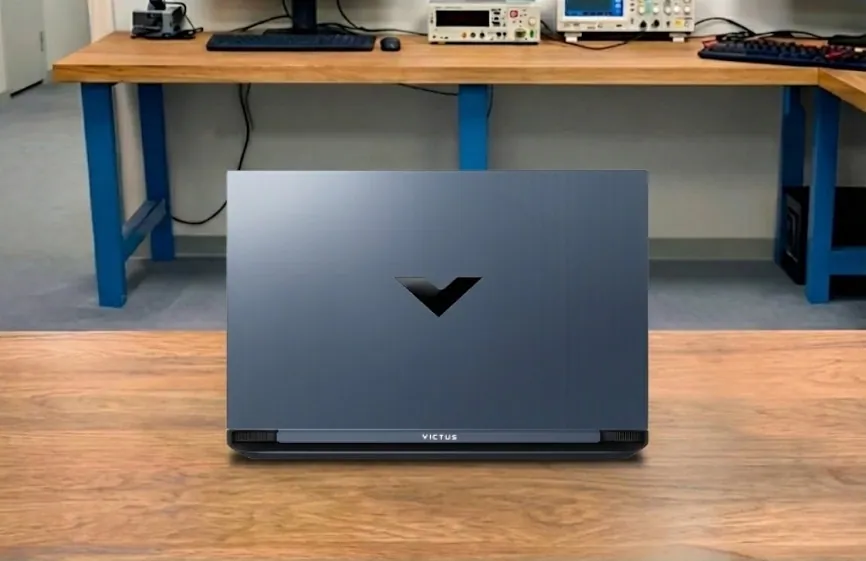
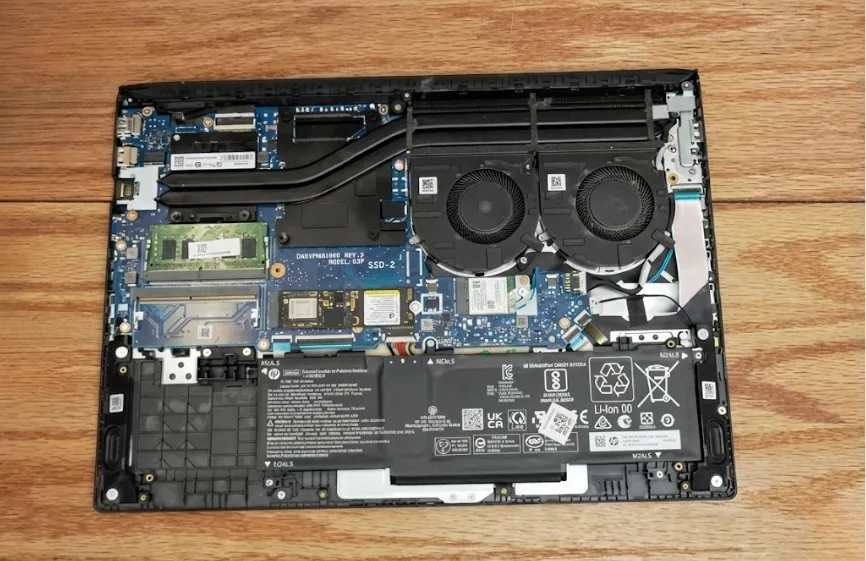
2. HP Victus 15
Key Specs
| Processor | AMD Ryzen 7 7445HS |
| Graphics | NVIDIA RTX 4050 |
| Memory | 16GB DDR5 |
| Storage | 512GB SSD |
| Display | 15.6″ FHD, 144Hz, IPS |
| Battery | 3-cell, 52.5 Wh Li-ion |
| Weight | 5.06 lbs (2.29 kg) |
Check Current Pricing
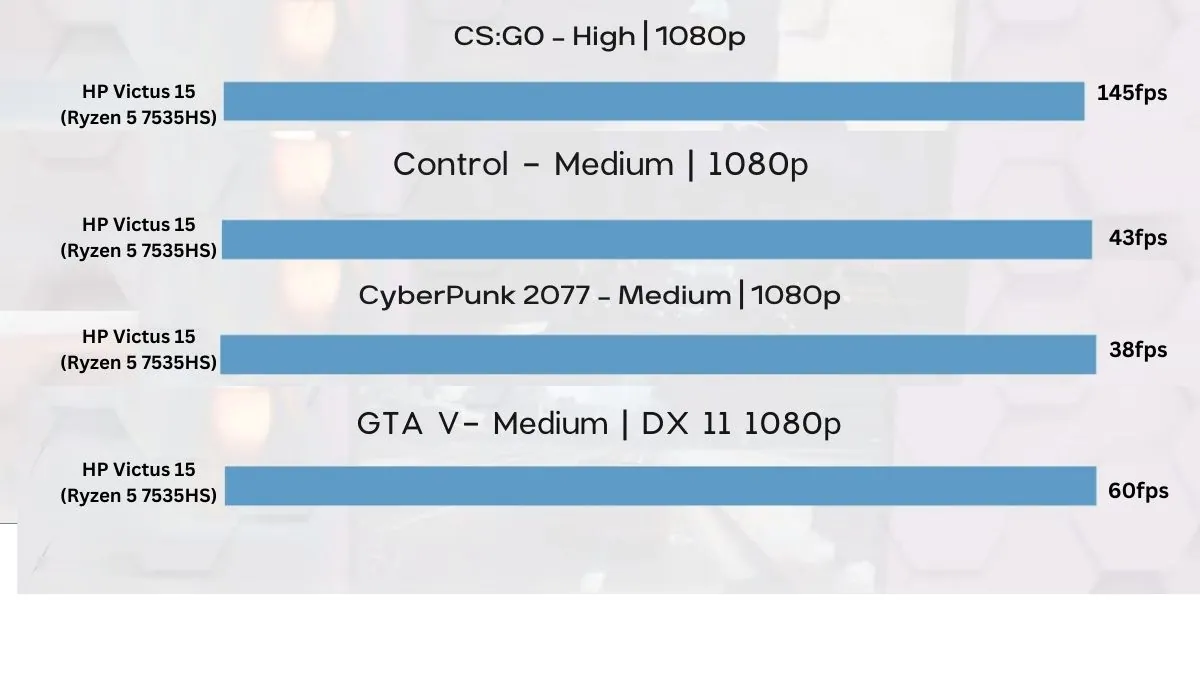
The HP Victus 15 is one of the best value options if your budget is around $700. Unlike many entry-level gaming laptops, it comes with hardware that makes modern games playable without breaking your wallet. During our test, games like Valorant, Apex Legends, and Cyberpunk 2077 (on low to medium settings) ran smoothly, proving that the RTX 4050 graphics card is a clear upgrade from older RTX 2050 models.
What stood out most was the smoothness in multitasking. With the Ryzen 7 7445HS chip and 16GB DDR5 RAM, you can run Discord, Spotify, and Chrome in the background while gaming, and the system stays stable. The 512GB SSD loads games fast, though heavy players may want extra storage later.
The 15.6-inch screen is another plus. It runs at 144Hz, which makes every movement in fast-paced games look fluid. The brightness is only 250 nits, so it is best indoors, but the overall visual experience is sharp and enjoyable. The backlit keyboard is comfortable for long sessions, and the cooling system handles heat fairly well, though fans get noticeable under heavy load.
Battery life is standard for gaming laptops, lasting 4 to 5 hours with light use and less when gaming. Compared with cheaper models like the Acer Aspire 3, the Victus easily delivers better graphics and smoother performance. High-end laptops like the HP Omen or Razer Blade offer more fps and premium designs, but they also cost far more. For budget-conscious gamers, the Victus 15 offers a great mix of price and performance.
Who is it Best For: Gamers who want a reliable laptop for smooth 1080p gaming and everyday tasks under $700.
Who Should Skip It: You want all-day battery life or a premium build with a brighter display for design work.
Benchmarks and Test
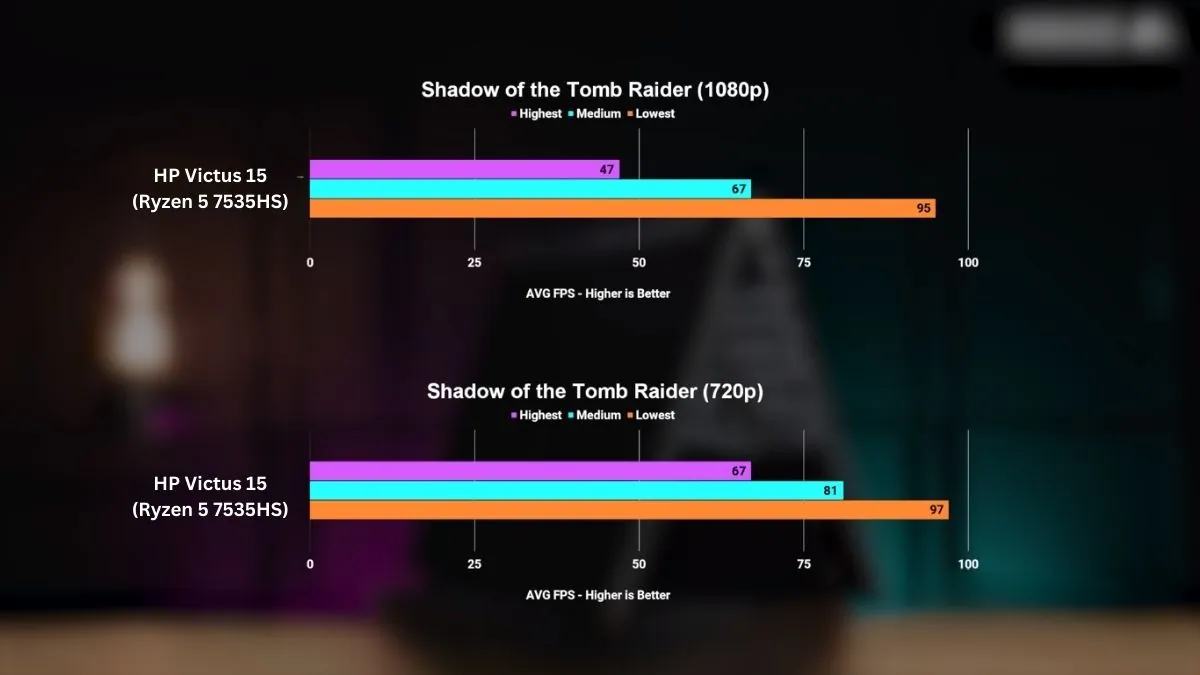
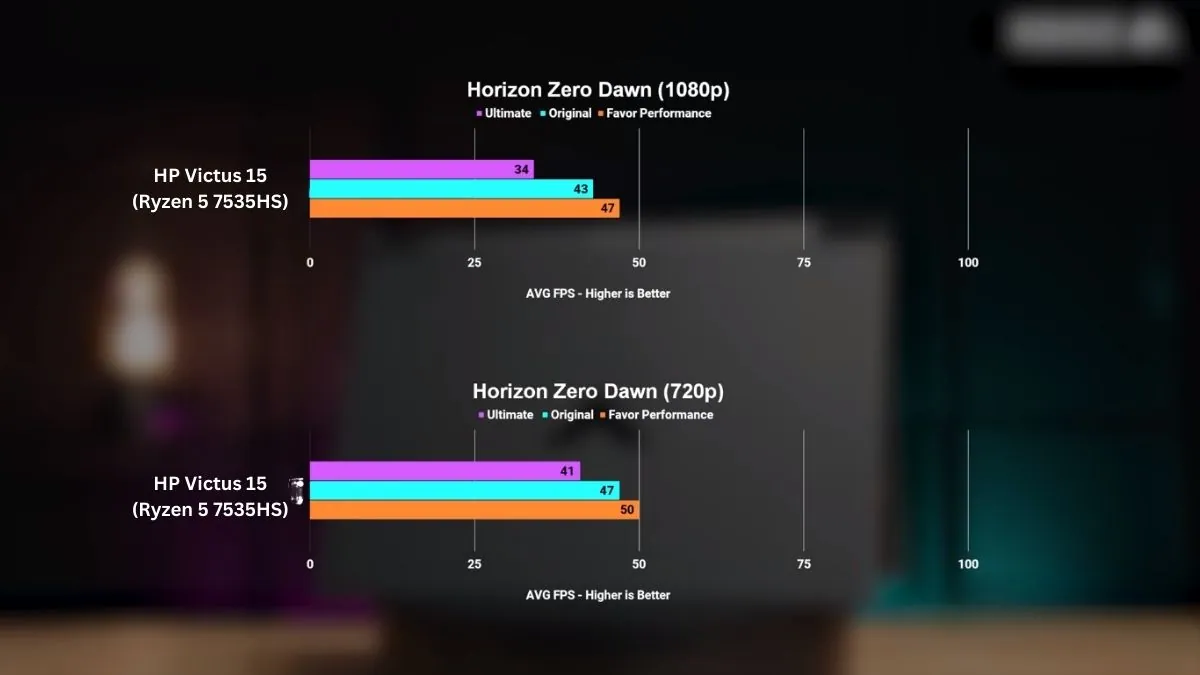
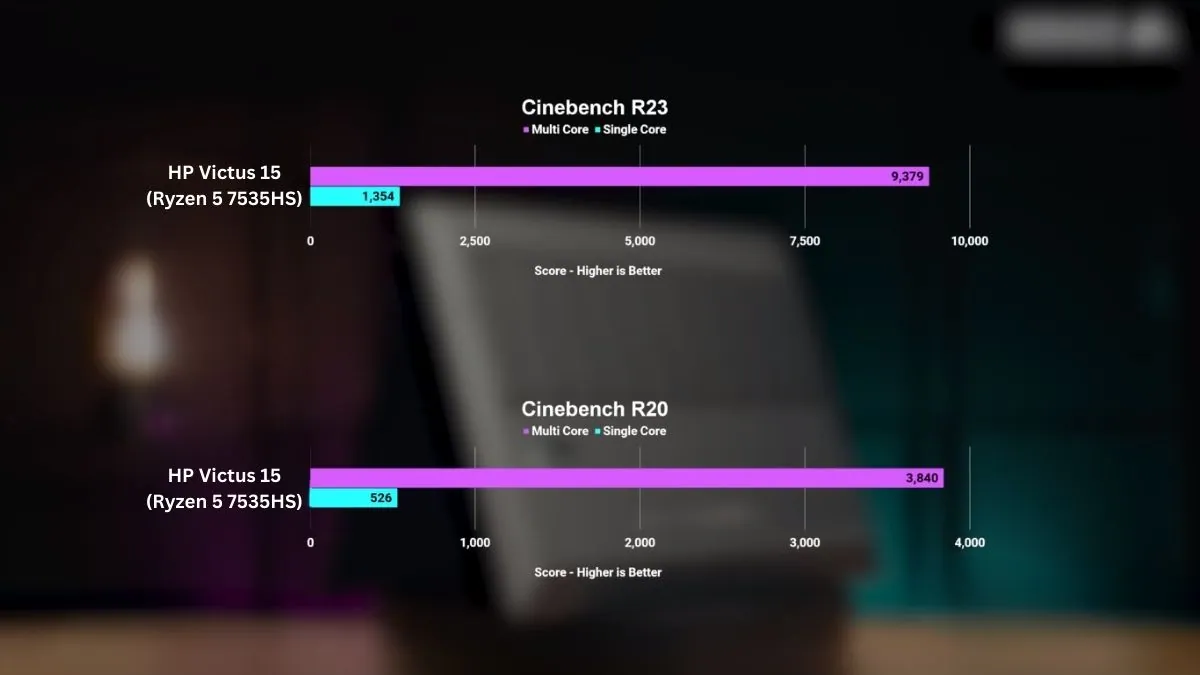
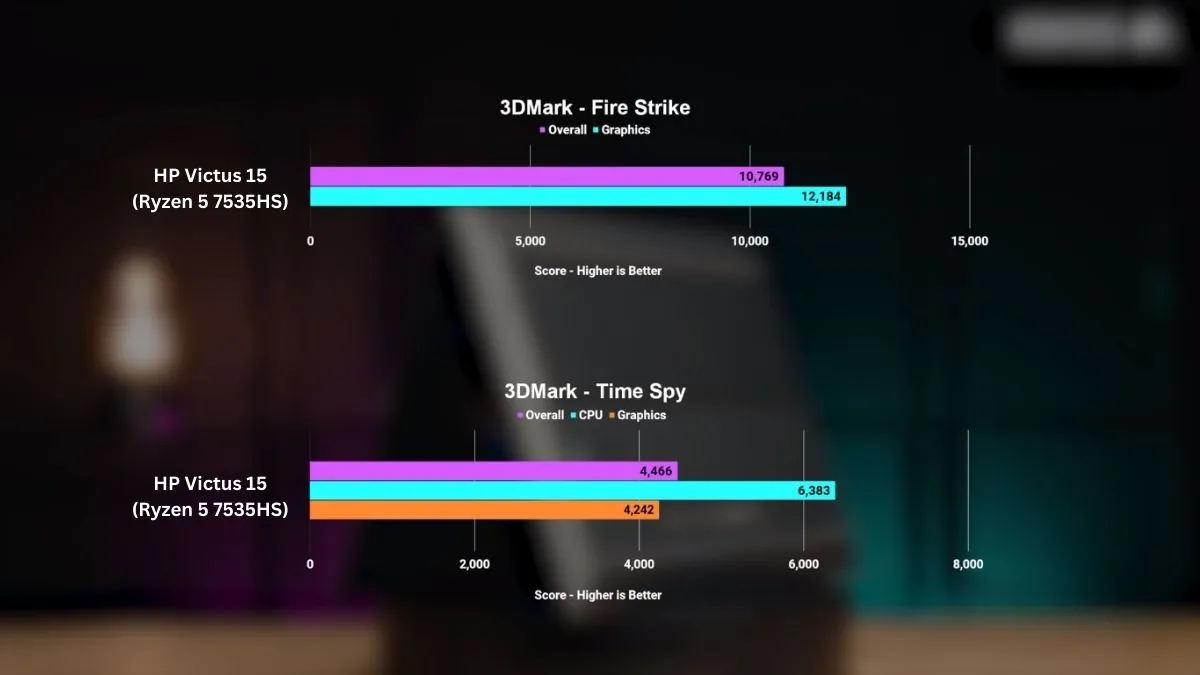
In our testing, the HP Victus 15 achieved a Cinebench R23 single-core score of 1354 and a multi-core score of 9379. These results confirm that it can handle multitasking and deliver stable frame rates in eSports and AAA games at 1080p.
Pros
✔ Plays eSports and AAA games at smooth fps
✔ 144Hz screen makes gaming more enjoyable
✔ 16GB RAM handles multitasking well
✔ Comfortable keyboard with backlight
✔ Excellent value
Cons
✘ Battery drains quickly during gaming
✘ Plastic build feels simple
✘ Screen brightness limited for outdoor use
See our full HP Victus 15 Review
Large-Screen Gaming Laptop for Long Sessions


3. ASUS TUF A16
Key Specs
| Processor | AMD Ryzen 7 7445HS |
| GPU | NVIDIA GeForce RTX 4050 |
| RAM | 16GB DDR5 |
| Storage | 512GB SSD |
| Screen | 16-inch FHD 145Hz, LED |
| Weight | 4.85 lbs (2.2 kg) |
The ASUS TUF Gaming A16 is perfect for gamers who spend long hours in front of the screen. The large display and stable performance make it easy to maintain focus during gameplay without any distractions or frustrations.
During extended gaming sessions, the laptop maintains consistent frame delivery instead of experiencing performance drops after a short time. Fast-paced games remain responsive, and demanding titles are playable without constantly adjusting settings. This kind of consistency matters more than peak numbers when gaming for hours on end.
The large screen transforms the gaming experience. Text is easier to read, maps are clearer, and movement feels more natural compared to smaller panels. This also helps beyond gaming, especially for studying, browsing, or watching videos.
The laptop feels solid and purpose-built. The keyboard remains comfortable during prolonged use, and the system manages heat effectively. Fan noise is noticeable under heavy load, but performance remains stable rather than experiencing sudden drops.
For everyday use, it handles tasks smoothly without any lag. Battery life is decent for light tasks, but gaming is clearly designed to be done while plugged in, which is typical for this category.
Who Is It Best For
Gamers or students who want a bigger screen and steady performance for long gaming sessions under $700.
Who Should Skip It
Users who want a lightweight laptop or plan to use it unplugged for most of the day.
Pros
✔ Stable performance during long gaming sessions
✔ Bigger screen feels more comfortable to use
✔ Smooth experience without constant setting changes
✔ Solid build suited for daily use
Cons
✘ Fan noise increases under heavy load
✘ Battery life is limited while gaming
✘ Heavier than smaller gaming laptops
Best Balanced Gaming Laptop for Students


4. Lenovo LOQ 15 Essential
Key Specs
| Processor | 12th Gen Intel Core i5-12450HX |
| Graphics | NVIDIA GeForce RTX 4050 |
| RAM | 8GB DDR4 |
| Storage | 512GB SSD |
| Display | 15.6-inch FHD (1920 x 1080) IPS, 144Hz refresh rate |
| Weight | 4.18 Pounds (1.89 Kg) |
The Lenovo LOQ 15 Essential fits naturally into student life. It works well as a daily college laptop and still feels capable when it’s time to game in the evening. Lenovo keeps the design simple and practical, focusing more on steady performance and comfort than flashy looks.
In regular use, the laptop feels quick and reliable. Powered by an Intel Core i5-12450HX processor paired with NVIDIA GeForce RTX 4050 graphics, games load fast and run smoothly at 1080p.
Popular games like Valorant, Fortnite, and GTA V run smoothly, and even more demanding games can be played without constantly adjusting settings. This kind of consistency is crucial for students who simply want to play games without wasting time fine-tuning settings.
The display further enhances the overall experience. The 15.6-inch Full HD IPS panel with a 144Hz refresh rate displays motion more smoothly than standard screens, which is beneficial in fast-paced games and also makes scrolling, studying, and video playback more fluid. Reading text for notes and assignments remains comfortable, even during long study sessions.
During extended gaming sessions or heavy workloads, the laptop maintains performance rather than experiencing sudden drops. The fan noise increases under load, but the system remains stable instead of becoming erratic. The keyboard feels comfortable for both typing assignments and gaming, making it easy to switch between work and play.
Battery life is enough for classes, browsing, and light productivity. Like most gaming laptops in this range, gaming is best done while plugged in to get full performance. Compared to older budget gaming models like the Ideapad 3 gaming, the LOQ 15 also feels easier to carry, which helps when moving between hostel, campus, and home.
Who Is It Best For
Students who want a reliable laptop for studying, daily use, and smooth 1080p gaming under $700 without dealing with unstable performance.
Who Should Skip It
Users who need all-day battery life away from a charger or want top-tier gaming performance without upgrading memory.
Pros
✔ Stable 1080p gaming without constant tweaking
✔ High-refresh display improves both gaming and daily use
✔ Comfortable keyboard for long typing and gaming sessions
✔ Practical balance suited for student life
Cons
✘ 8GB RAM benefits from an upgrade for newer games
✘ Fan noise increases during heavy gaming
✘ Gaming drains the battery quickly
Best Performance-Focused Thin Laptop Under $700
5. MSI Thin 15
Key Specs
| Processor | 13th Gen Intel Core i7-13620H |
| GPU | NVIDIA GeForce RTX 4050 |
| RAM | 16GB DDR4 |
| Storage | 512GB SSD |
| Display | 15.6-inch FHD (1920 × 1080), IPS 144Hz |
| Weight | 4.1 pounds (1.86 kg) |
Check Current Pricing
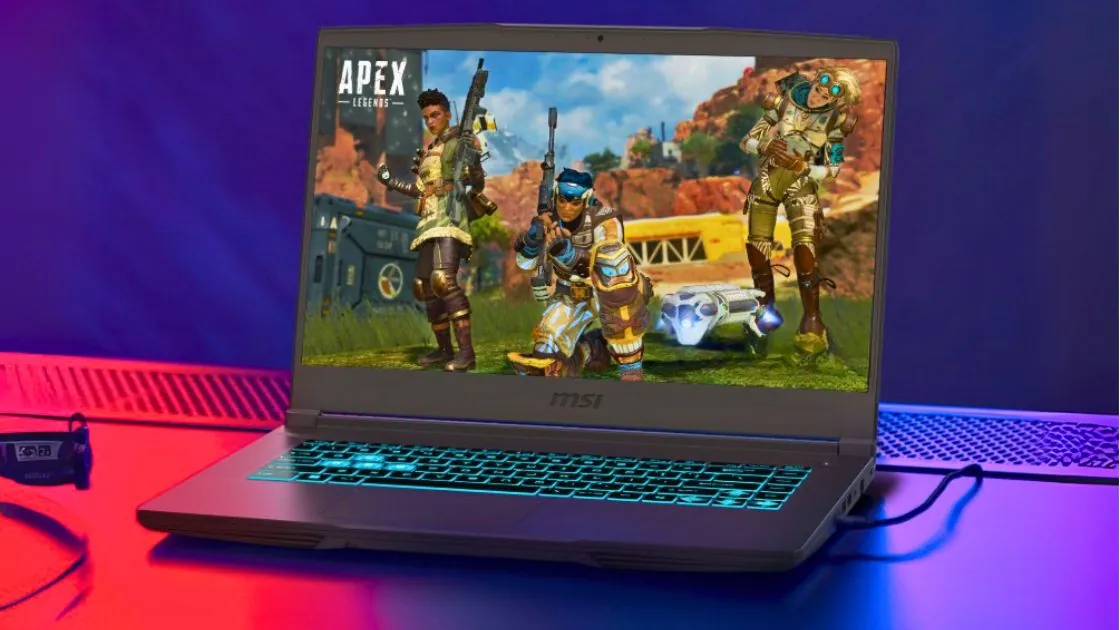
Last year’s MSI Thin 15 is perfect for users who prioritize speed above all else, without venturing into the world of bulky gaming laptops.
It’s a device that feels fast from the moment you start using it, whether you’re opening multiple apps, playing games, or switching between work and entertainment, without having to wait for anything to load.
What truly sets it apart in everyday use is how effortlessly it handles mixed workloads. With the Intel Core i7-13620H and RTX 4050, the system doesn’t feel strained even when gaming at 1080p with background apps running.
Some medium graphics games run smoothly, and general usage feels snappy, something that cheaper CPUs often fail to deliver. It’s not built for maximum graphics settings, but the performance feels stable and controlled rather than stretched thin.
The overall smoothness is helped by the 144Hz Full HD display, which quietly improves both gaming and daily use. Fast movement looks cleaner, scrolling feels lighter, and long sessions of browsing or video watching don’t feel tiring. It’s one of those upgrades that’s easy to miss on paper but noticeable once you use it.
Because the chassis is slimmer, the laptop does make some compromises. Fans become audible when performance is pushed, and battery life is best described as practical rather than impressive.
Still, the system avoids sudden slowdowns, which matters more than silence for users who value consistency. The keyboard stays comfortable during long sessions, whether that’s typing or gaming.
Where the MSI Thin 15 really fits is for users who carry their laptop often and still want strong performance when they sit down. It’s easier to live with day-to-day than with heavier gaming laptops, and that balance is exactly why it earns its place in this list.
Who Is It Best For
Users who want a slim, easy-to-carry laptop that prioritizes speed and smooth 1080p gaming over bulk and extreme graphics settings.
Who Should Skip It
Users who expect quiet operation under heavy load or long battery life while gaming unplugged.
Pros
✔ Fast, responsive feel in daily use
✔ Smooth 1080p gaming without feeling strained
✔ 144Hz display improves overall experience
✔ Easier to carry than most gaming laptops
Cons
✘ Fan noise under heavy load
✘ Battery life is average
✘ Not meant for ultra-high graphics presets
See our full MSI Thin A15 Review
How to Choose the Best Gaming Laptop Under $700 (2026)
If you’re buying a gaming laptop for under $700, it’s all about making smart compromises, not sacrifices. At this price point, no single component in any laptop will be perfect, but the right balance of performance, thermals, and upgrade potential can deliver a smooth gaming experience and reliable everyday use.
Understanding which features actually impact gameplay is crucial, as it helps you avoid paying for things that don’t truly add value.
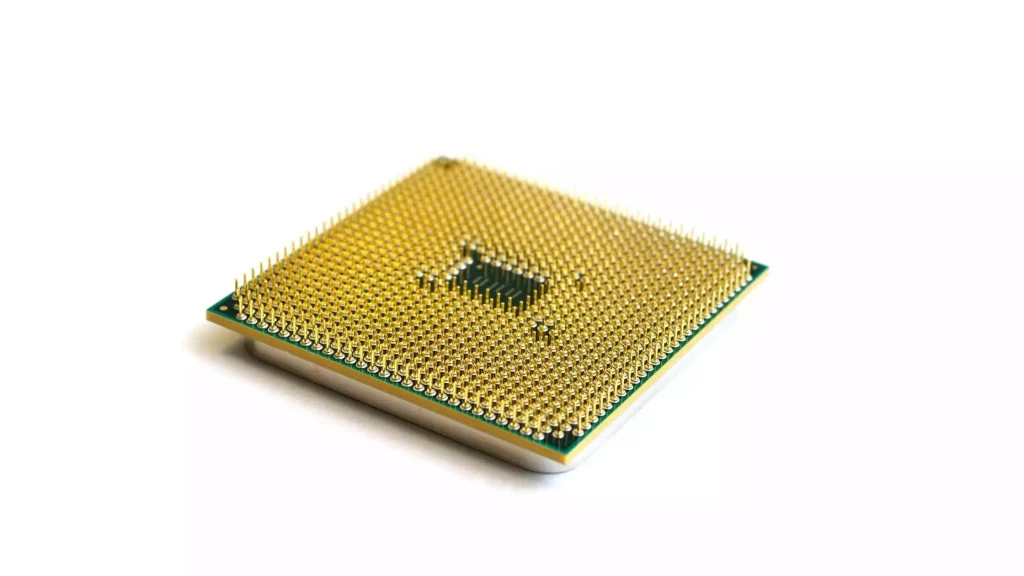
Processor capability matters more than the brand name
Both Intel and AMD, the most popular brands, offer good CPUs in this price range, but true performance depends on the architecture and sustained capability rather than just the branding.
Modern processors from Intel’s 12th generation and later, and AMD’s Ryzen 6000 or 7000 series, are excellent for gaming, provided they can maintain their clock speeds without excessive throttling.
A good CPU ensures smooth gameplay in demanding tasks and CPU-intensive games and prevents stuttering when multitasking during gaming sessions.
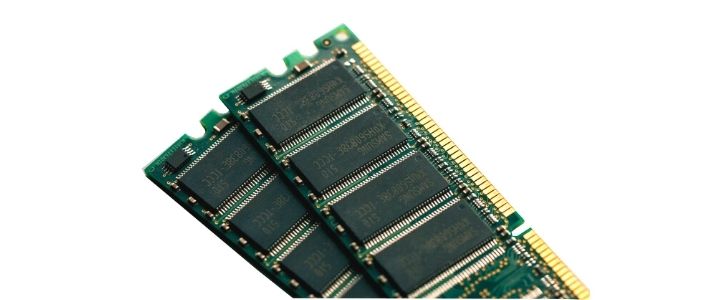
Memory configuration affects smoothness more than FPS
RAM plays a crucial role in the overall system responsiveness of any computer, especially if you plan on gaming. While some laptops come with 8GB of memory, modern games benefit significantly from more RAM.
A budget gaming laptop with 16GB of RAM will provide smoother gameplay, faster load times, and better background task handling compared to one with 8GB.
If you can find a laptop with 32GB of RAM within a $700 budget, it will be more future-proof.
At this price point, upgradeable memory slots are very useful, allowing you to improve performance later without replacing the entire laptop. You should also consider the read and write speeds of the memory and storage.
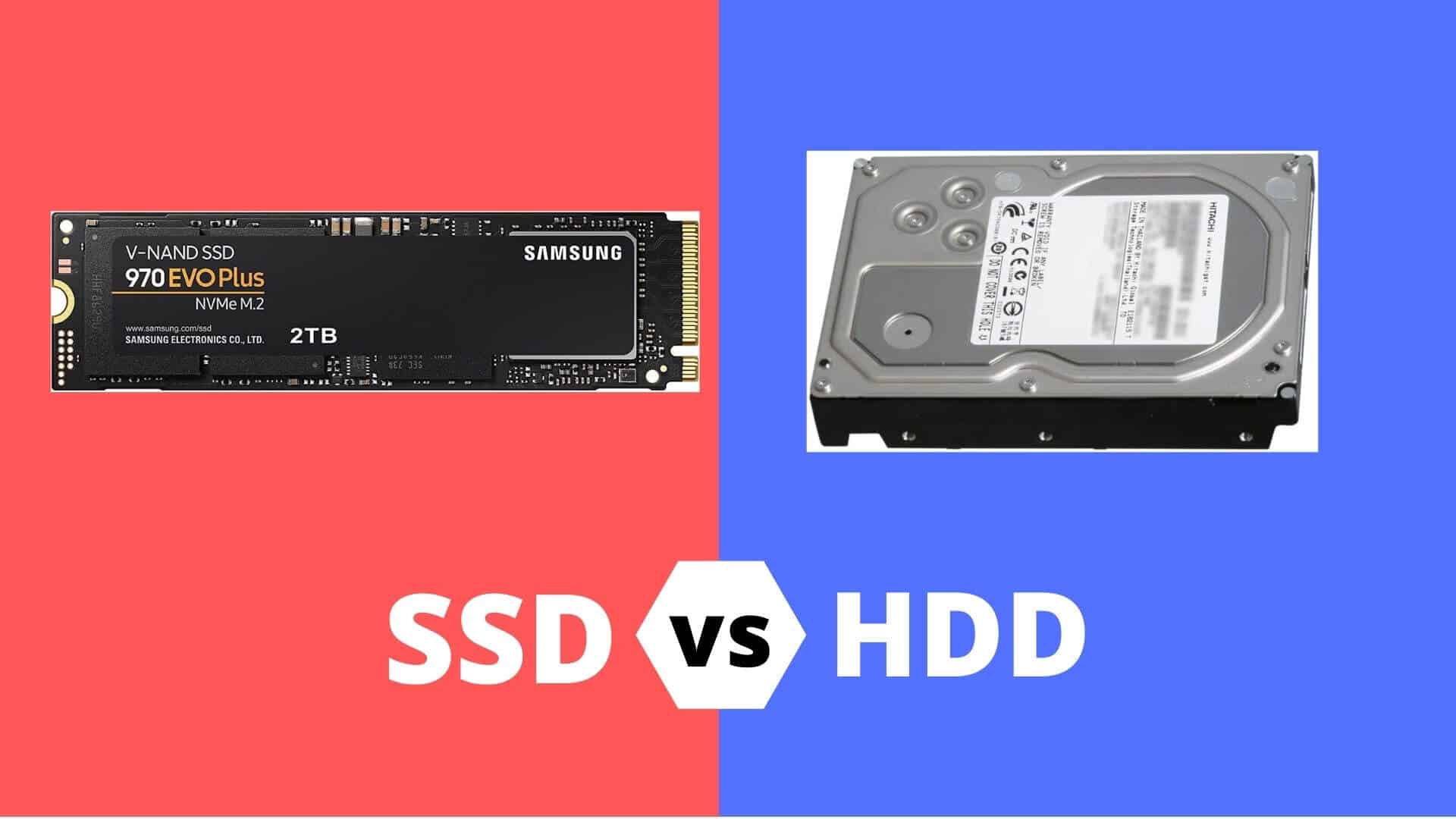
How storage speed and capacity affect daily use
Fast storage like SSDs is no longer optional; by 2026, it will be essential. NVMe SSDs significantly reduce boot times, game loading times, and system lag.
Capacity also matters, as modern games often exceed 80GB. Larger drives eliminate the need for constant storage management and allow for smoother updates and installations over time.
Expandable storage options further extend the lifespan of a laptop. Therefore, if you’re on a budget, always choose a gaming laptop with at least a 256GB SSD; 512GB to 1TB would be ideal.
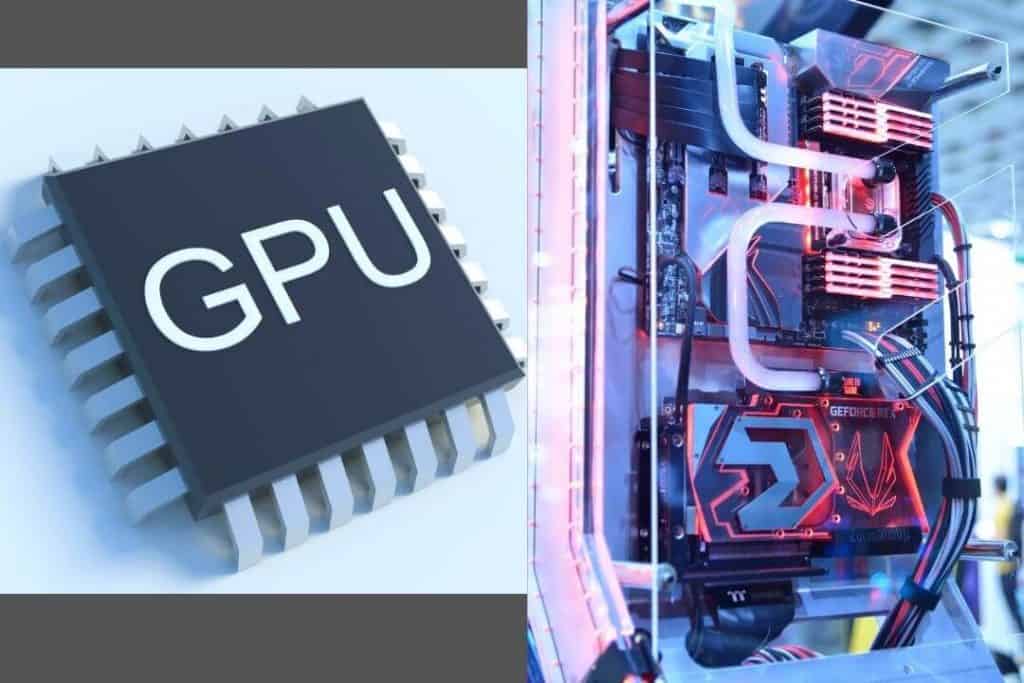
Graphics performance determines the gaming experience
The graphics card has the biggest impact on gaming performance, especially in tight budgets like under $700. Entry-level dedicated GPUs consistently deliver smooth 1080p gaming, while newer options like the RTX 5000 series offer even better performance in demanding games.
Dedicated graphics also unlock technologies like upscaling and frame generation, which improve performance without compromising image quality.
Integrated graphics can handle light tasks, but they severely limit gaming performance in this category. Therefore, if your budget is at least $700, you shouldn’t choose a laptop with integrated graphics, as it won’t be able to run most popular games or handle other demanding tasks like rendering.
Display smoothness improves gameplay more than resolution
For gaming, a high refresh rate has a greater impact than ultra-high resolution. A Full HD display with a 120Hz or 144Hz refresh rate delivers smoother motion, less blur, and better responsiveness in fast-paced games.
For extended use, IPS panels are preferable, especially for consistent colors and viewing angles. Brightness and color accuracy are beneficial, but they are secondary considerations at this budget.
Thermal design determines long-term performance
Cooling quality affects how a laptop performs after extended use. Budget gaming laptops often get noisy under load, which is normal. The key is consistency. A system that maintains stable frame rates over long sessions is more reliable than one that starts strong but slows down due to thermal throttling. Predictable performance is more important than quiet operation in this category.
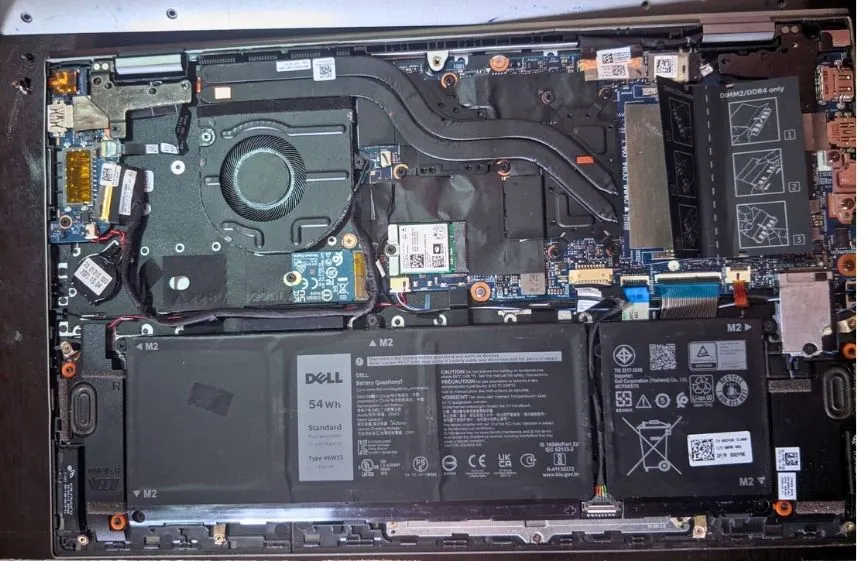
Battery expectations should be realistic
Gaming laptops are designed for performance, not for gaming unplugged or performing typical office tasks in standby mode. On laptops under $700, battery life typically lasts 4-8 hours for light tasks like browsing or video playback, while gaming is best done while plugged in.
Battery capacity still matters for students and travelers, but it shouldn’t be a higher priority than core performance when choosing a gaming laptop.
Build quality and portability involve some compromises
The sturdiness of the chassis, the stability of the hinges, and the internal layout all impact durability over time. Even at this price point, a solid build minimizes flexing and wear and tear from daily use.
Most gaming laptops under $700 are heavier than standard notebooks due to cooling and hardware requirements. Thinner designs are easier to carry, but this may compromise thermal headroom or battery size.
The trade-off between portability and consistent performance depends on how often the laptop is moved from place to place and how long it’s used under heavy load.
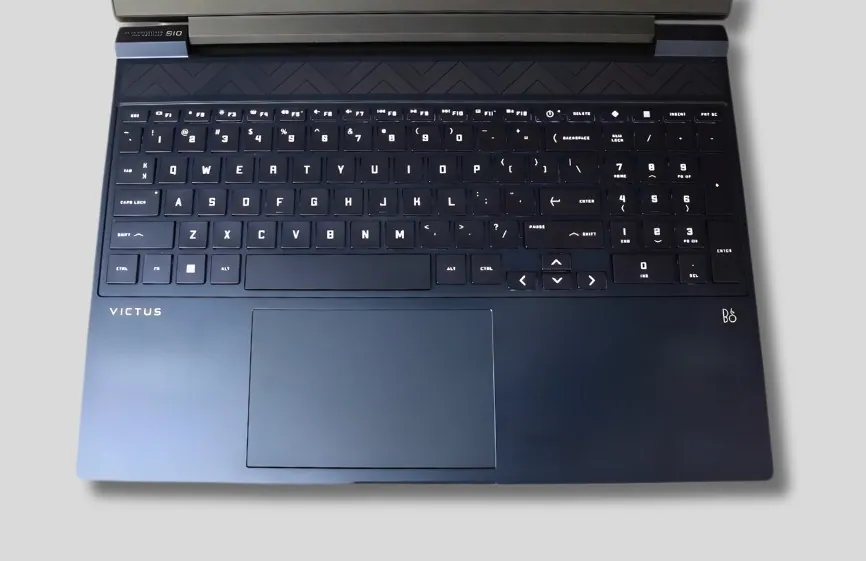
Keyboard, trackpad, and input comfort matter more than looks.
Visual features like RGB lighting are secondary to comfort. A good keyboard with keys that are easy to press, a clear layout, and reliable feedback improves both gaming and productivity. Backlighting is useful for low-light use, but comfort and responsiveness have a greater impact on the daily experience.
Credit: Orico Official
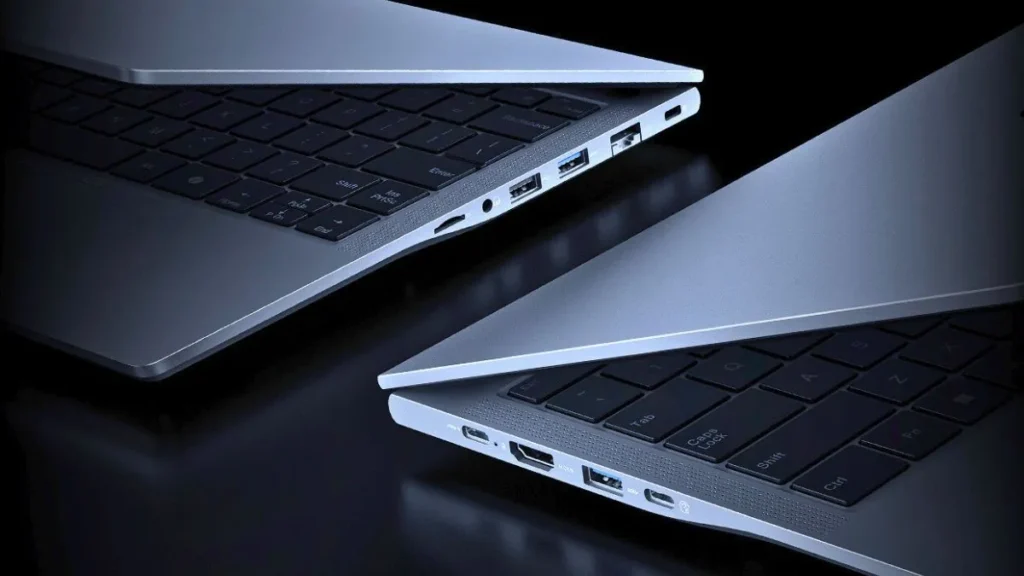
Port selection and connectivity should match real-world use
A practical gaming laptop should have ample and up-to-date ports, such as Thunderbolt, for connecting external displays, accessories, and wired networking when needed.
Modern wireless standards (Bluetooth, Wi-Fi) also improve stability for online gaming and downloads. While premium connectivity features aren’t guaranteed at this price point, balanced I/O support prevents any limitations during everyday use.
Operating system compatibility is crucial for gaming
For budget gaming laptops, Windows offers the broadest support for modern games, drivers, and gaming platforms.
This ensures compatibility with current titles and provides long-term software support, making it a practical choice for this category.
You might find MacBooks for around $700, but you shouldn’t choose one because most popular games run smoothly on the Windows OS.
Also Read: Best Windows 11 Laptops
Screen response time: The hidden factor behind “smoothness.”
Two laptops with the same 144Hz display can look very different in motion due to their response times. Slower panels can produce ghosting or motion blur, especially in fast-paced shooters and competitive games.
In this price range, response times vary considerably, even among IPS panels. A display with a good response time improves clarity during movement and makes the high refresh rate truly useful. This matters more for the gameplay experience than chasing higher resolutions.
Power limits and performance tuning matter more than specs
Laptops with the same CPU and GPU can perform very differently depending on how they are tuned. Manufacturers set different power limits to balance heat, noise, and battery life.
A well-tuned system maintains performance for longer periods rather than slowing down after a short time. This is why sustained performance matters more than peak numbers.
A laptop that runs slightly quieter but throttles heavily under load often performs worse in real-world gaming than one that runs consistently, even with more fan noise.
Control software and driver support impact daily use
Most gaming laptops include control software that manages performance profiles, fan behavior, and updates. While these tools vary in sophistication, they play a crucial role in the long-term user experience.
Good software support allows users to easily switch between quiet and performance modes and keeps drivers up-to-date for new games. Stable updates and intuitive controls enhance the ownership experience, especially for users who don’t want to manually tweak settings.
Warranty and service availability are part of the value proposition
Budget gaming laptops tend to run hotter and work harder than regular notebooks. Over time, this can lead to increased wear and tear on internal components. A robust warranty and readily available service support mitigate this risk and provide peace of mind.
This factor doesn’t directly impact performance, but it matters for long-term value. Easy access to service and parts can make a budget gaming laptop a safer investment for several years of use.
Therefore, before choosing any gaming laptop, you should check if a service center is nearby. For a $700 budget, choose a gaming laptop from a brand with a service center located conveniently close to you.
| Laptop Brand | Service Center / Support Finder Link (United States) |
|---|---|
| Dell | Dell Carry-In Service Locator (U.S. support & service center search) |
| HP | HP Authorized Service Center Locator (U.S.) |
| Lenovo | Lenovo Service Provider Locator (enter ZIP code to find nearby centers) |
| ASUS | ASUS Global Support & Service Center Info- Official Link |
| Acer | Acer U.S. Support & Contact (for repair assistance and warranty support) |
Frequently Asked Questions
Can a $700 gaming laptop run modern games in 2026?
Yes. A well-configured $700 gaming laptop can easily run modern games at 1080p, especially esports titles and many AAA games at medium settings. However not smooth as highly configured gaming laptop like RTX 5000 Series.
Is RTX 4050 worth buying under $700?
If it fits your budget, buying an RTX 4050 is a good option. It offers better 1080p performance compared to older GPUs and supports modern features like DLSS, which helps maintain smooth frame rates in newer games.
Is DLSS important for budget gaming laptops?
Yes, DLSS can make a big difference on budget gaming laptops. It helps games run at higher frame rates by rendering them at a lower resolution and then upscaling the image, allowing even less powerful GPUs to run modern games more smoothly.
Is 8GB RAM enough for gaming, or should I upgrade?
Many games can run on 8GB of RAM, but 16GB provides smoother gameplay and better multitasking. If the laptop supports RAM upgrades, starting with 8GB and upgrading later is a practical and cost-effective option.
How long does a budget gaming laptop usually last?
With proper care and occasional upgrades like additional RAM or storage, a $700 gaming laptop can remain usable for gaming and daily tasks for around 3 to 5 years. Cooling quality and build durability play a major role in long-term reliability.
Does refresh rate really matter for gaming laptops?
Yes. A 120Hz or 144Hz display makes games smoother and more responsive, especially in fast-paced games. In this budget range, a higher refresh rate often improves the gaming experience more than a higher resolution.
Should gaming laptops always be used while plugged in?
For the best performance, yes. Gaming laptops deliver maximum CPU and GPU power when plugged in. Battery mode is fine for light tasks, but gaming performance is limited when running on battery power.
Are gaming laptops under $700 suitable for work or college?
Yes. Along with gaming, these laptops handle programming, assignments, video editing, and multitasking well. However, they are usually heavier and have shorter battery life than thin-and-light notebooks.
What is more important: thinner design or better cooling?
Better cooling. Slim designs are easier to carry, but superior cooling provides stable performance during long gaming sessions. For consistent gaming performance, cooling is more important than thinness.
Is Windows the best operating system for gaming laptops?
Yes. Windows offers the widest game compatibility, better driver support, and access to all major gaming platforms, making it the most practical option for gaming laptops in this price range.
Verdict
Gaming laptops priced under $700 will always have some compromises, but the right one should be smooth and reliable for everyday use. A laptop that can run games without constant slowdowns and handle regular tasks comfortably is doing its job well.
The laptops listed here were chosen for this very reason. They prioritize stable performance and practical usability, making them ideal for students and casual gamers who need a machine that simply works without unnecessary complications.