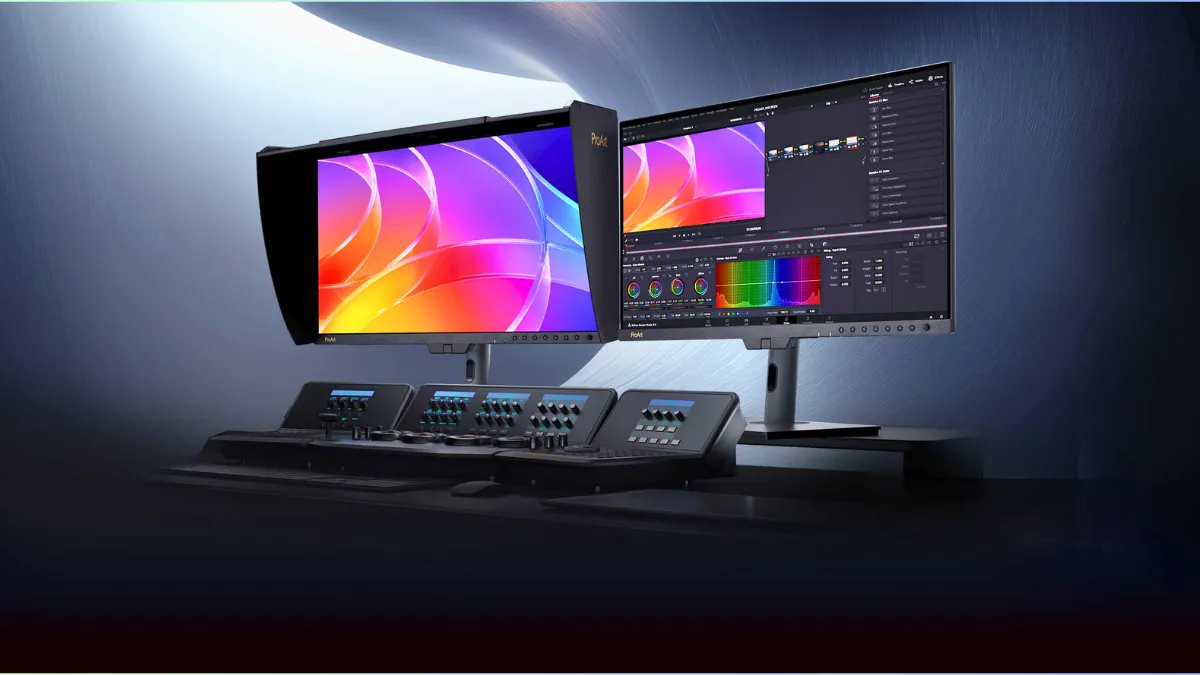
ASUS is taking professional displays in a new direction with the ProArt PA32USD. It’s a 31.5-inch 4K QD-OLED monitor with a 240Hz refresh rate, which is not something you usually see in this category, especially in OLED-based displays. You get studio-grade color accuracy along with super smooth performance, putting it in a new class of monitors that combine 4K resolution, OLED contrast, and high refresh rates in one package.
Refresh rate becoming more useful for content creators, video editors, and professionals working in real-time production, where smoother visuals can actually make a difference.
Unlike traditional ProArt displays that focus mostly on static color accuracy, the PA32USD is aimed at creators working with high-frame-rate content like motion graphics, VFX, and real-time editing. By adding a 240Hz panel to a professional monitor, ASUS is clearly targeting workflows where smoother motion and faster response can directly improve productivity.
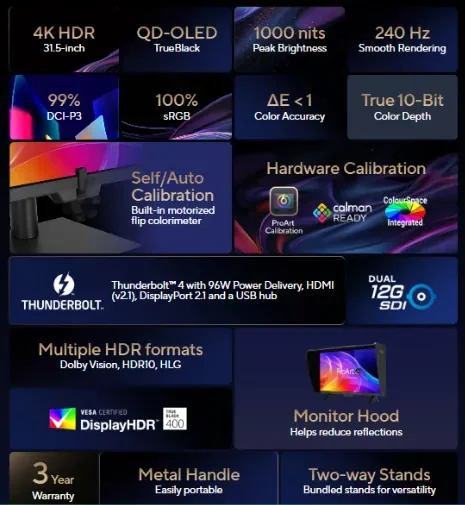
This monitor has a QD-OLED panel with a 3840 × 2160 resolution and 10-bit color, part of the latest OLED display technology. It covers the full sRGB range and about 99% of DCI-P3, and ASUS says it comes factory calibrated with a Delta E below 1. In practical use, that means you’re getting very accurate colors straight out of the box, which is ideal for video editing, color grading, and other creative work.
The display reaches up to 1000 nits of peak brightness and carries VESA DisplayHDR True Black 400 certification, aligning with premium HDR display standards. It supports HDR10, HLG, and Dolby Vision, making it compatible with a wide range of professional HDR workflows and content standards.
ASUS has included both hardware calibration and self-calibration to help keep colors accurate over time. The monitor is also Calman Ready, so it can easily fit into existing color workflows without depending too much on software adjustments.
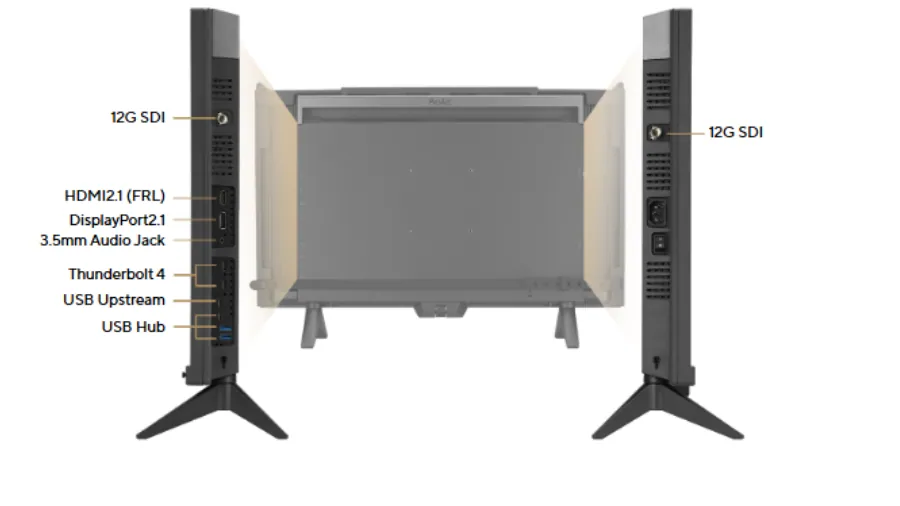
It comes with dual Thunderbolt 4 ports with daisy-chaining support, along with DisplayPort 2.1, HDMI 2.1, and dual 12G-SDI inputs, the kind of ports you’d usually see in studio or broadcast setups. There’s also USB-C power delivery up to 96W, so you can use it as a central hub for high-end laptops or workstations.
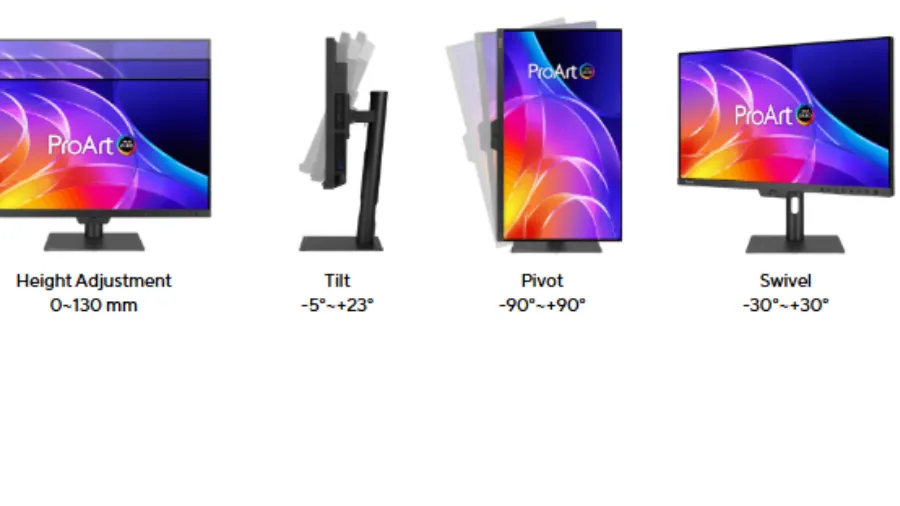
The design also feels clearly aimed at professional use. ASUS includes full ergonomic adjustments like tilt, swivel, pivot, and height control, along with a detachable shading hood to help block ambient light during color-critical work.
The PA32USD highlights a shift in how professional monitors are evolving. By combining high refresh rates with reference-level color accuracy, ASUS is aligning display technology with the growing demand for real-time production, high-frame-rate editing, and more responsive creative tools.
The ProArt PA32USD shows that professional monitors are no longer just about static image accuracy. As content creation shifts toward real-time rendering and live production, displays like this are raising the bar for what high-end monitors are expected to deliver.
ASUS ProArt PA32USD Monitor: Key Specifications
| Display Size | 31.5-inch |
| Resolution | 3840 × 2160 (4K UHD) |
| Panel Type | QD-OLED |
| Refresh Rate | 240Hz |
| Response Time | 0.1ms |
| Colour Support | 10-bit, 100% sRGB, 99% DCI-P3 |
| HDR Support | HDR10, HLG, Dolby Vision |
| Peak Brightness | Up to 1000 nits |
| Contrast Ratio | 1,500,000:1 |
| Connectivity | Thunderbolt 4, DisplayPort 2.1, HDMI 2.1, Dual 12G-SDI |
| USB-C Power Delivery | Up to 96W |
| Calibration | Hardware + Self Calibration (Calman Ready) |
| Ergonomics | Tilt, Swivel, Pivot, Height Adjust. |
Source: ASUS