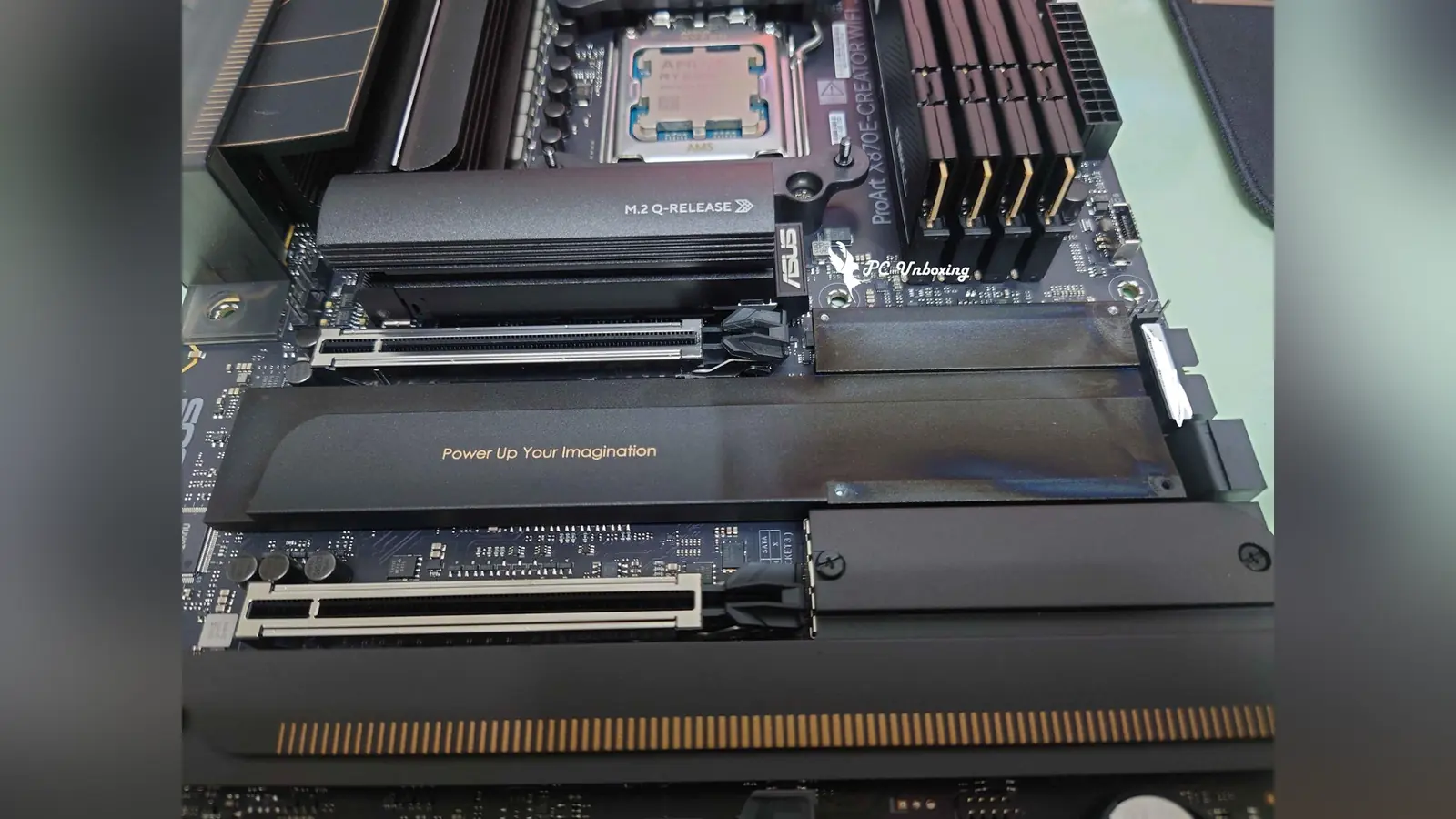
An ASUS ProArt X870E-Creator WiFi motherboard reportedly suffered discoloration on its PCH heatsink after running alongside an ROG Astral GeForce RTX 5090 for six months. A user named Blactop777 shared the issue on a Taiwanese Gamer forum. The build was installed inside an ASUS ProArt PA602 PC case.
After removing the graphics card, the owner noticed that the motherboard’s heatsink had discolored in the area located directly below the GPU. The graphics card itself operated without any issues during this time. The discoloration appears to have been caused by either heat or light exposure from the card.
Also read: ASUS ROG Crosshair X870E Motherboard Retro Design Details
The user explained that the stain could be partially rubbed off with a wet cloth and some pressure, but the heatsink could not be restored to its original clean state. While heat is the primary suspect, some community members suggest that RGB lighting from the GPU could have caused the discoloration. Similar lighting-induced stains have occurred in the past on graphics card backplates due to memory RGB LEDs.
This case raises concern among workstation builders about the thermal impact of high-draw graphics cards on nearby motherboard components. Users running heavy AI workloads or sustained gaming sessions are advised to check their motherboards periodically. Unlike hidden-connector builds like the ASUS TUF Gaming Z890 BTF WiFi 7 motherboard, traditional layout options place critical heatsinks directly beneath the main graphics card slot.
Source: Gamer Forums