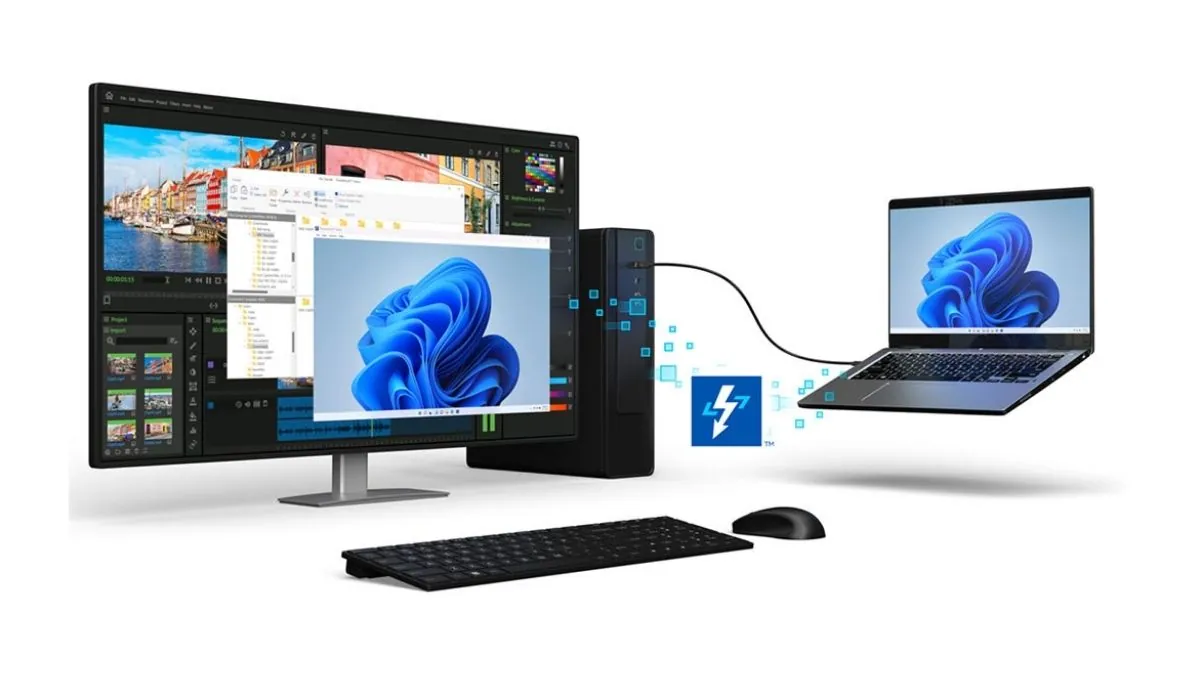
Intel announced a new software platform called Thunderbolt Share for Windows 11. This tool lets two computers connect directly using a single cable. Users can share screens, mice, keyboards, and files without using the internet or a local network.
This release follows the recent launch of the USB4Stream protocol for Linux systems. Thunderbolt Share brings these same direct connection features to Windows users through an easy visual menu. It turns fast ports into powerful productivity tools for people who use multiple computers.
Users do not buy a normal software license to use this program. The software checks for a built in license inside approved hardware. Only one connected computer, dock, or monitor needs this special certification for the whole setup to work.
Also Read: Best Laptops with Thunderbolt 4
Setting up the system is designed to be very easy for regular users. People just need to install the free app on both machines and connect a certified cable between them. Once the software sees the cable and the license, a control panel opens automatically with all the sharing options.
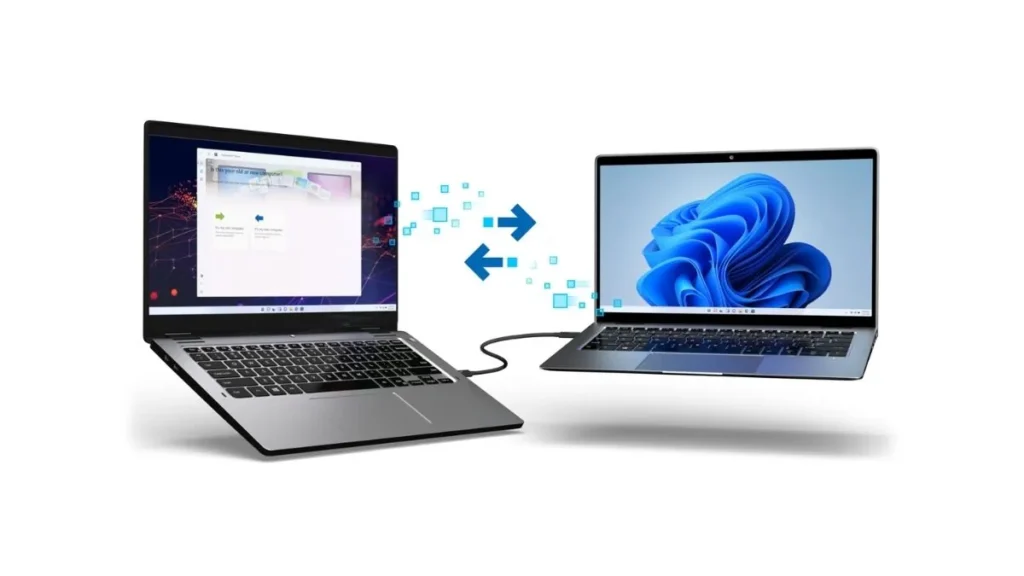
The speed of this connection is much faster than standard home internet. Thunderbolt 4 handles up to 40 gigabits per second. This massive amount of speed means users can move gigabytes of data in just a few seconds without waiting for long cloud uploads.
This direct connection solves major problems for creators and business users. Moving large video files or game folders usually requires external hard drives. This new software allows those massive files to move directly between machines at lightning speeds.
Also Read: Thunderbolt 5 vs Thunderbolt 4: Specs, Speed Tests & Upgrade Guide
The software includes a highly useful system migration tool. Buyers setting up a brand new computer can move all their old data over directly. It completely removes the need to copy files to a thumb drive first before putting them on a new machine.
It also features a software based control system. This lets users control two computers with just one mouse and keyboard. Video editors can work on their main desktop while controlling a rendering laptop right next to it without creating desk clutter.
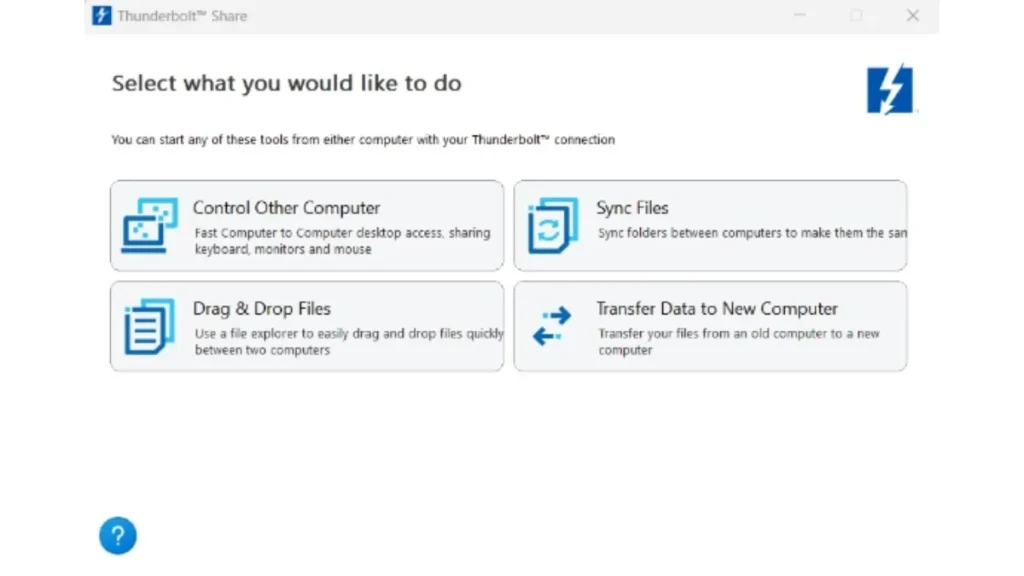
This local connection is great for privacy because sensitive files never touch external cloud servers. Both computers must have Thunderbolt 4 or Thunderbolt 5 ports to work properly. Intel also requires systems to run Windows 11 and use updated Intel graphics drivers.
Support is currently limited to specific certified hardware models. Intel has already approved select laptops, desktops, and docks from major PC makers. The success of this platform will depend on how many companies add this license to future products.
Intel Thunderbolt Share Specifications
| Category | Details |
| Software Name | Intel Thunderbolt Share |
| Operating System | Windows 11 or newer |
| Connection Requirement | Thunderbolt 4 or Thunderbolt 5 |
| Key Features | File transfer, KVM control, system migration |
| Licensing Method | Hardware based OEM license |
| Minimum License | At least one licensed PC or accessory |
| Driver Requirement | Intel Graphics Driver 31.0.101.4826 or newer |
| Availability | Available now |
Source: Intel, Thunderbolt Share