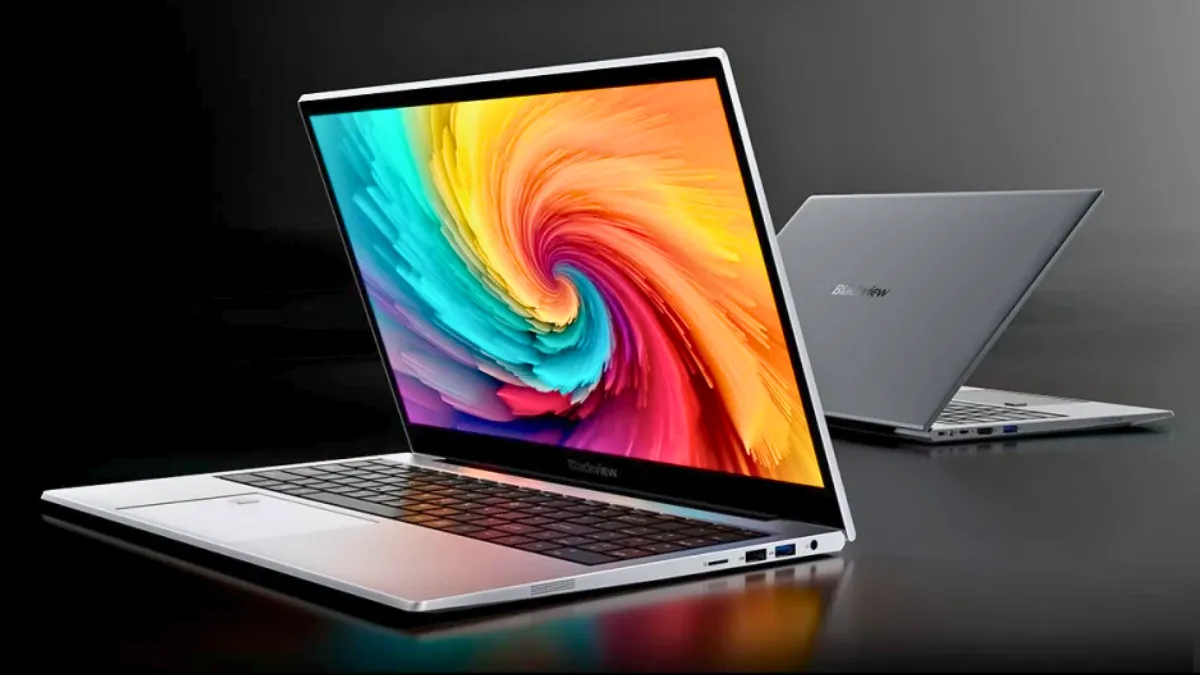
Blackview has released an updated version of the AceBook 8, now powered by Intel’s Processor N150. This 15.6-inch Windows 11 laptop is priced at $585 in the US and €489 in Europe, placing it in the entry-level category aimed at students, office users, and people who need a simple laptop for everyday tasks.
The AceBook 8 is not a completely new model, but this version replaces the older Intel N97 with the newer N150 chip. The upgrade brings small improvements in efficiency and clock speed while keeping the laptop focused on basic computing needs. It helps the device stay relevant in 2026 for users who want an affordable Windows 11 system with modern ports and enough memory for multitasking.
The Intel Processor N150 is part of Intel’s Alder Lake-N series, built for budget laptops and compact PCs. It has four cores and four threads, with boost speeds up to 3.6GHz, along with integrated Intel graphics.
This processor is designed for everyday activities like web browsing, Microsoft Office work, document editing, video conferencing, email, cloud apps, and streaming. It is not built for heavy gaming, 4K video editing, or demanding creative software.
Compared to the older N97 version, the N150 offers slightly smoother performance for daily tasks. Even so, it remains an entry-level chip meant for light workloads rather than high performance.
The laptop comes with a 15.6-inch IPS display featuring Full HD resolution (1920 × 1080). It has an 84 percent screen-to-body ratio, giving users a fairly spacious viewing area for split-screen work, spreadsheets, online classes, and watching videos. Brightness is rated at 220 nits, which works well indoors but may feel dim in bright outdoor settings.
One of the key highlights of the AceBook 8 is its memory and storage setup. It includes 16GB of DDR4 RAM and a 512GB NVMe/SATA SSD, with storage expandable up to 1TB. Many laptops in this price range still offer only 8GB of RAM, so having 16GB allows smoother multitasking in Windows 11.
With this amount of memory, users can keep multiple browser tabs open, run office apps, join video meetings, and handle background tasks more comfortably. For those who value more RAM over raw processing power, this setup stands out.
The AceBook 8 comes with Windows 11 Home pre-installed, so it is ready to use right away. Features like Snap Layouts, virtual desktops, built-in security tools, and improved multitasking make it practical for students and remote workers. It also serves as an alternative to a Chromebook for users who prefer a full Windows experience.
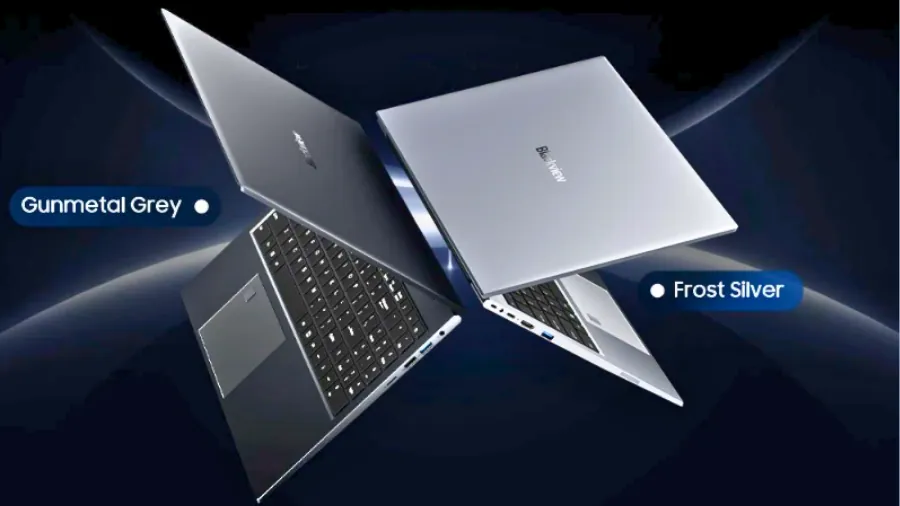
For connectivity, the laptop includes two USB 3.0 ports, one USB 2.0 port, one USB-C port with display output support, and an HDMI 2.0 port. There is also a microSD card slot, a 3.5mm headphone jack, and a DC charging port. With both HDMI and USB-C video output available, users can easily connect an external monitor for a dual-screen productivity setup, which is important for office workflows and home workstations.
Wireless features include dual-band Wi-Fi 802.11 a/b/g/n/ac with support for 2.4GHz and 5GHz, along with Bluetooth 5.0 for connecting wireless peripherals such as headphones, keyboards, and mice.
The laptop also includes dual speakers and two microphones with noise reduction for clearer online meetings and virtual classes. The front camera is 1MP with 720p resolution, suitable for standard video calls but not designed for high-end streaming or professional broadcasting.
The device weighs about 3.5 lb (1.6 kg) and measures approximately 35.9 × 23.3 × 1.9 cm. For a 15-inch laptop, this keeps it reasonably portable for students commuting between classes or professionals carrying it to the office.
Battery capacity is 38Wh, paired with a 36W charger. In practical terms, similar Intel N150 laptops with this battery size typically deliver around four to six hours of mixed usage, depending on brightness levels and Wi-Fi activity. This makes the AceBook 8 suitable for classroom sessions, office work blocks, or home productivity, though it may not provide full-day unplugged usage for heavier workflows.
Intel N150 vs N97 vs Ryzen 3 Comparison
| Processor | Cores / Threads | Max Boost | Typical Use Case |
|---|---|---|---|
| Intel N97 | 4C / 4T | Up to 3.6GHz | Basic productivity and office work |
| Intel N150 | 4C / 4T | Up to 3.6GHz | Improved efficiency and light multitasking |
| Ryzen 3 7320U | 4C / 8T | Up to 4.1GHz | Stronger multitasking and heavier office workloads |
The AceBook 8 competes with entry-level Windows notebooks such as budget Lenovo IdeaPad and HP 15 configurations, as well as certain higher-end Chromebooks. Its primary strength lies in combining 16GB RAM, a 512GB SSD, Full HD IPS display, and modern ports within a sub-$600 price bracket.
As more users search for affordable Windows laptops with adequate memory and storage for multitasking, devices like the AceBook 8 play an important role in the budget laptop segment. The latest Intel N150 update keeps the model current while maintaining its positioning as a practical, value-focused productivity machine rather than a performance-oriented system.
Blackview AceBook 8: Specifications
| Display | 15.6-inch IPS, 1920 × 1080 (Full HD), 84% screen-to-body ratio, 220 nits |
| Processor | Intel Processor N150, 4 cores / 4 threads, up to 3.6GHz |
| Graphics | Intel integrated graphics |
| RAM | 16GB DDR4 |
| Storage | 512GB NVMe/SATA SSD, expandable up to 1TB |
| Operating System | Windows 11 Home |
| Camera | 1MP front camera, 1280 × 720 |
| Wireless | Wi-Fi 802.11 a/b/g/n/ac (dual-band), Bluetooth 5.0 |
| Audio | Dual speakers, dual microphones with noise reduction |
| Ports | 2 × USB 3.0, 1 × USB 2.0, 1 × USB-C (video support), 1 × HDMI 2.0, microSD card slot, 3.5mm audio jack, DC power port |
| Battery | 38Wh |
| Charger | 36W adapter |
| Weight | 3.5 lb (1.6 kg) |
| Dimensions | 35.9 × 23.3 × 1.9 cm |
| Price | $585 (US), €489 (EU) |
Source: Geekbuying