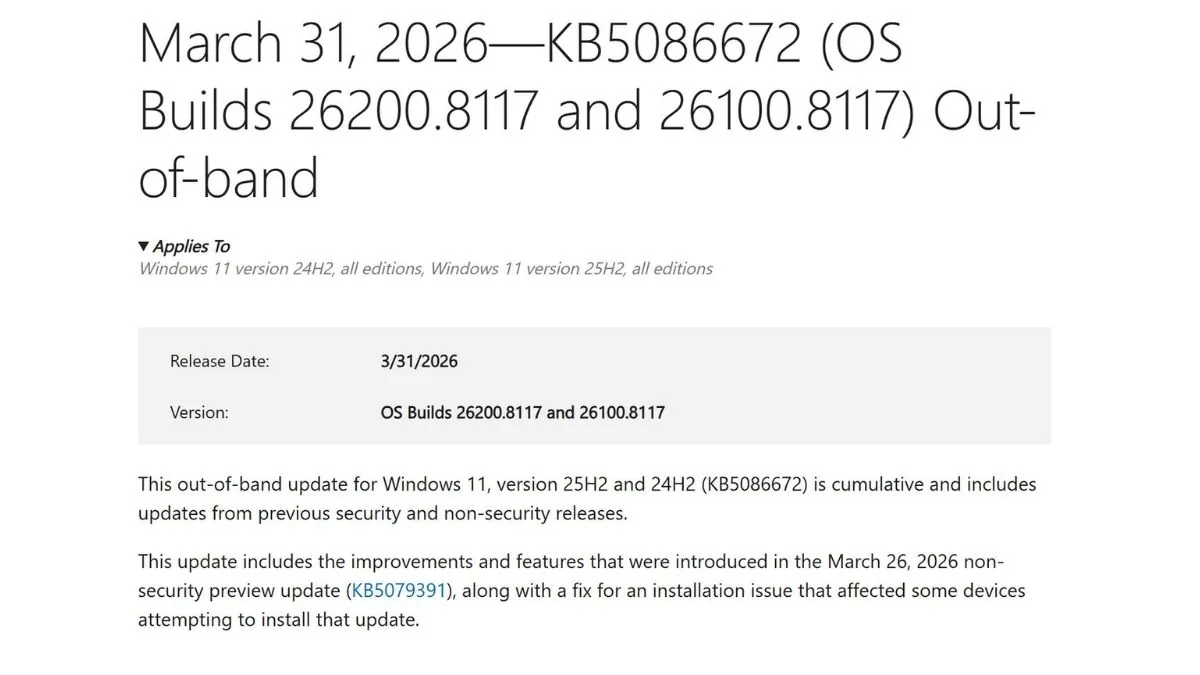
Microsoft has released an emergency update called KB5086672 for Windows 11 after a March preview update failed to install on many systems. The earlier update, KB5079391, started rolling out on March 26, 2026, but users quickly began reporting problems. Within hours, installations were failing with error code 0x80073712, and Microsoft stopped sending the update to new devices.
Users who saw the error also received a message saying that some update files were missing or had problems. This type of error usually means there is an issue inside the Windows system files that handle updates. Because of this, the update could not complete at all, instead of failing partially.
Microsoft confirmed the issue and paused the rollout. Instead of fixing the broken update with a small patch, the company replaced it completely with a new update, KB5086672. According to Microsoft, this new update includes all improvements from the March updates along with the fix for the installation problem.
| Component | Details |
|---|---|
| Update Name | KB5086672 |
| Update Type | Emergency out-of-band update |
| Affected Versions | Windows 11 24H2, 25H2 |
| Replaces | KB5079391 |
| Main Issue Fixed | Installation error 0x80073712 |
| Availability | Windows Update, Microsoft Update Catalog |
| Requirement | KB5079473 or later must be installed |
The update is available through Windows Update, but it will only appear on systems that already have a recent update installed, such as KB5079473 or newer. Users can also download it manually from the Microsoft Update Catalog if needed.
Also Read: How to Unlink OneDrive from PC/Laptop (Windows 11 & 10)
KB5086672 is a cumulative update. This means it includes all the features and fixes that were part of the earlier March preview update, along with the fix for the installation issue. Microsoft chose this method to make sure users get a clean and stable update instead of trying to repair a broken one.
The update brings several improvements across the system. Some are small changes, while others affect performance and security.
| Feature Area | Improvement |
|---|---|
| Security | Updates to Smart App Control |
| Accessibility | Better Narrator with improved image descriptions and Copilot support |
| User Interface | Updated account settings design |
| File Management | Easier file unblocking and voice typing during rename |
| Display | Support for very high refresh rate monitors above 1000 Hz |
| System Stability | Improvements to HDR, auto-rotation, and USB4 display behavior |
Most of these changes are small improvements rather than big new features. The update to Smart App Control is important because it helps block unsafe apps and improves system security. Other updates focus on making the system smoother and more reliable.
The error code 0x80073712 is usually linked to problems in the Windows component store. This part of Windows stores important system files needed for updates. If these files are damaged or missing, updates cannot install properly. This is why the issue affected the whole update process instead of just one feature.
| Aspect | KB5079391 | KB5086672 |
|---|---|---|
| Stability | Failed on some systems | Stable update |
| Availability | Stopped after issues | Fully available |
| Features | New March improvements | Same improvements included |
| Reliability | Broke update process | Restores normal updates |
| Type | Optional preview | Emergency release |
For users, the choice is simple. If your system failed to install the earlier update, you should install KB5086672 to fix the problem. If your system is already updated and working fine, you can still install it to get the latest improvements. If you prefer to avoid optional updates, you can wait for the next regular monthly update.
Right now, the update appears safe because it replaces the broken version completely. It does not try to fix the old update but installs a fresh version instead. This reduces the chance of errors happening again.
Also Read: Windows 11 25H2 Update 2026: 5 New Features I Got After Updating
For users who still face problems, basic tools like System File Checker or DISM can help repair system files. However, most users should not need to do this after installing the new update.
This situation also shows a bigger trend in Windows 11 updates. In recent months, some updates have caused problems such as gaming performance issues, boot errors, and app failures. While Microsoft is releasing updates faster than before, this also increases the risk of unexpected issues.
| Event | Timeline |
|---|---|
| KB5079391 released | March 26, 2026 |
| Errors reported | Within hours |
| Rollout paused | Shortly after |
| KB5086672 released | Early April 2026 |
Microsoft responded quickly once the issue was found. The company stopped the rollout and released a fix within a few days. This shows that its monitoring systems can detect problems fast, but it also raises questions about how such issues pass testing before release.
The problem has now been fixed with KB5086672, but Microsoft has not shared the exact technical reason behind the failure. Future updates will show whether changes are made to prevent similar issues from happening again.
Source: Microsoft