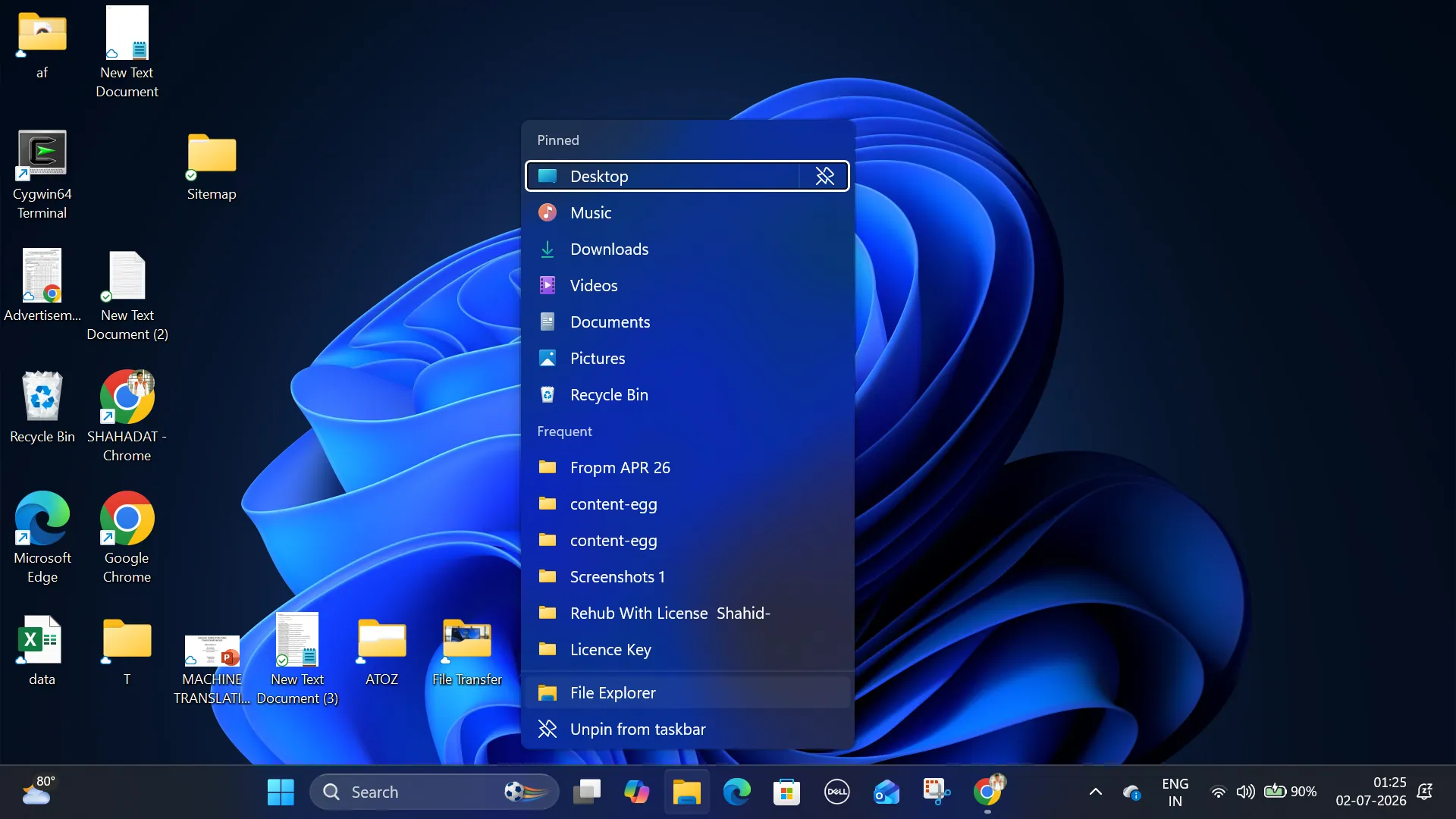
Microsoft has begun rolling out faster File Explorer performance with the optional Windows 11 KB5095093 preview update for versions 24H2 and 25H2. The update improves File Explorer launch speed and includes several usability fixes ahead of its broader release as part of July’s cumulative Windows update.
Microsoft’s release notes state that KB5095093 improves “the speed and performance of File Explorer launch,” although the company has not explained the technical changes behind the improvement. The feature is being rolled out gradually, so it may not appear immediately on every eligible Windows 11 device.
The update is separate from the File Explorer preloading feature Microsoft has been testing in Windows Insider builds. While preloading is still under development, KB5095093 focuses on improving File Explorer’s performance without relying on that feature.
KB5095093 also resolves several File Explorer issues that have affected everyday use. Microsoft says the update improves responsiveness when mounting disk image files, reducing instances where File Explorer could temporarily stop responding. The address bar is now more reliable, displays suggestions faster, and correctly handles paths containing double backslashes and quotation marks.
Also Read: Microsoft tests classic Windows 10-style taskbar features in new Windows 11
The update also refines the file renaming experience. It fixes an issue where text was automatically selected while renaming files or folders in folder views, and another where changes involving only letter casing—such as renaming “Project” to “project”—were not reflected immediately.
Beyond File Explorer, KB5095093 introduces Point-in-time Restore, a quieter Widgets experience, accessibility improvements, and a new Windows Update calendar that lets users schedule updates up to 35 days in advance. The release also includes storage management enhancements and broader reliability improvements across Windows 11.
KB5095093 is an optional preview update, meaning it must be installed manually through Settings > Windows Update. Users who choose not to install it should receive the same File Explorer improvements automatically when Microsoft’s July cumulative update begins rolling out to supported Windows 11 PCs.