Counterfeit Samsung 870 EVO SSD Fails After 120GB

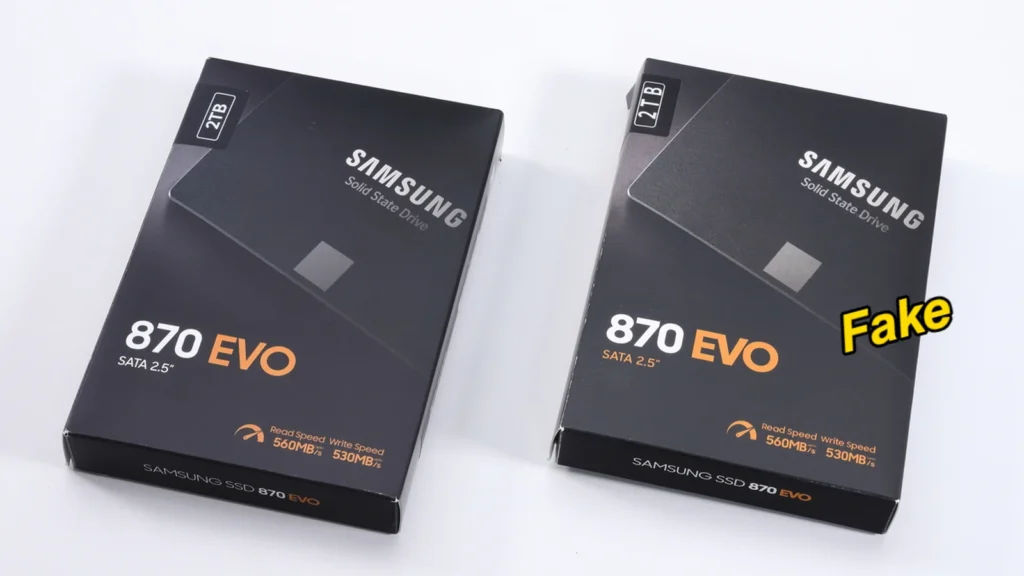
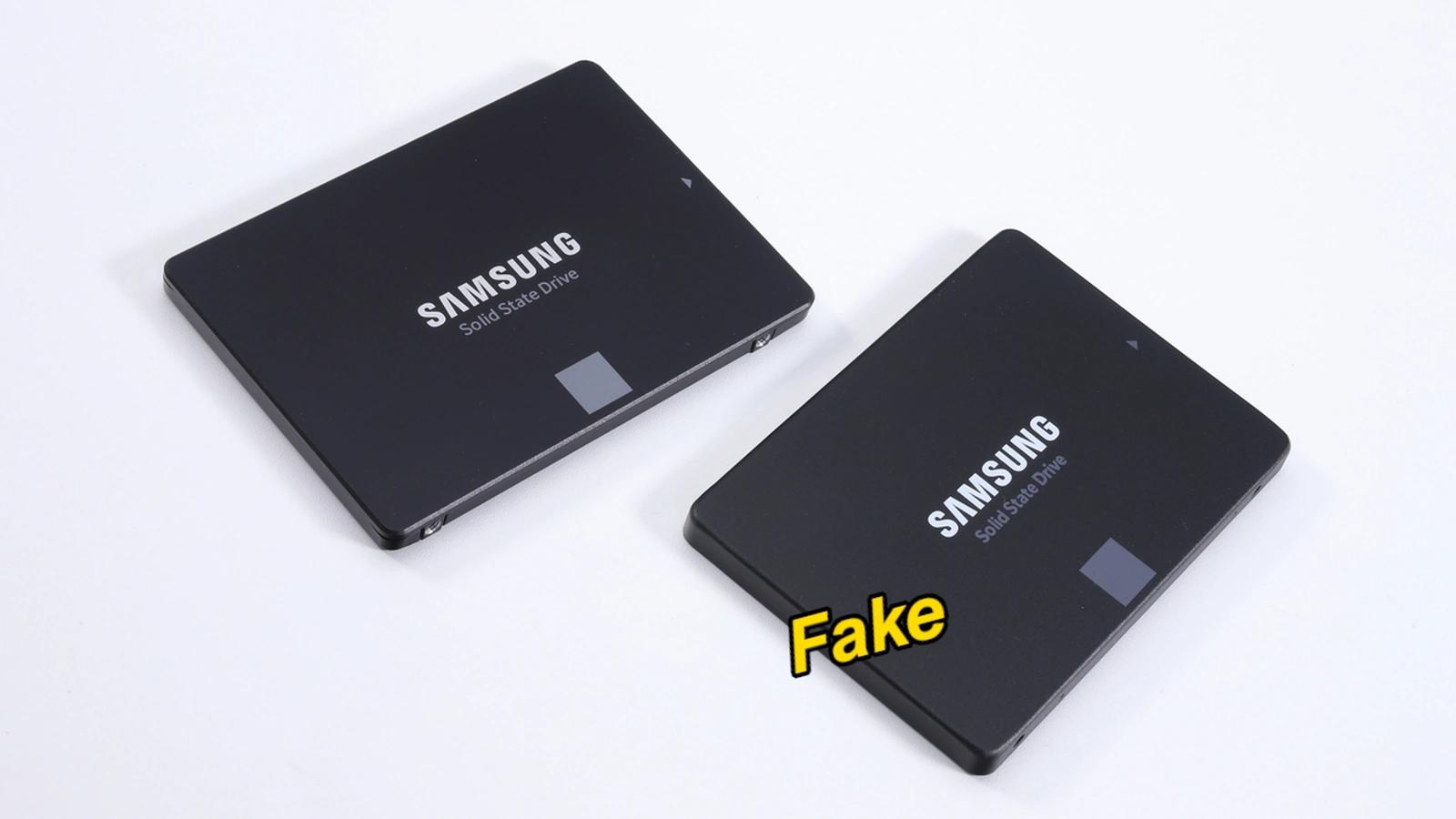
A counterfeit Samsung 870 EVO 2TB SATA SSD is circulating in retail markets that fails completely after writing only 120 GB of data. The appearance of these fake drives coincides with recent SSD prices rising globally. Spotting the fake is difficult because the product packaging and the 2.5-inch (6.35 cm) enclosure closely duplicate the design of the genuine Samsung model.

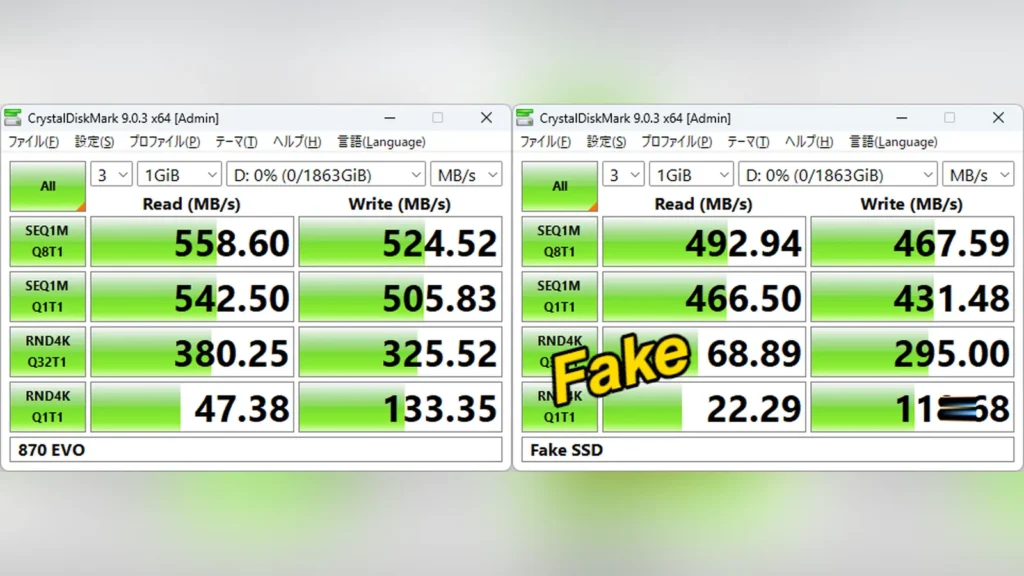
PC builders will find that Windows initially detects the fake drive as a normal 2.81TB volume. While the device name appears as a generic label rather than the product brand, CrystalDiskMark benchmarks show read speeds of 492 MB/s and write speeds of 467 MB/s. These speeds are only slightly lower than a genuine drive, making the fake difficult to detect through short tests.

Also read: Best SSD Laptops
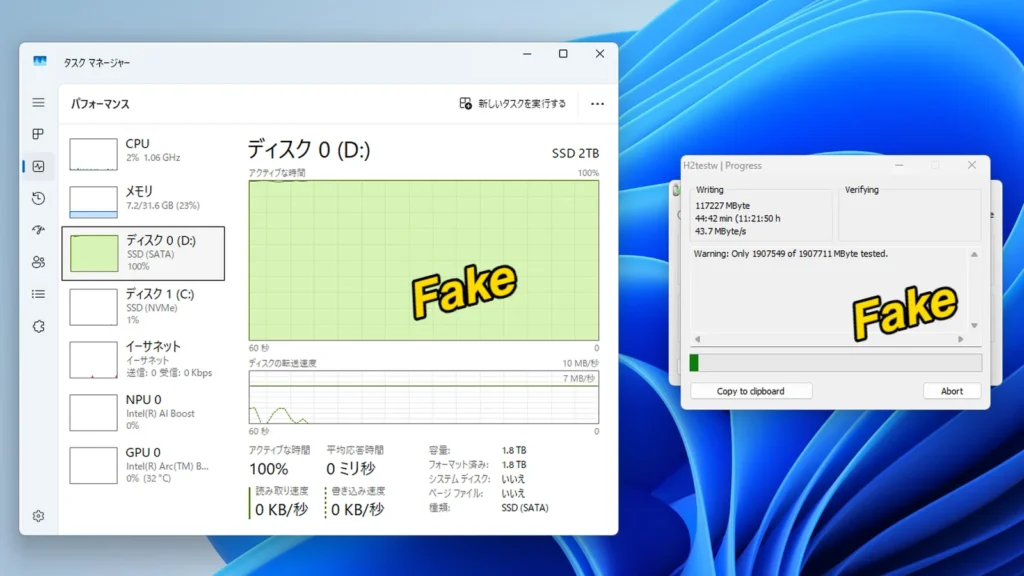
Windows File Explorer screenshot showing the counterfeit SSD becoming unresponsive during file copy.
Attempting to copy more files causes the counterfeit drive to crash and drop to zero write speed.
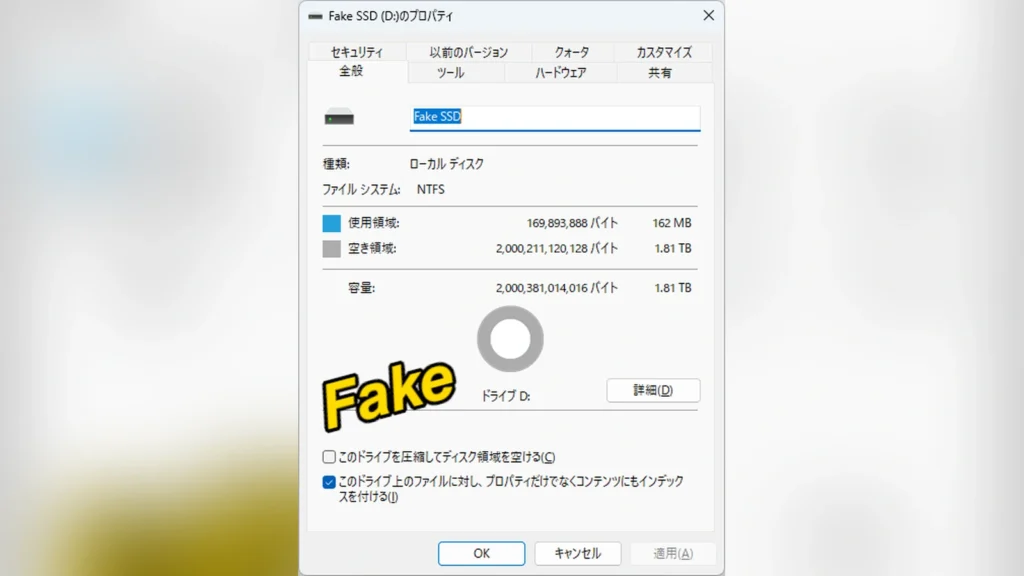
Windows Disk Management screenshot showing the counterfeit SSD partition layout and capacity.
Windows recognizes the falsified capacity as 1.81 TB of storage.
Samsung Magician network error screen showing authentication requires an internet connection.
Online authentication requires an active internet connection to verify serial numbers.
Samsung Magician software screen showing the counterfeit SSD flagged as a "Non-Samsung" product.
The utility immediately flags fakes and third-party drives as “Non-Samsung.”
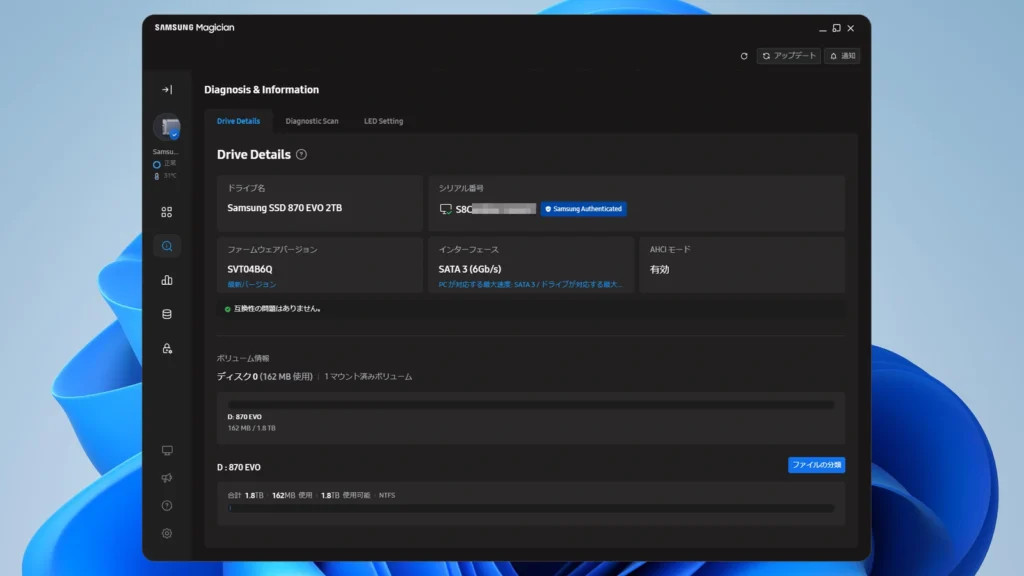
Samsung Magician software screen showing a genuine Samsung SSD authenticated next to its serial number.
Genuine Samsung SSDs display “Samsung Authenticated” inside the Magician utility.
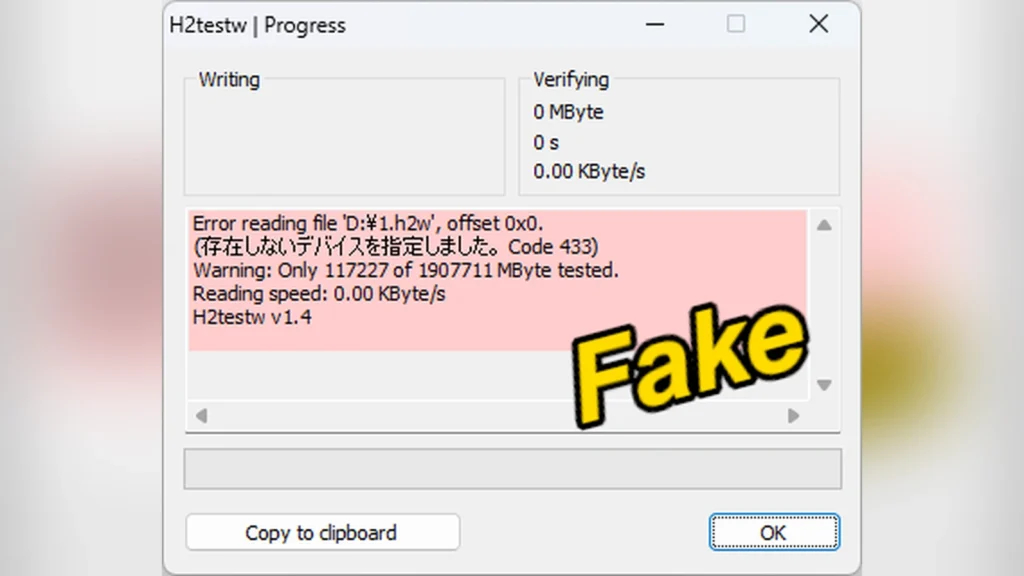
H2testw testing software window showing a write error during the counterfeit SSD capacity verification.
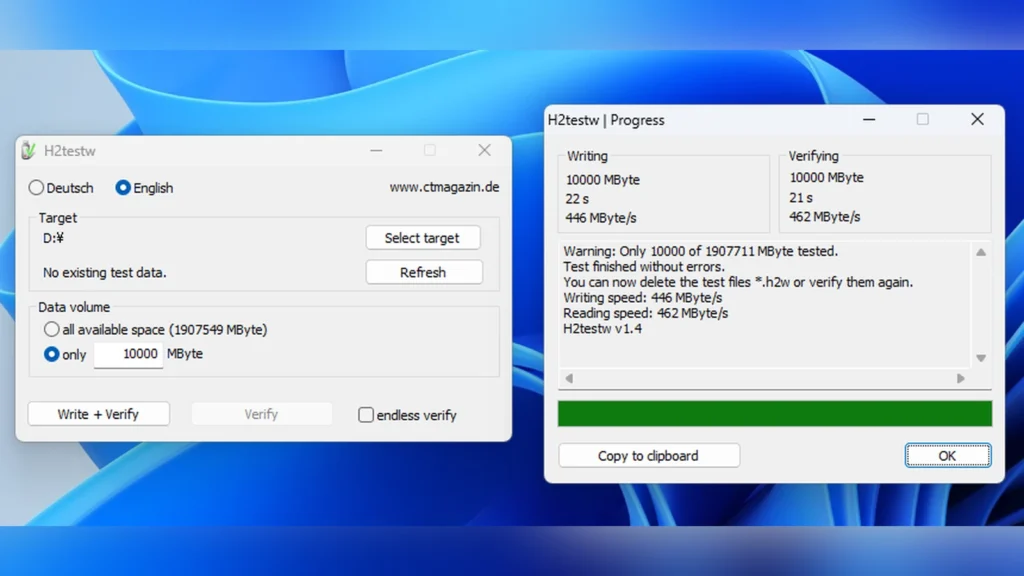
The write test fails completely after writing approximately 120 GB of data.

The main issue occurs during full capacity testing with verification tools like H2testw. Writing stops completely at around 117,227 MB, causing the write speed to drop to 0 KB/s. After restarting the computer, the drive becomes completely inaccessible and is no longer recognized by the operating PC.

Buyers who use the drive without testing it risk losing valuable files once the storage exceeds 120 GB. Of course, this issue demonstrates how dangerous fake storage devices are for daily data backups. Hardware trackers note that while some fakes actually work as advertised, others are designed for quick sales without functioning hardware.
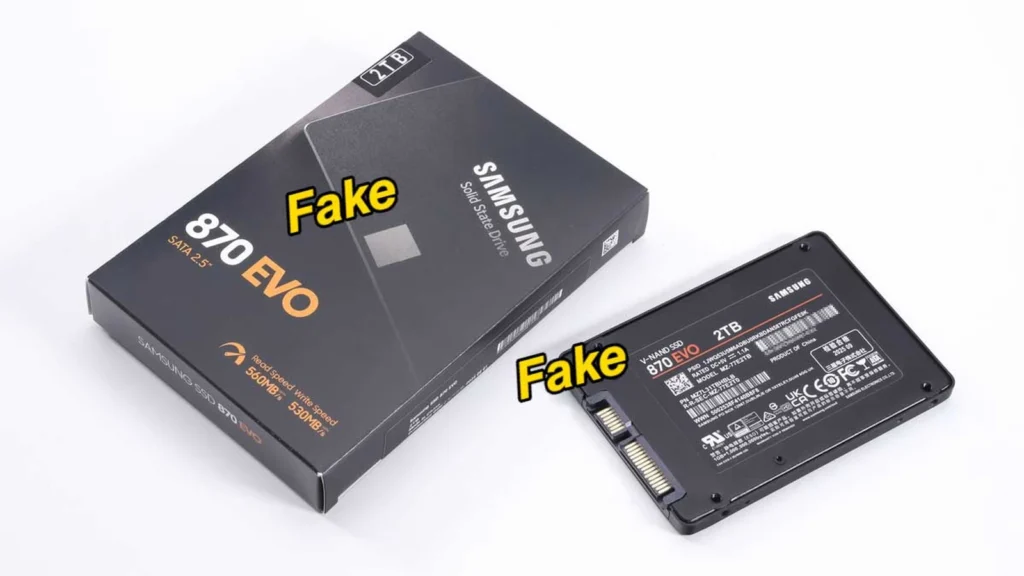
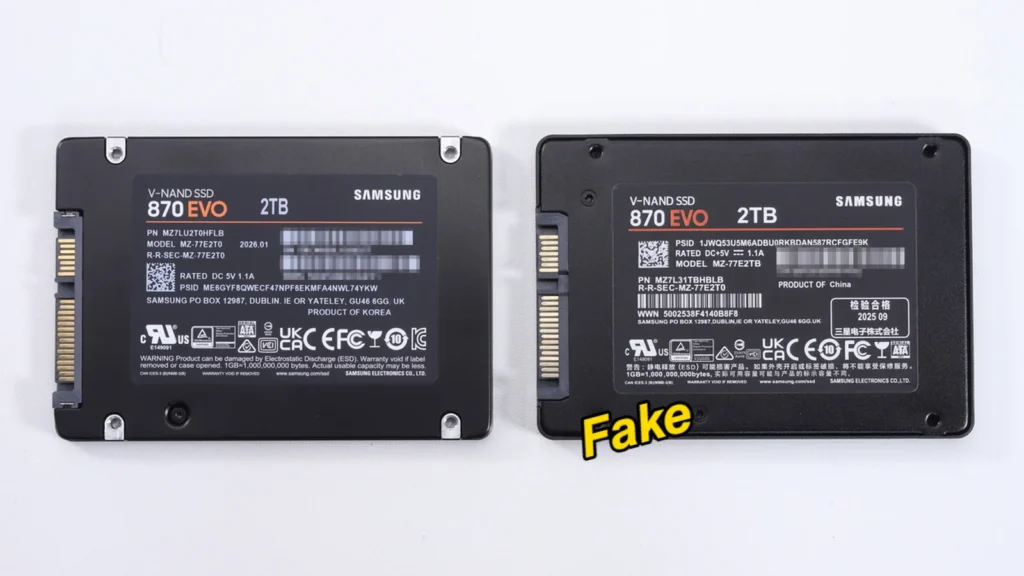
Comparison of the back labels of a genuine Samsung 870 EVO SSD on the left and a counterfeit version on the right.
Labels on the back of genuine and counterfeit drives show almost identical product information.
CrystalDiskMark benchmark results comparing a genuine Samsung 870 EVO SSD on the left and the counterfeit SSD on the right.
The fake drive reports slower but plausible SATA speeds.
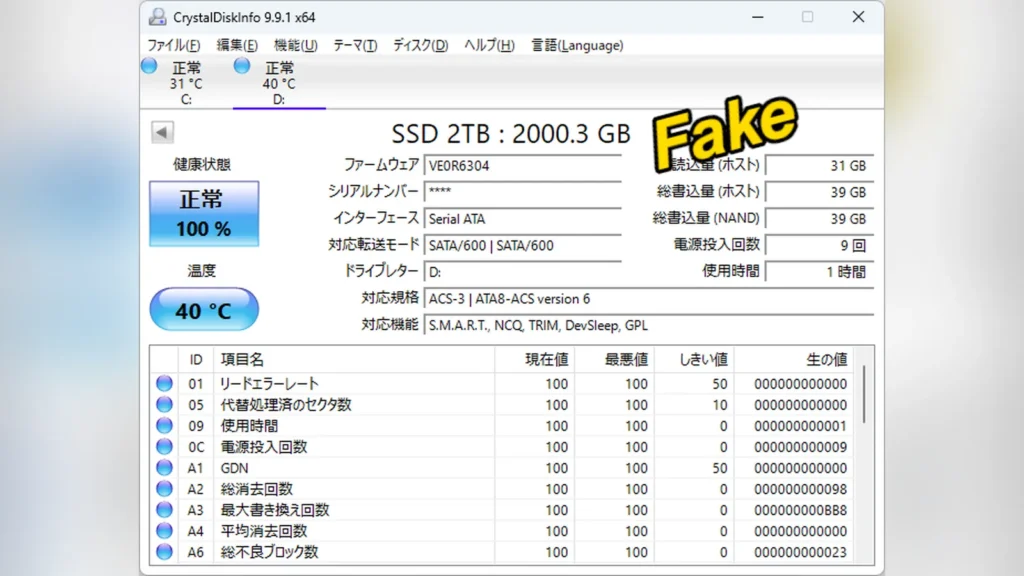
CrystalDiskInfo screenshot displaying status information for the counterfeit SSD, showing a generic "SSD 2TB" device name.
Windows detects the counterfeit drive under a generic “SSD 2TB” label.
Close-up of the unmarked NAND flash memory chips on the counterfeit SSD circuit board.
Unmarked NAND flash memory chips are used on the fake SSD board.
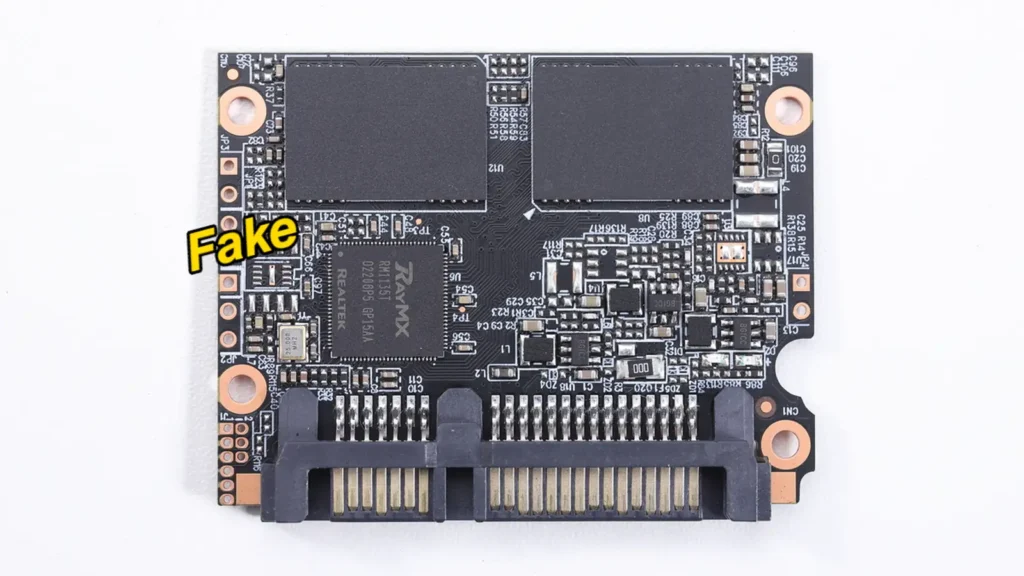
Disassembled counterfeit SSD casing showing the tiny internal circuit board.
The fake SSD uses a snap-fit enclosure that easily opens to reveal a small PCB.
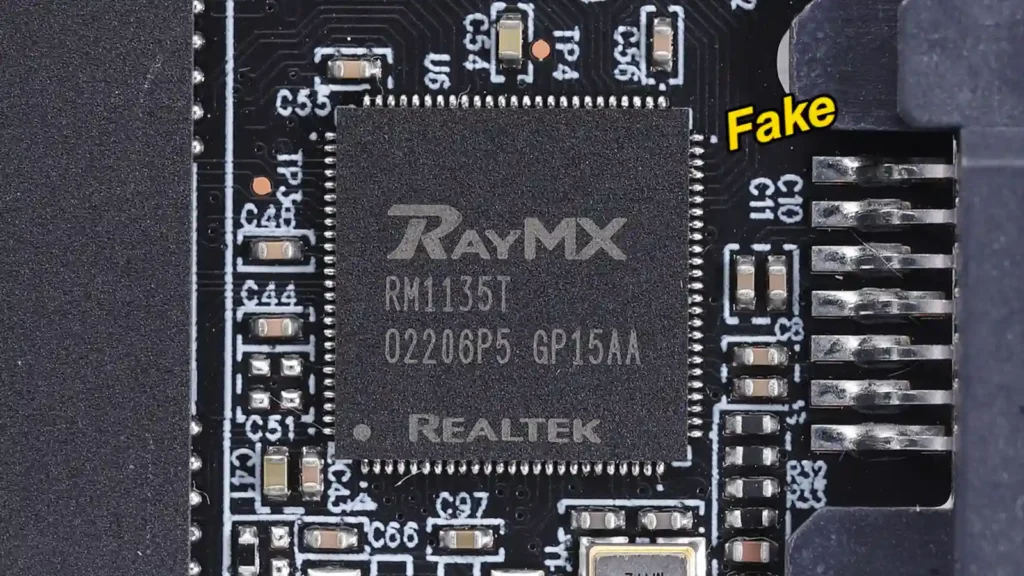
Close-up photo of the counterfeit SSD circuit board highlighting the Realtek RayMX RM1135T controller.
The counterfeit drive uses a Realtek RayMX RM1135T controller instead of a genuine Samsung controller.

Disassembling the fake casing reveals a Realtek RayMX RM1135T controller and two NAND flash memory chips with no markings. In contrast, a genuine Samsung drive has a custom Samsung controller, branded NAND, and a dedicated DRAM cache. Users can verify their drives online using Samsung Magician software, which flags fakes as non-Samsung products.

For the utility software to check authenticity correctly, the computer must have an active internet connection. The SSD must also connect directly to the motherboard via SATA or M.2 slots because USB external cases can block the utility from verifying the drive. Buyers should purchase storage from authorized dealers to protect their data.

Source: Akiba PC
Related Articles

This site uses Akismet to reduce spam. Learn how your comment data is processed.

Latest Articles