

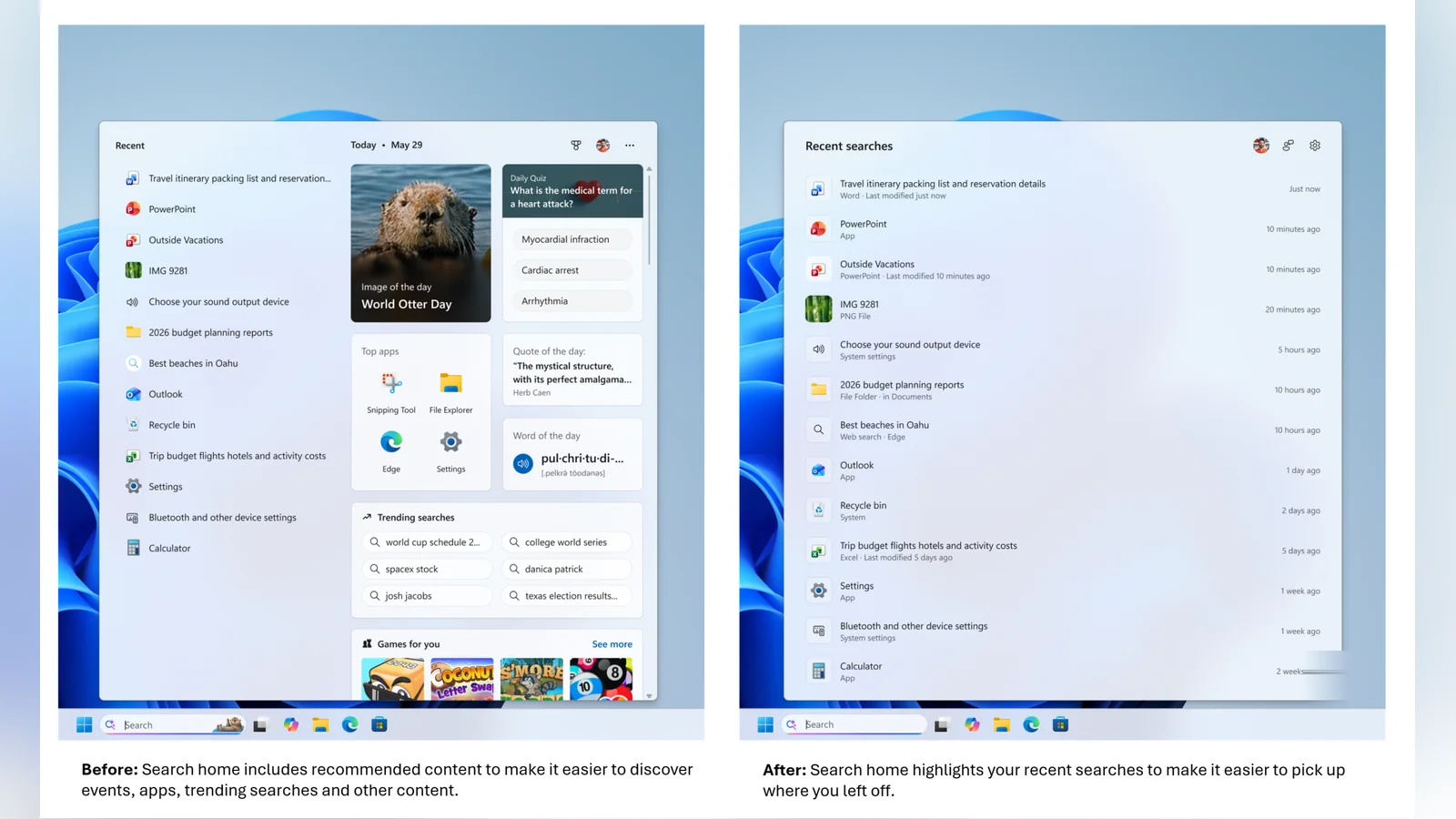
Microsoft is rolling out a series of updates to the Windows Search Box to reduce visual clutter and remove promotional content. These updates are gradually appearing for Windows Insiders in the Experimental channel via a Controlled Feature Rollout. Microsoft is rolling out updates to simplify the desktop interface on Windows 11.
The simplified design has a calmer home screen that helps users quickly find their recent search history. When typing a query, the Search Box now shows exactly where each result originates, including files, settings, websites, and Store suggestions. This transparency aims to make the interface much easier to scan before clicking a result.
Also read: Best Windows 11 Laptops
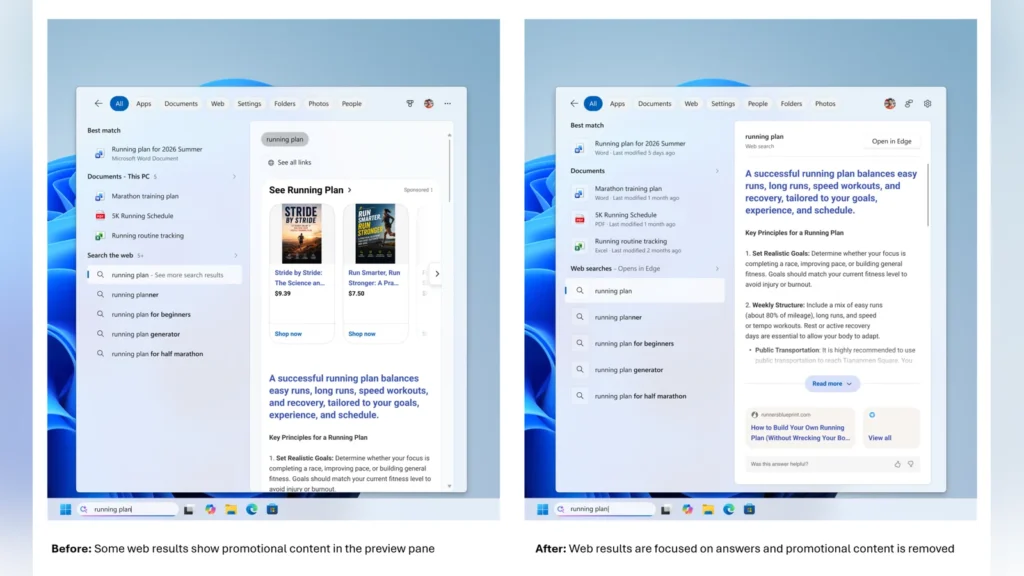
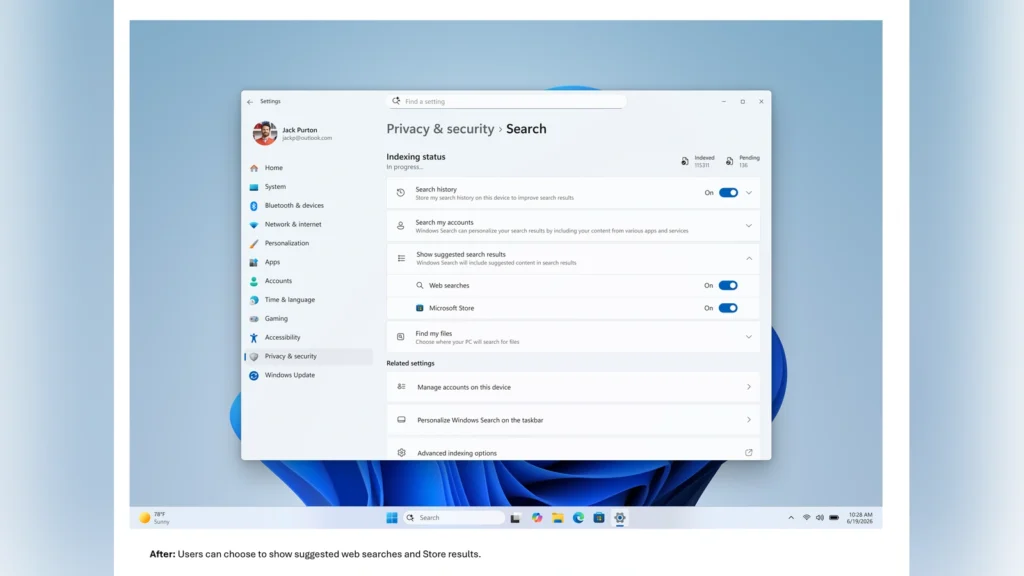
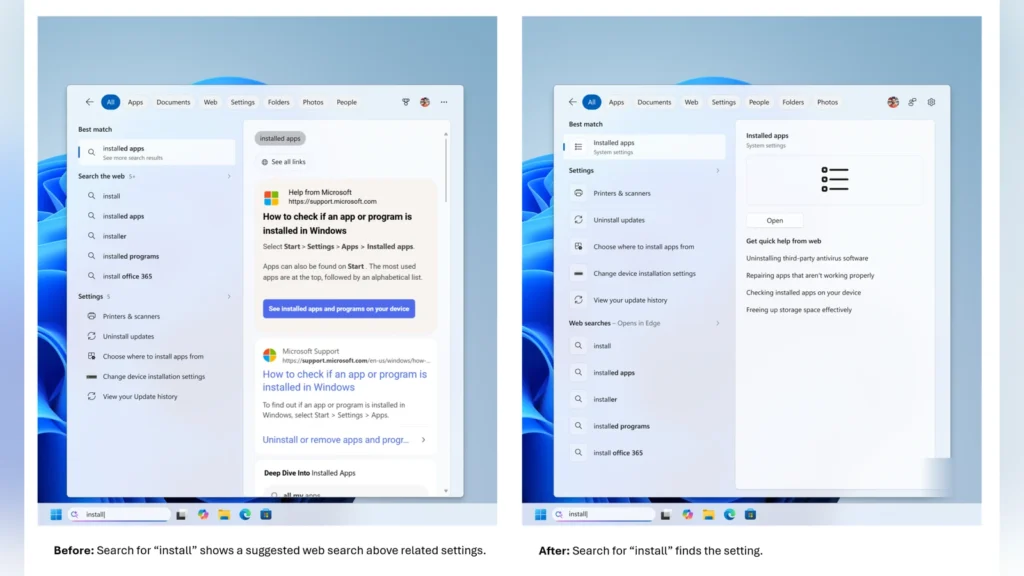
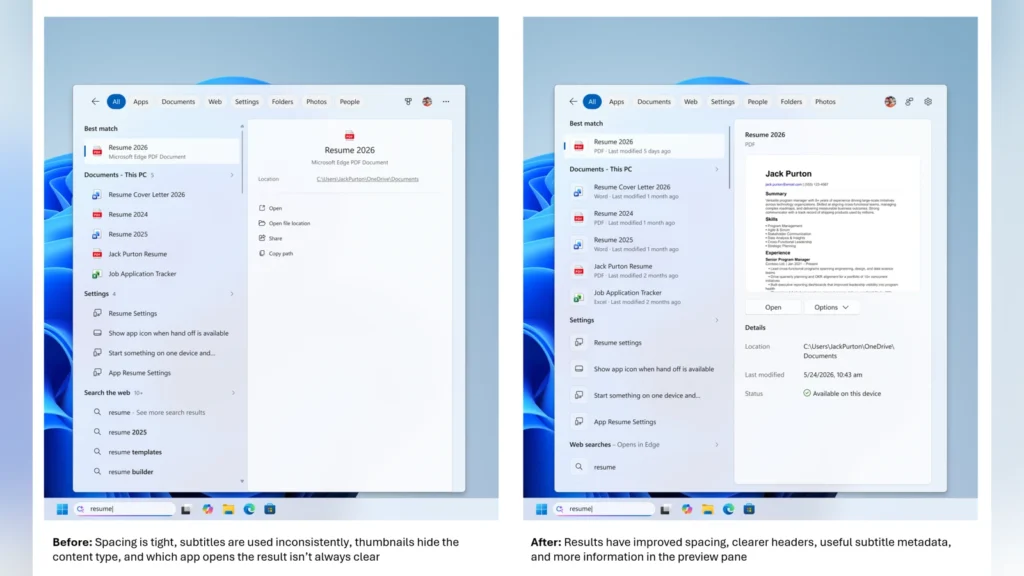
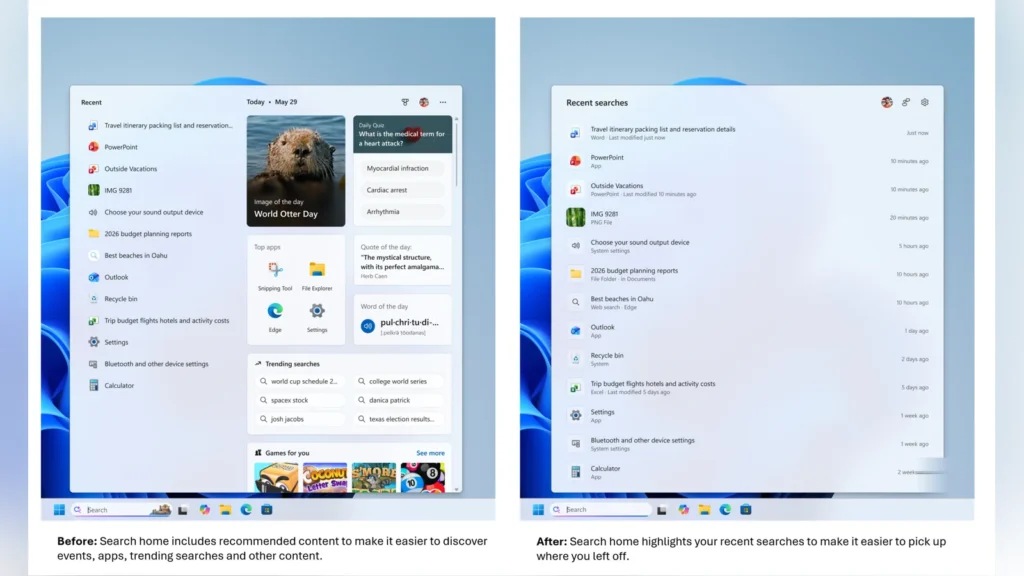
The most notable change is the removal of product advertisements and related promotions from web search results. Previously, the Search Box pushed sponsored products to the top, making the search experience feel like a store directory. However, web results will now focus strictly on showing the most relevant information to the user.
Users who want to avoid web suggestions altogether can turn off both web and Microsoft Store results under the search privacy settings. This adjustment allows the search tool to prioritize local content on the computer first. Core desktop items like the Recycle Bin and “This PC” are also easier to find with this update.
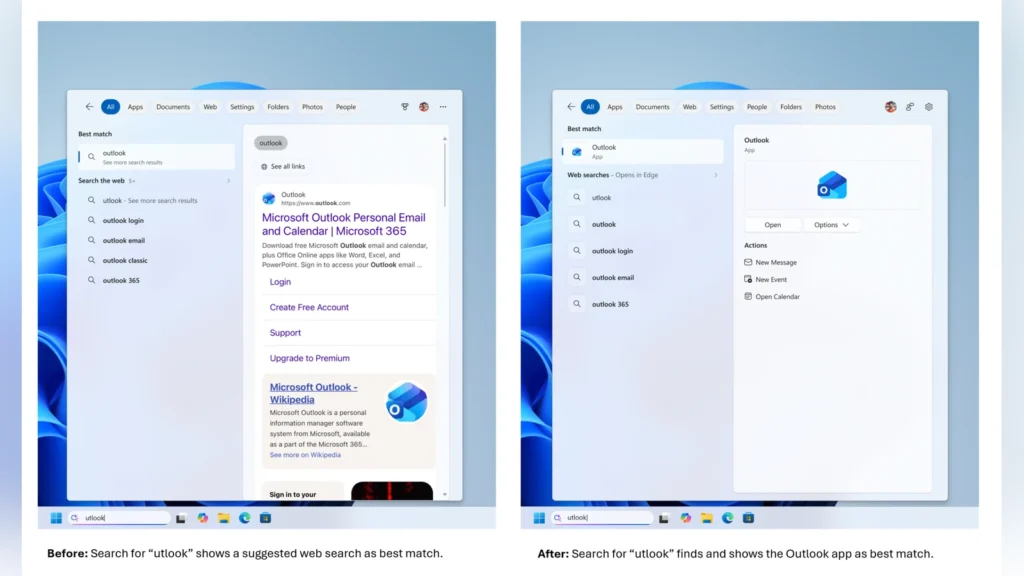
In addition to clutter reduction, the update makes the search engine more forgiving of spelling mistakes. Typing partial words or dropped letters will still locate the correct application, such as typing “utlook” to find Outlook. These modifications aim to make local file searching much faster and more reliable.
Microsoft is also testing similar ranking adjustments for Windows Settings results to surface the most relevant pages first. Insiders who have the new build can provide feedback directly through the built-in Feedback Hub.
Source: Windows Blog