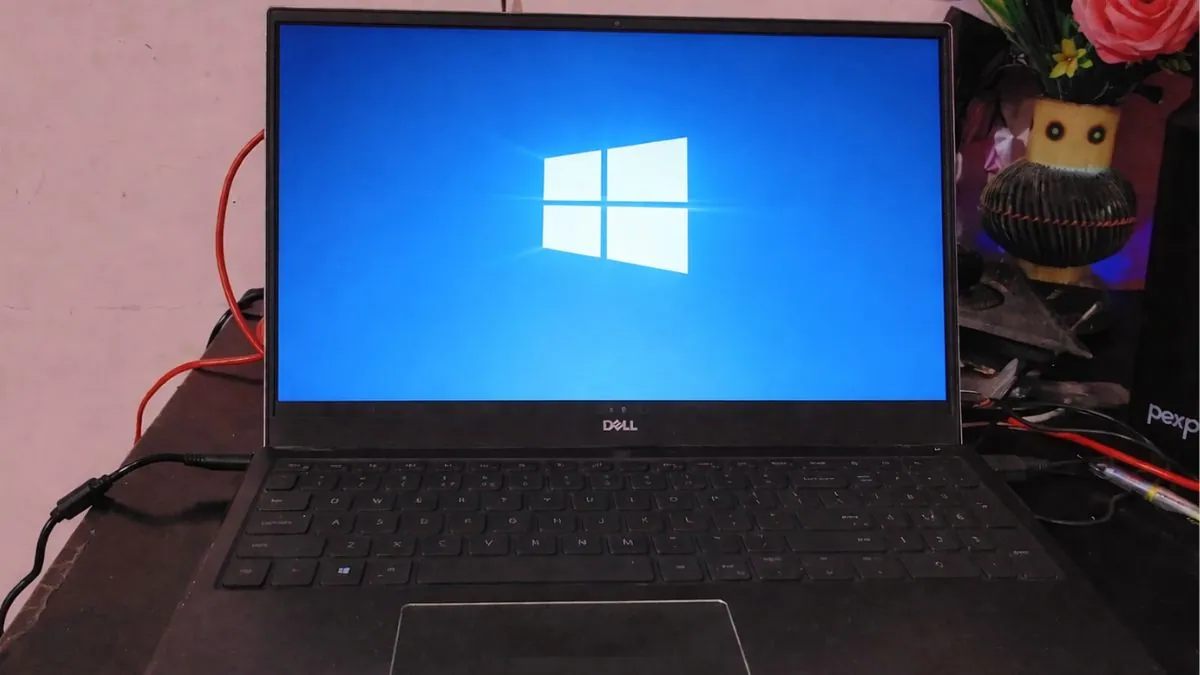
Microsoft has confirmed that unmanaged Windows 11 24H2 Home and Pro PCs will be automatically upgraded to Windows 11 25H2 as the October 13, 2026 support deadline gets closer. This means home users and small business users who are not managed by an IT department will receive the update automatically, with only limited control over when it installs.
The timing is creating problems because the April 2026 cumulative update KB5083769 is still causing serious boot failures on some systems. Many users with affected HP and Dell consumer PCs have reported failed boots, broken startup screens, blue screen crashes, and repeated recovery loops after installing the update. Microsoft has not released an emergency fix yet, which is making the situation more difficult for affected users.
This has created a frustrating situation for many people. Microsoft is pushing users toward a new Windows version while some of those same systems are already struggling to boot properly after the April update.
Windows 11 25H2 is not a full operating system upgrade like older Windows feature updates. Microsoft designed it as a small enablement package that works on the same servicing branch as Windows 11 24H2. Most of the new features are already installed quietly through earlier monthly updates. The final package is very small, reported to be under 200KB, and mainly works by unlocking features that are already there.
This makes the upgrade feel more like a support extension than a full reinstall. For users with stable systems, the installation should be faster, safer, and less likely to create driver problems.
Microsoft also uses a machine learning-based rollout system to check hardware readiness, driver compatibility, and system stability before pushing updates. This helps reduce problems on supported devices, but it cannot fully prevent issues caused by special hardware combinations, old firmware, or OEM-specific software conflicts.
| Windows Version | Support End Date | Upgrade Type | Main Change |
|---|---|---|---|
| Windows 11 24H2 | October 13, 2026 | Current version | Stops getting security updates after support ends |
| Windows 11 25H2 | October 2027 | Enablement package | Extends support and unlocks preloaded features |
The bigger problem right now is KB5083769.
Released on April 14 as part of Microsoft’s Patch Tuesday updates, KB5083769 has been linked to major failures on some systems, especially certain HP and Dell consumer machines. This update affects both Windows 11 24H2 and Windows 11 25H2 systems, so upgrading does not always remove the risk.
Many users describe the same problem. The update installs, the PC restarts, the screen shows strange graphics or pixelated images during startup, and then the system enters a blue screen loop. In many cases, the computer cannot recover through a normal restart and users must open the Windows Recovery Environment for manual repair.
If your PC installs KB5083769, restarts, shows broken graphics during boot, and keeps returning to a blue screen recovery screen, your system is likely affected by this issue.
Microsoft uses safeguard holds to stop major feature updates from reaching devices with known compatibility problems. This works best when Microsoft can clearly identify a common driver issue or software conflict. The KB5083769 problem appears to be linked to more specific hardware combinations involving BIOS updates, graphics drivers, chipset behavior, and OEM software, which makes it harder for Microsoft to block automatically.
This means some users may still be pushed toward Windows 11 25H2 while their systems remain at risk from the April boot failure problem.
For Microsoft, the forced upgrade is still necessary. Once Windows 11 24H2 reaches end of support, Home and Pro systems stop receiving security updates, bug fixes, and time zone updates. Running an unsupported version creates a bigger long-term security risk because those systems become more exposed to malware, ransomware, and known vulnerabilities.
Microsoft wants as many consumer devices as possible to stay on supported versions, even if the update process creates short-term frustration.
| Issue | Current Status |
|---|---|
| Automatic upgrade to Windows 11 25H2 | Expanded to unmanaged Home and Pro devices |
| KB5083769 boot loop issue | Still unresolved for some users |
| Emergency patch released | No |
| Enterprise and Education devices | Not included in forced rollout |
Enterprise and education devices are not part of the immediate forced rollout. Managed systems under IT departments get more control, which allows businesses and schools to test updates first before installing them across all devices. This helps reduce large-scale problems in offices and classrooms.
Home users do not have the same flexibility. Windows Update offers a Pause Updates option, but this only delays installation for a short time. It cannot permanently stop the 25H2 upgrade. Microsoft still controls the final rollout timing for unmanaged systems, and once the pause period ends, the update process continues automatically.
Because of this, users dealing with KB5083769 problems should focus on system recovery first instead of trying to avoid Windows 11 25H2 forever.
Microsoft recommends starting recovery through the Windows Recovery Environment. If restore points are available, System Restore should be tried first. If that does not work, Startup Repair is the next option. Some users may also be able to uninstall the latest cumulative update if recovery tools allow access.
The last option is Reset this PC, but this can lead to major data loss and should only be used after backups and other repair methods fail.
Users whose systems still work normally should pause updates, avoid unnecessary restarts, and wait for Microsoft to release a proper fix. Checking for BIOS updates and graphics driver updates may also help, especially on older HP and Dell systems where firmware interactions are more complex.
Compared to older Windows upgrades, Windows 11 25H2 itself is not the risky part. It is mostly a support-cycle extension delivered through a lightweight package. The real problem is whether affected systems can safely reach that point without being damaged by the April cumulative update.
This matters most for people using older consumer laptops and desktops from major OEM brands like HP and Dell. These systems often have more complex BIOS settings, older chipset drivers, and preinstalled vendor software that can create update problems more easily than clean custom-built PCs.
Users who should care most are people still running Windows 11 24H2 on unmanaged consumer devices, especially if they use affected OEM hardware. For users on stable systems, 25H2 will likely feel like a normal maintenance update with very little disruption.
Also Read: Best Laptops for Data Science
For users already dealing with boot failures, recovery should come first before allowing any new feature update to install.
Users who should wait are those seeing strange restart behavior, broken startup graphics, display corruption, or repeated blue screen crashes after KB5083769. In these cases, installing more updates before fixing the main problem can make recovery even harder.
Users who can worry less are enterprise-managed systems and people already using stable, recently updated hardware with clean Windows installations and no April update problems.
Microsoft has not given a final date for a permanent KB5083769 fix, and that remains the biggest unanswered question. The next thing users should watch is whether Microsoft releases an emergency patch or expands safeguard holds for affected devices.
Until then, Windows 11 25H2 looks like a normal support-cycle upgrade arriving at the worst possible time. The update itself may be small, but for users already stuck in April’s boot failures, the problem is much bigger than just a version number.
Source (s): Microsoft Learn, Microsoft.com