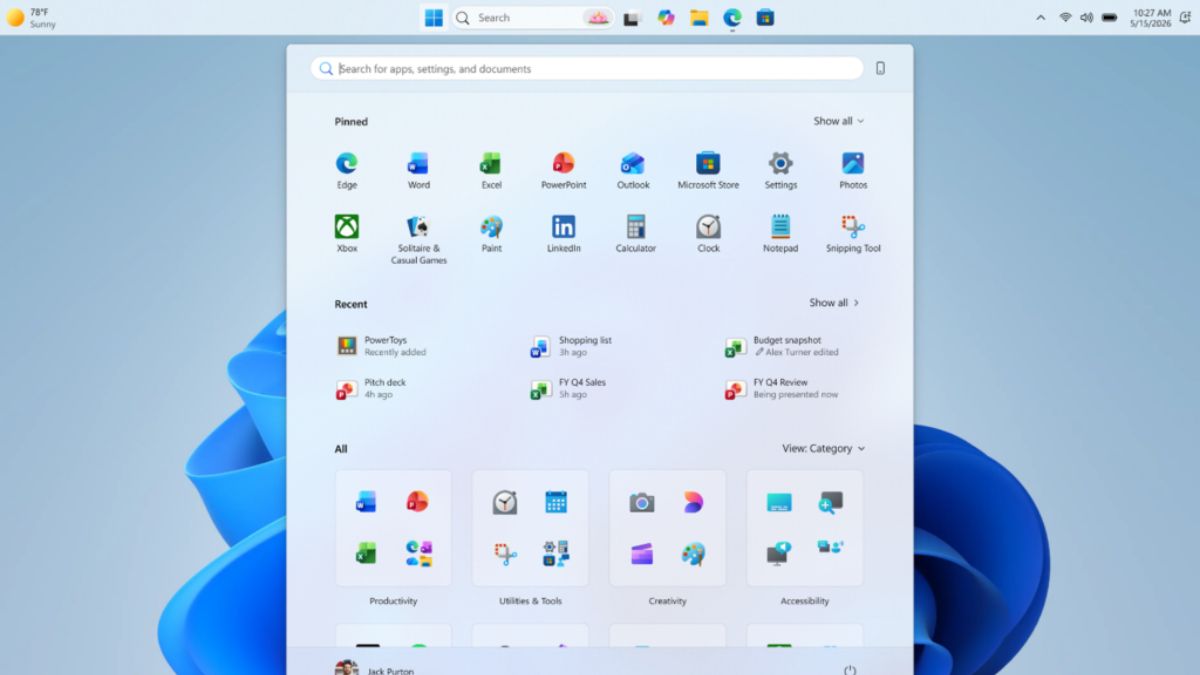
After years of complaints about Windows 11’s limited taskbar customization options, Microsoft is now testing several long-requested desktop features through recent Windows Insider preview builds. The latest changes restore expanded taskbar label controls and introduce new layout adjustments aimed at improving multitasking and desktop usability.
The preview additions continue Microsoft’s gradual effort to bring back functionality that many users relied on in Windows 10 before the Windows 11 redesign removed several legacy taskbar capabilities at launch.
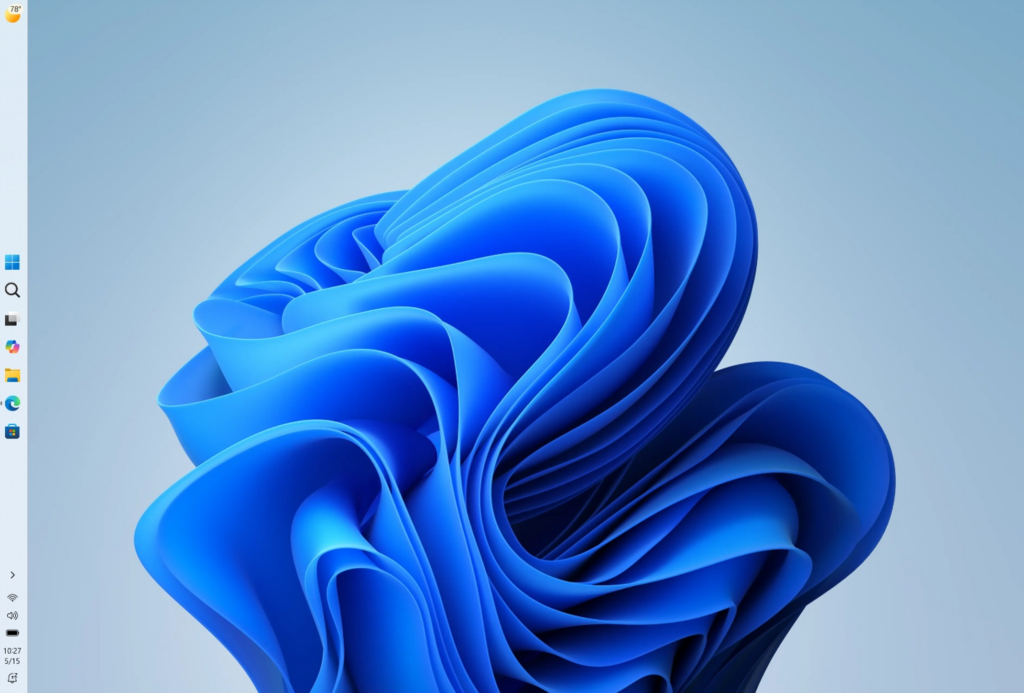
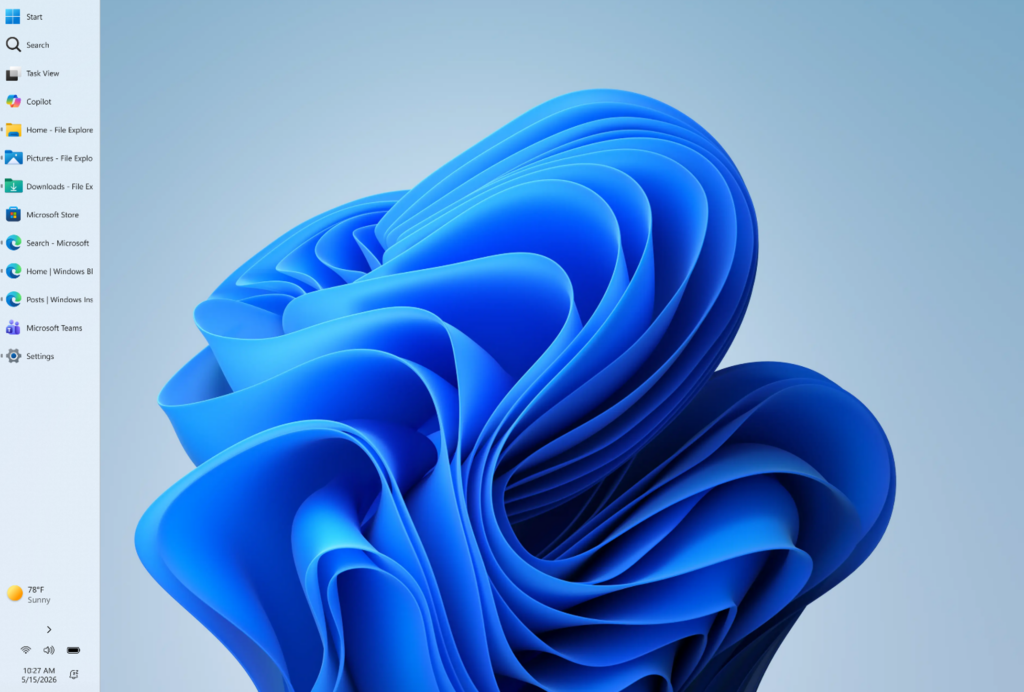
According to recent Windows Insider testing, Microsoft is experimenting with additional taskbar personalization settings designed to improve desktop workflows and window management. The updated behavior expands controls for taskbar button grouping while also reducing overall taskbar spacing in certain preview layouts.
One of the biggest changes is the continued rollout of “Never Combine” taskbar buttons with visible labels. The feature allows open applications to display individual window names directly on the taskbar instead of grouping them into a single icon. For productivity-focused users working with multiple browser tabs, spreadsheets, creative applications, or communication tools simultaneously, the restored labels make switching between active windows significantly easier.
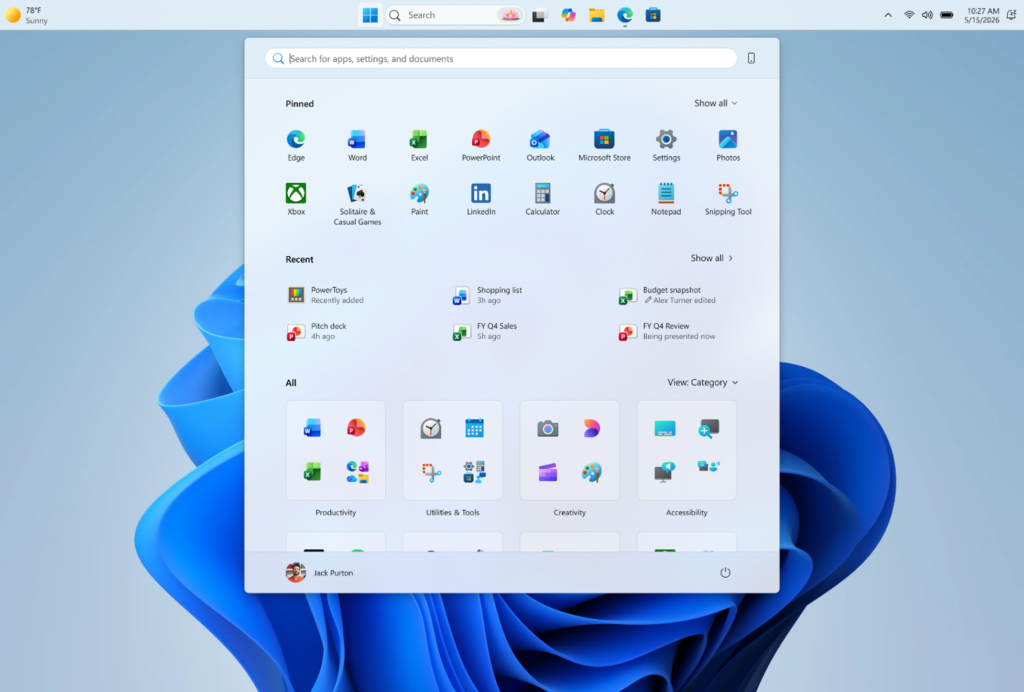
Microsoft is also testing smaller taskbar scaling adjustments that reduce icon spacing and visual padding compared to the default Windows 11 layout. The updated spacing helps reclaim additional vertical desktop space, particularly on compact laptops and ultrawide displays where screen organization is important.
When Windows 11 launched in 2021, Microsoft rebuilt major parts of the taskbar using a simplified modern architecture. While the redesign introduced a cleaner visual appearance, it also removed several long-standing desktop features that had existed across previous Windows generations. The changes triggered criticism from power users, developers, and multitasking-heavy workflows that depended on advanced taskbar customization.
Since then, Microsoft has gradually restored multiple missing features through Insider preview updates, including Never Combine taskbar buttons, visible taskbar labels, expanded system tray improvements, additional Start menu customization, and improved multi-window management behavior. The latest Insider testing suggests Microsoft is continuing to respond to long-standing community feedback as it refines the Windows 11 desktop experience ahead of future feature updates.
Users running one of the best Windows 11 laptops may particularly benefit from the additional flexibility, especially on compact or ultrawide displays where screen organization matters more.
Microsoft says the updated taskbar functionality is rolling out gradually through select Windows Insider preview builds. Like many experimental Windows features, availability currently varies depending on Insider channel, staged deployment groups, and controlled feature testing. That means some Insider users may not immediately see the updated taskbar behavior even after installing the latest preview build.
The company has not confirmed when the features will arrive for stable Windows 11 users. However, the ongoing Insider rollout suggests Microsoft is actively evaluating broader deployment in a future Windows 11 update.
| Feature | Details |
|---|---|
| Operating System | Windows 11 Insider Preview |
| Taskbar Labels | Restores visible app labels alongside icons |
| Button Controls | Expanded “Never Combine” options |
| Layout Changes | Reduced taskbar spacing in preview testing |
| Availability | Select Windows Insider builds |
| Release Status | Gradual experimental rollout |
While the changes may appear relatively minor at first glance, taskbar customization remains one of the most requested Windows 11 improvements among long-time desktop users. Many professionals rely on taskbar labels and expanded window controls to manage large numbers of open applications efficiently throughout the workday.
Also Read: Best Laptops for Data Science: Real Workflow Tested
The updated Insider testing also signals a broader shift in Microsoft’s Windows 11 strategy. Over the past several feature updates, the company has increasingly restored previously removed functionality after receiving sustained feedback from desktop and productivity-focused users.
Microsoft enthusiasts have already demonstrated some of the updated taskbar behavior through early hands-on preview videos shared online ahead of a wider rollout.
Microsoft says the features are being tested gradually through Insider preview builds before a wider public rollout later this year. The changes could arrive as part of a future feature update, potentially alongside the upcoming Windows 11 25H2 update, although the company has not confirmed a final release schedule yet.
Source: Windows Insider Blog