
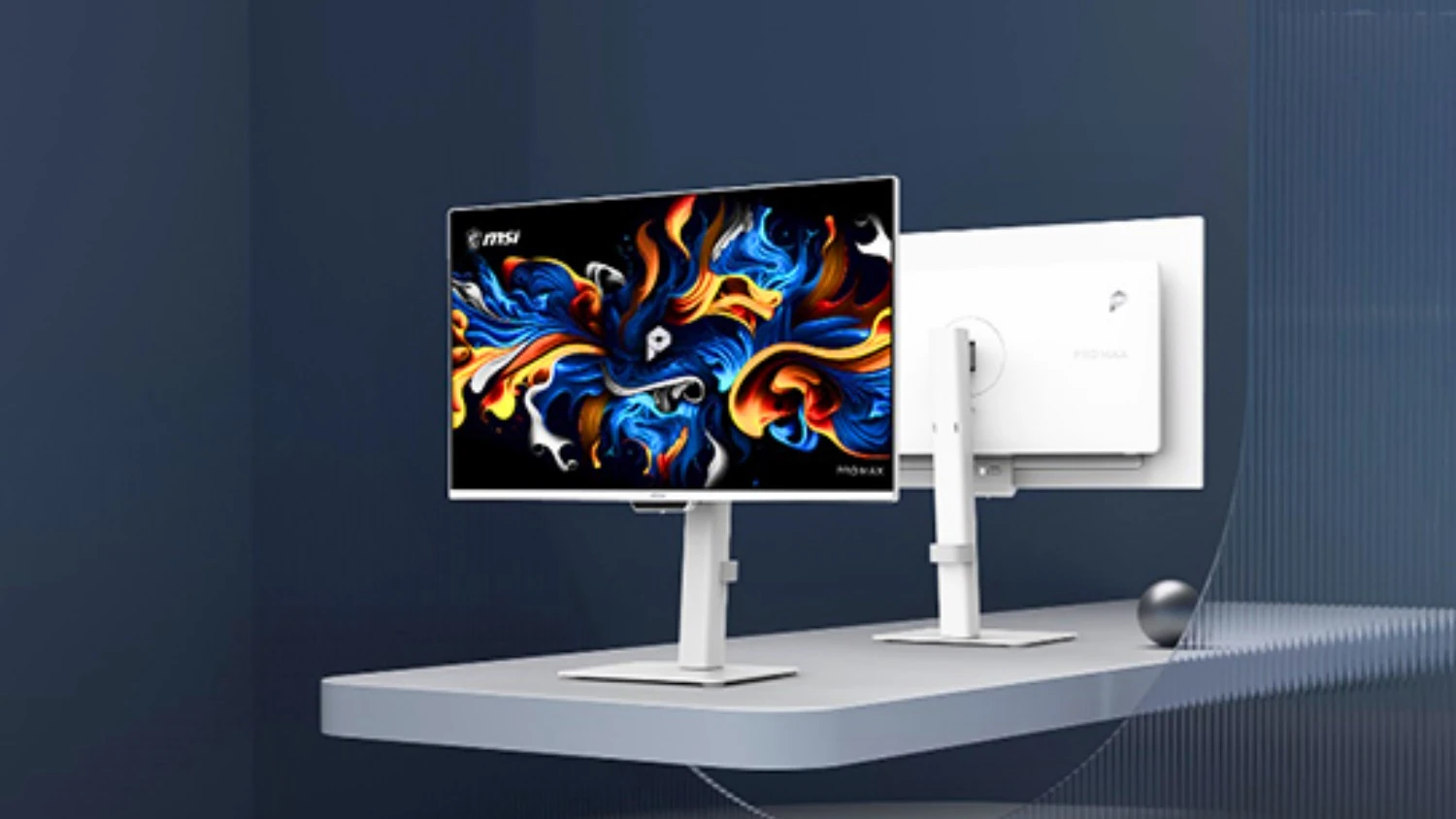
MSI’s new PRO MAX monitors move away from gaming-focused OLED displays and lean more toward MacBook desks, editing setups, and long office sessions. The series includes the PRO MAX 271UPXW12G QD-OLED model together with several EyesErgo+ IPS displays built for multi-device workspaces and daily productivity use.
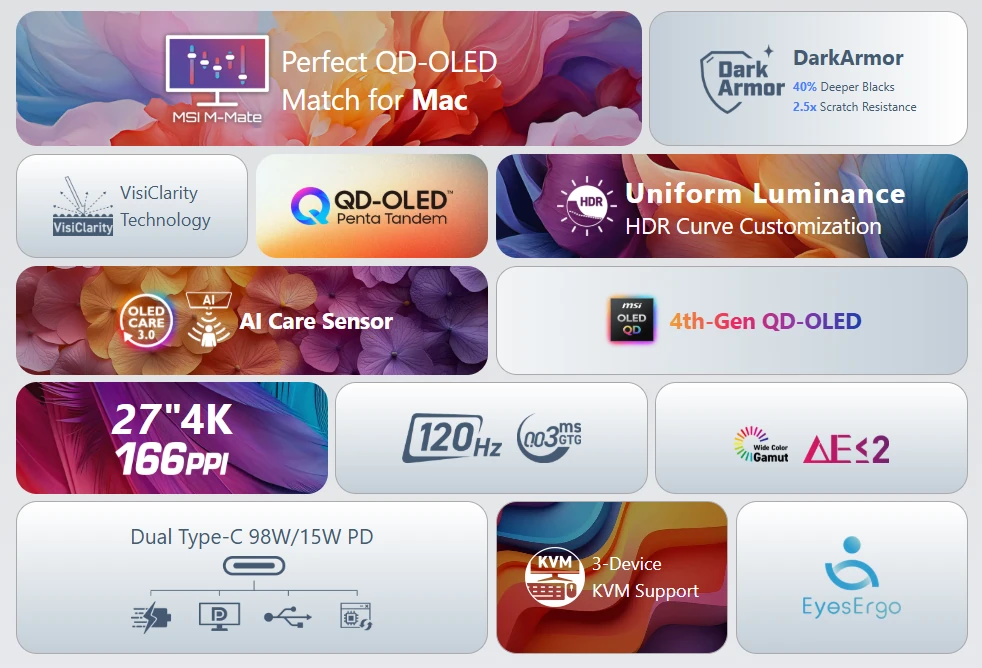
PRO MAX 271UPXW12G uses a 27-inch 4K QD-OLED panel running at 120Hz with a 0.03 ms response time. Pixel density reaches 166 PPI, which is much closer to the sharpness level MacBook users normally see on Retina displays than standard 27-inch 4K monitors.
MSI uses a newer 4th-generation QD-OLED panel together with a five-layer Penta Tandem structure. According to the company, the design improves light efficiency by roughly 30% while keeping HDR brightness close to 1000 nits.
A new “DarkArmor” layer sits on top of the panel to reduce the purple tint OLED screens sometimes show under brighter room lighting. MSI also says the coating improves scratch resistance and makes darker scenes appear deeper than earlier QD-OLED generations.

The display carries VESA DisplayHDR True Black 400 certification together with AMD FreeSync Premium Pro and VESA ClearMR 13000 support. MSI also lists PANTONE Validation, PANTONE SkinTone Validation, and Delta E ≤ 2 color accuracy for editing, grading, and design work.
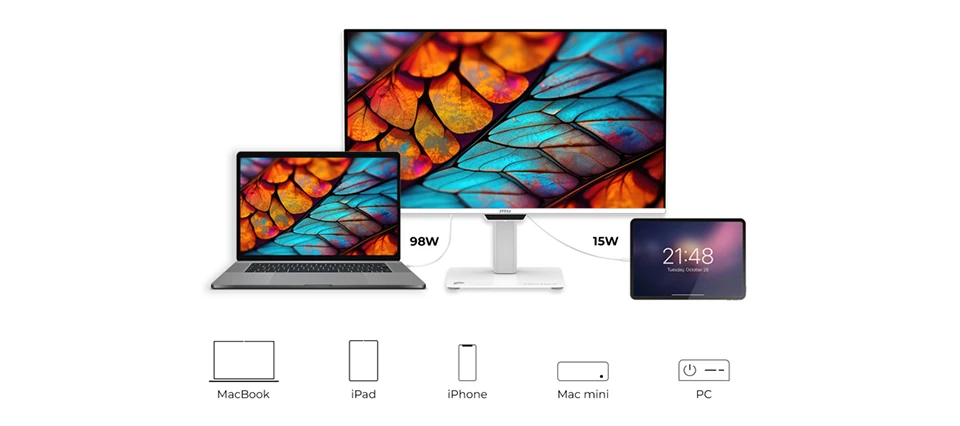
One USB-C cable can handle 4K video, data transfer, and up to 98W charging for a connected MacBook. A second USB-C connection adds 15W charging for smaller devices like iPhones and iPads.
MSI’s new M-Mate application gives macOS users direct brightness and volume controls through standard keyboard shortcuts. The software can also match color profiles between the monitor and a connected MacBook display through MSI’s M-Sync and M-Color modes.
KVM support is built in as well, allowing a MacBook, tablet, and Windows PC to share the same keyboard and mouse setup. PIP and PBP modes are also supported for multi-window workflows.
MSI also introduced the PRO MAX 241PHW E14, PRO MAX 271QPHW E14, and PRO MAX 271PHW E14 alongside the OLED model. These displays move toward office and productivity use with IPS panels, 144Hz refresh rates, USB-C charging, and MSI’s newer EyesErgo+ platform.
MSI adds a Circular Polarizer layer to these displays to reduce eye strain during longer desk sessions. TÜV-certified low blue light filtering, anti-flicker operation, anti-glare coating, and Eye-Q Check reminders are also included.
PRO MAX 241PHW E14 uses a 23.8-inch Full HD IPS panel, while PRO MAX 271QPHW E14 moves to a 27-inch 2560 × 1440 display. PRO MAX 271PHW E14 keeps the same 27-inch size but uses a Full HD panel instead. All three support 65W USB-C charging, ergonomic stands, built-in speakers, and AMD FreeSync.
MSI says global rollout for the PRO MAX series starts in mid-to-late May depending on the model, though pricing has not been confirmed yet.
MSI PRO MAX Series Key Models
| Model | Panel | Resolution | Refresh Rate | USB-C PD | Main Use |
|---|---|---|---|---|---|
| PRO MAX 271UPXW12G | QD-OLED | 3840 × 2160 | 120Hz | 98W + 15W | Mac workflows / creators |
| PRO MAX 241PHW E14 | IPS | 1920 × 1080 | 144Hz | 65W | Office / eye comfort |
| PRO MAX 271QPHW E14 | IPS | 2560 × 1440 | 144Hz | 65W | Productivity / multitasking |
| PRO MAX 271PHW E14 | IPS | 1920 × 1080 | 144Hz | 65W | General office use |
Source: MSI Press