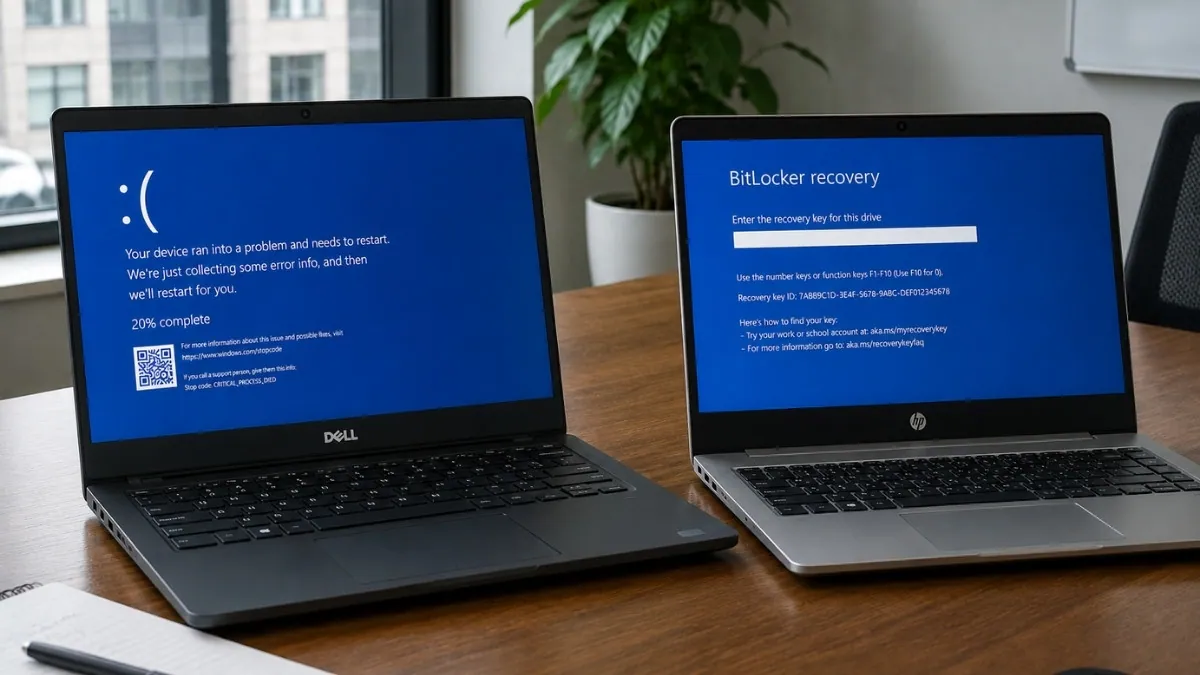
Dell and HP are dealing with separate update-related problems that have left some PCs stuck in reboot loops, blue-screen crashes, and repeated BitLocker recovery prompts. While many users initially blamed Windows 11 updates, investigations from both companies point to issues within their own software and firmware rather than Microsoft’s operating system.
Reports from Dell users traced the crashes back to SupportAssist Remediation version 5.5.16.0, a component of SupportAssist OS Recovery Tools. Affected systems began showing CRITICAL_PROCESS_DIED blue-screen errors followed by unexpected restarts, with some users reporting crashes every 30 to 60 minutes. Community debugging efforts repeatedly pointed to DellSupportAssistRemediationService.exe as the trigger rather than Windows itself.
Dell has since confirmed the problem and published a fix. According to the company, updating SupportAssist OS Recovery Tools to version 5.5.16.1 resolves the crashes. The update is available through SupportAssist and Dell Command Update. Dell recommends keeping systems connected to power and ensuring important files are backed up before applying the update.
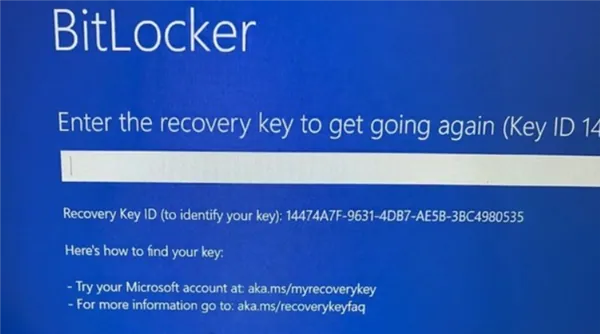
HP was dealing with a different problem altogether. Certain commercial systems in the EliteBook, ProBook, and ZBook families began requesting BitLocker recovery keys after BIOS updates, with some machines returning to the recovery screen after every reboot even when the correct key had already been entered.
HP linked the behavior to Microsoft’s ongoing Secure Boot certificate transition. Systems that failed to apply the newer UEFI Secure Boot CA 2023 certificates correctly could repeatedly trigger BitLocker recovery during startup. In affected cases, the operating system remained intact, but BitLocker treated the altered boot environment as a potential security change and demanded recovery verification.
To address the issue, HP now recommends installing the latest BIOS updates and verifying Secure Boot certificate settings before applying related Windows security updates. Earlier guidance also advised users to pause automatic updates until the required firmware and certificate changes were in place.
The timing made Windows 11 look like the common culprit, but the two incidents came from very different places. Dell’s crashes were tied to a faulty recovery-service update, while HP’s recovery loops were linked to firmware behavior and Secure Boot certificate handling. Neither company identified Windows 11 itself as the root cause.
Also Read: Microsoft June 2026 Patch Tuesday Fixes 200 Security Flaws
Users affected by either issue should make sure BitLocker recovery keys are backed up before installing firmware, BIOS, or recovery-tool updates. Dell has already released a corrective update through SupportAssist OS Recovery Tools 5.5.16.1, while HP continues directing customers toward updated BIOS releases and Secure Boot configuration guidance.