Microsoft is changing how Windows updates work in a way users have been asking for since the early Windows 10 days. A new update system now being tested removes the long-standing limit on how long updates can be delayed.
Until now, updates could only be paused for up to 35 days. After that, installation was forced, often triggering restarts at inconvenient times. That restriction is no longer fixed.
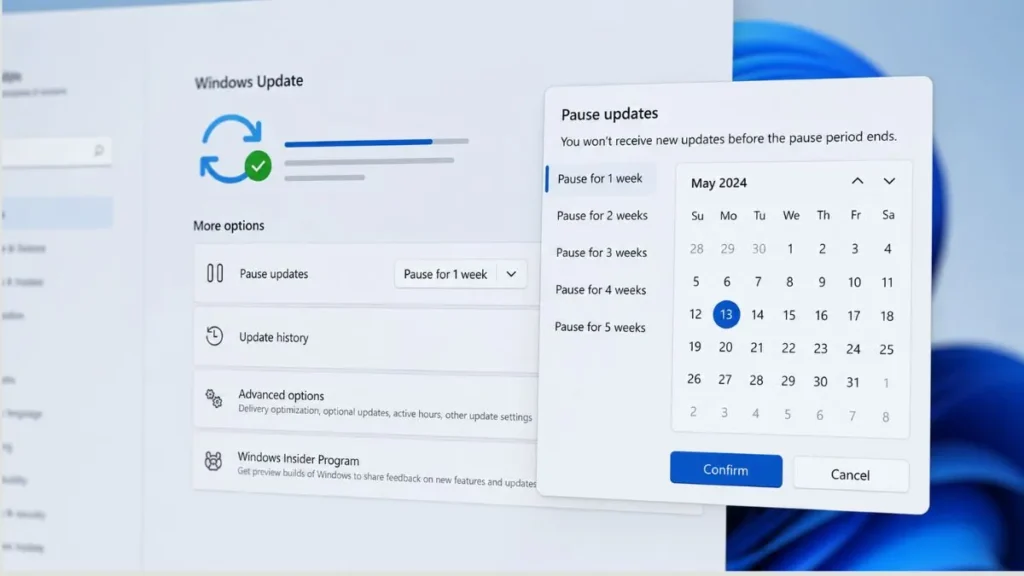
Windows 11 will still use the same 35-day pause window, but it can now be extended repeatedly. Once the timer ends, it can be reset again, with no defined limit on how many times this can be done. Microsoft describes this as a way to let users plan updates around real schedules instead of system deadlines.
A calendar-based interface is also being added, making it easier to choose exact pause dates instead of selecting fixed durations. This allows updates to be delayed around travel, work periods, or other commitments.
Changes are also coming to system setup. New devices will no longer require updates to be installed before reaching the desktop. Setup can be completed first, with updates handled later.
More control options
To make this a better experience, we are focused on giving you more control of updates in four key ways:
- Skip updates immediately during the out of box experience (OOBE)
- Extend update pauses as many times as you need
- Always-available options to shut down and restart without updating
- More insights on available updates so you can make more informed installation decisions
Fore more details, check insider blog.
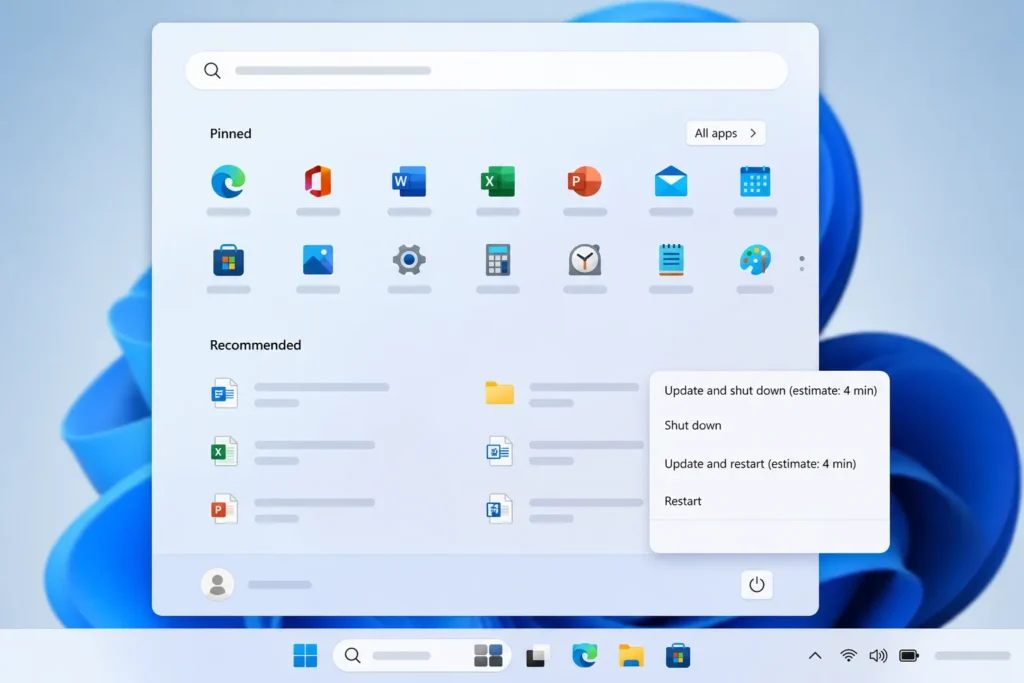
Power controls are being adjusted as well. The Start menu will continue to show standard Restart and Shut down options even when updates are pending. Update-specific options will still appear, but they will no longer replace normal controls.
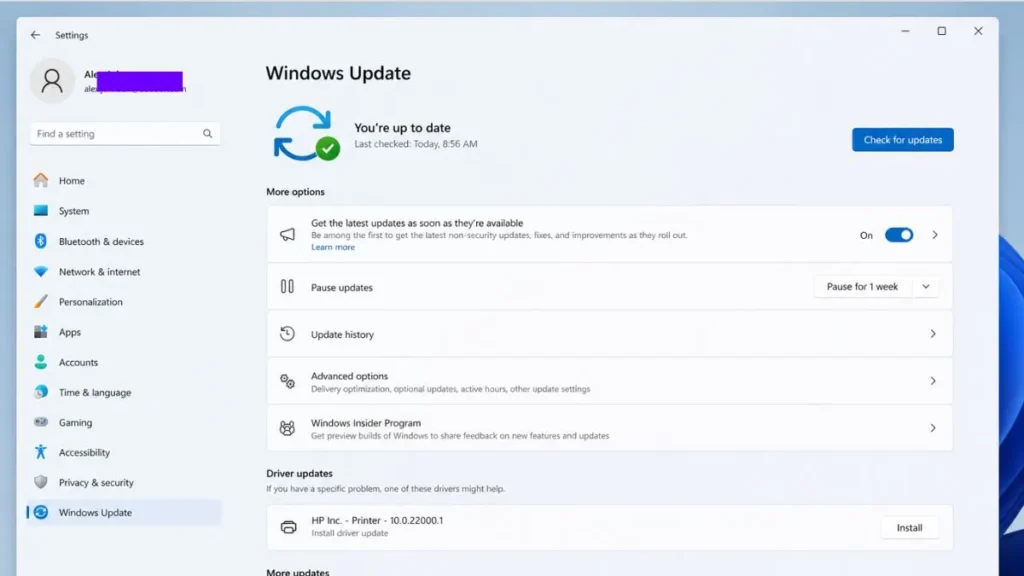
Microsoft is also changing how updates are presented. Driver updates will now include clearer labels such as display, audio, or battery, making it easier to understand what is being installed.
Behind this update is a primarily shift in how Windows handles installations. Instead of multiple update cycles each month, Microsoft is grouping system, driver, and framework updates together. The goal is to reduce the number of restarts and move closer to a single coordinated update cycle.
Updates will continue to download in the background and wait for a scheduled installation, rather than interrupting active use. The system will also attempt to restore previously opened apps more quickly after a restart.
These changes are currently rolling out through the Windows Insider Program, including Dev and Experimental channels, before a wider release.
Microsoft is not removing updates or security enforcement. Updates will still be required, but the timing is shifting toward user control instead of automatic scheduling.
Also Read: Windows 11 25H2 Update 2026: 5 New Features