CPU specifications tell only part of the story. A processor rated at high speeds may slow down under sustained workloads due to thermal limits or power constraints.
Understanding real-world CPU performance requires benchmarking tools that simulate demanding tasks. Cinebench R23 measures how processors handle continuous rendering workloads, revealing behavior that spec sheets cannot show.
This benchmark focuses on sustained performance rather than short bursts. Laptops and desktops with identical processors often produce different scores due to cooling design and power delivery differences.
Cinebench R23 helps buyers evaluate CPU performance under stress. It shows how processors manage heat during extended tasks like video rendering or 3D modeling. The test reveals thermal throttling patterns that affect productivity applications.
Score interpretation requires context. Comparing results between laptop and desktop systems provides limited value without understanding their different thermal constraints.
What Is Cinebench R23?
Cinebench R23 is a free CPU benchmark developed by Maxon. It measures processor performance by rendering a complex 3D scene using the Cinema 4D engine.
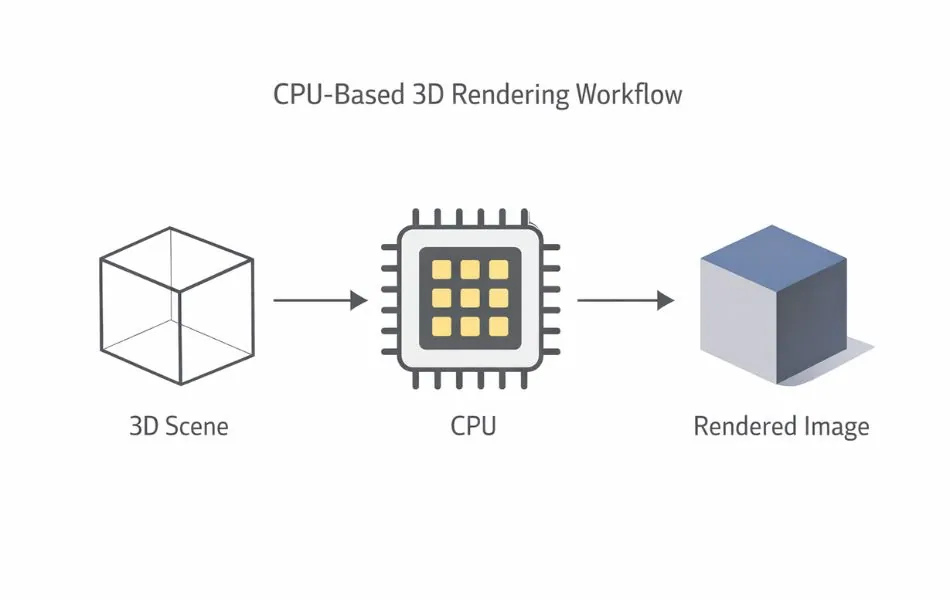
The benchmark tests CPU capability exclusively. Graphics cards do not affect Cinebench R23 scores. The rendering workload simulates tasks professionals encounter in 3D modeling and video production software.
Who Should Use Cinebench R23?
Laptop buyers use Cinebench R23 to verify sustained CPU performance before purchase. The test reveals whether thin laptop designs throttle processors under load.
Gamers check for CPU bottlenecks that limit frame rates. Modern games increasingly demand strong multi-core performance during complex physics calculations.
Content creators evaluate rendering speed for video editing and 3D work. Cinebench scores correlate directly with export times in production software.
Hardware reviewers rely on Cinebench R23 for consistent cross-platform testing. The standardized workload enables fair processor comparisons.
What Does Cinebench R23 Test?
Cinebench R23 runs a CPU rendering test based on real-world 3D scene calculations. The benchmark uses the same rendering engine found in Cinema 4D professional software.
The test simulates photorealistic image creation. Processors calculate lighting, shadows, reflections, and object geometry across millions of pixels.

What the test includes:
- Multi-threaded rendering across all CPU cores
- Complex mathematical calculations
- Memory bandwidth utilization
- Sustained workload over 10 minutes
What the test excludes:
- GPU acceleration
- Storage speed impact
- Gaming performance simulation
- Battery-powered efficiency
The rendering workload produces consistent results across multiple test runs. Variations in scores typically indicate thermal throttling or background process interference.
Cinebench R23 Single-Core vs Multi-Core Scores
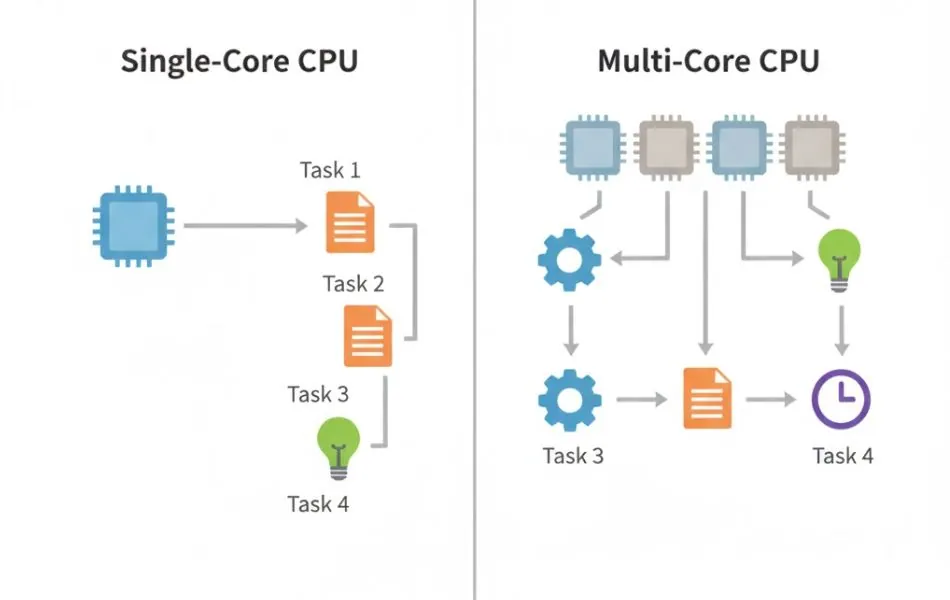
Cinebench R23 generates two separate scores measuring different CPU capabilities.
Single-core score measures performance when one processor core handles the entire workload. This reflects responsiveness in applications that cannot distribute tasks across multiple cores.
Multi-core score measures performance when all processor cores work simultaneously. This represents capability in software optimized for parallel processing.
Real-world applications use different core configurations based on their design:
| Task Type | Score That Matters |
|---|---|
| Web browsing | Single-core |
| Office documents | Single-core |
| Photo editing (basic) | Single-core |
| Gaming (most titles) | Single-core + some multi-core |
| Video rendering | Multi-core |
| 3D rendering | Multi-core |
| Code compilation | Multi-core |
| Scientific simulation | Multi-core |
Higher single-core scores indicate faster system responsiveness. Higher multi-core scores indicate better performance in professional creative applications.
How Cinebench R23 Works
Cinebench R23 renders a detailed 3D scene showing a motorcycle and various objects. The benchmark calculates how this scene appears under specific lighting conditions.
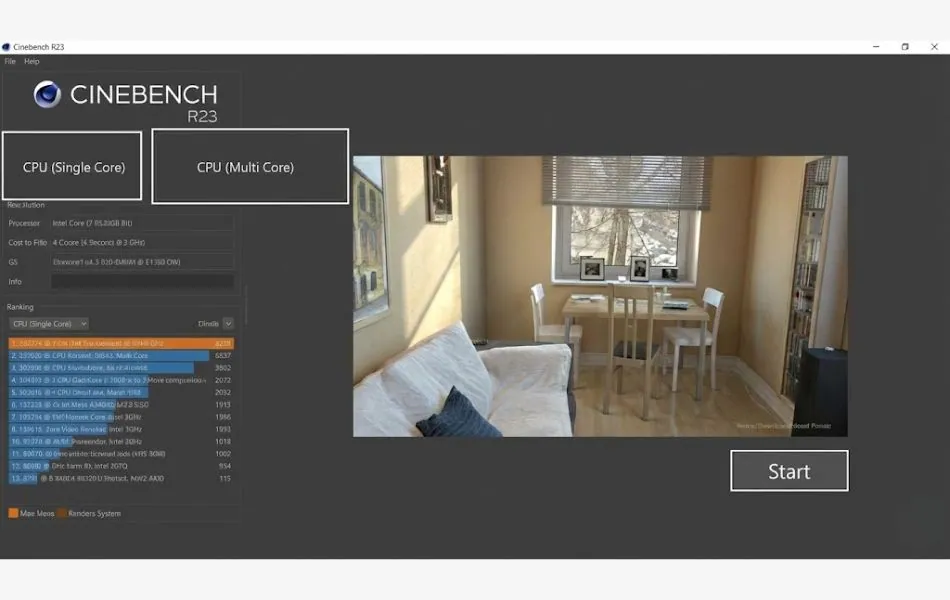
Standard test: Runs once until completion. Provides quick performance snapshot but may not reveal thermal behavior.
10-minute loop test: Repeat the rendering continuously for 10 minutes. This extended duration exposes thermal throttling as cooling systems struggle to maintain peak performance.
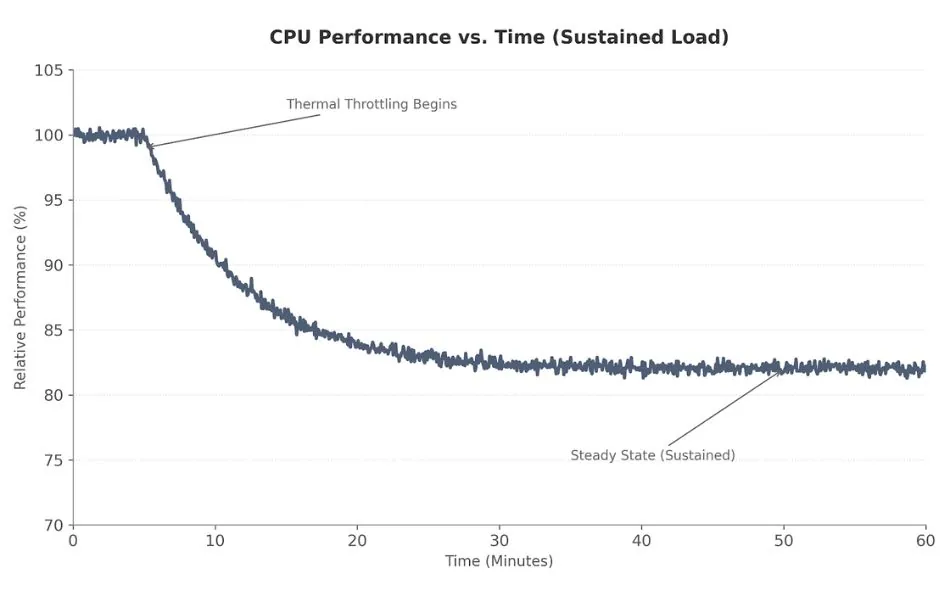
The loop test shows sustained performance characteristics. Initial scores may start high but drop as the processor heats up. Desktop systems with robust cooling maintain consistent scores throughout. Thin laptops often show 10-30% performance decreases.
Thermal throttling becomes visible through score degradation. The processor automatically reduces clock speeds to prevent overheating damage. This behavior directly impacts long rendering jobs or extended gaming sessions.
The benchmark runs entirely on the CPU. Closing background applications before testing ensures accurate results. Resource-intensive software like web browsers with multiple tabs can reduce scores by 5-10%.
Does Cinebench R23 Measure Gaming Performance?
Cinebench R23 does not measure gaming performance.
It focuses only on CPU rendering workloads.
Gaming performance depends heavily on GPU speed, driver optimization, and game engine behavior, which Cinebench does not test.
What Is a Good Cinebench R23 Score?
Cinebench R23 scores should always be interpreted with context.
Results can change based on power mode, cooling quality, background apps, and whether the system is plugged in.
Scores from laptops and desktops are not directly comparable, even with the same processor model.
For accurate comparison, systems should be tested under similar power and thermal conditions.
Entry-level laptop CPUs (basic productivity):
- Single-core: 1,000-1,400 points
- Multi-core: 4,000-8,000 points
Mid-range laptop CPUs (content creation):
- Single-core: 1,400-1,800 points
- Multi-core: 8,000-14,000 points
High-performance laptop CPUs (professional work):
- Single-core: 1,800-2,200 points
- Multi-core: 14,000-22,000 points
Desktop CPUs (standard cooling):
- Single-core: 1,500-2,300 points
- Multi-core: 10,000-40,000+ points
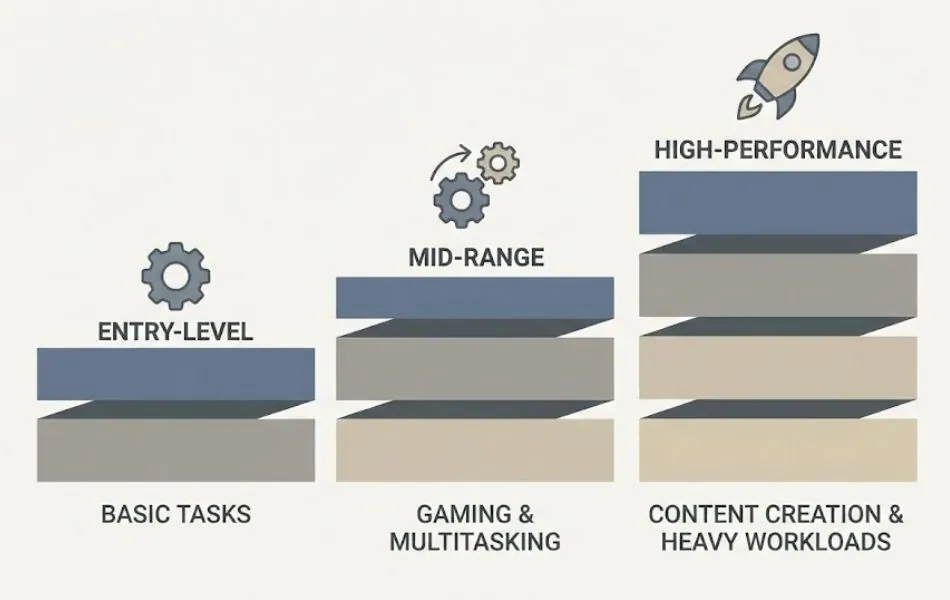
Desktop processors typically score 20-40% higher than laptop equivalents due to superior cooling and higher sustained power limits.
Exact score interpretation depends on workload requirements. Video editors benefit most from high multi-core scores. Office users rarely notice differences in single-core scores above 1,500 points.
Score comparison disclaimer: These ranges represent approximate performance tiers. Actual scores vary based on cooling design, power settings, background processes, and ambient temperature. Compare scores only between similar device types.
Why Cinebench R23 Scores Drop on Laptops
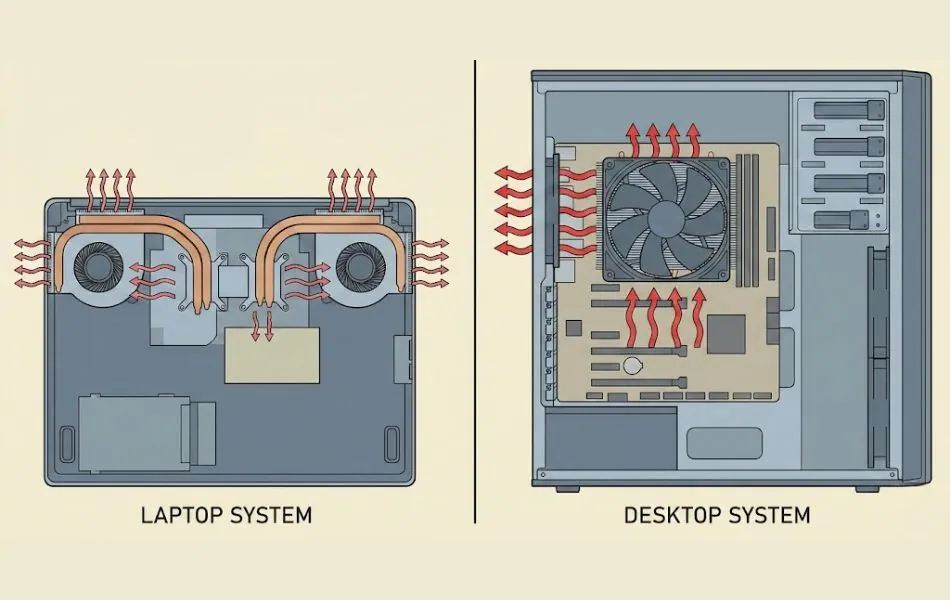
Laptop Cinebench R23 scores frequently fall below desktop equivalents using identical processors. Several design constraints create this performance gap.
Power limits restrict maximum CPU consumption. Laptops limit processors to 15-45 watts while desktops allow 65-150 watts. Lower power delivery reduces clock speeds and core counts under sustained loads.
Cooling design determines sustainable performance. Desktop tower coolers dissipate heat more effectively than laptop heat pipes and small fans. Inadequate cooling forces thermal throttling within minutes.
Thin chassis laptops sacrifice performance for portability. Ultra-thin designs provide minimal airflow space. Processors in 14mm thick laptops may throttle to 60-70% of rated performance during extended Cinebench runs.
Gaming laptops with thicker designs maintain scores closer to desktop levels. Larger fans and vapor chamber cooling support higher sustained clock speeds.
Sustained load impact becomes visible in the 10-minute loop test. Initial single-run scores may match desktop performance. Extended testing reveals gradual score decreases as temperatures rise and power limits engage.
Ambient temperature affects laptop scores more dramatically than desktop scores. Testing in warm environments accelerates throttling.
How to Download and Run Cinebench R23 (Easy Guide)
Cinebench R23 runs on Windows, macOS, and Linux operating systems. The software requires no installation beyond the initial download.
Download process:
Navigate to the official Maxon website (maxon.net)
Locate the Cinebench download section

Select the appropriate version for your operating system
Download the application file
Running the benchmark:
- Close unnecessary background applications
- Connect laptops to power adapters (battery mode reduces performance)
- Launch Cinebench R23
- Click “Start” under Single-Core or Multi-Core sections
- Wait for test completion (2-10 minutes depending on test type)
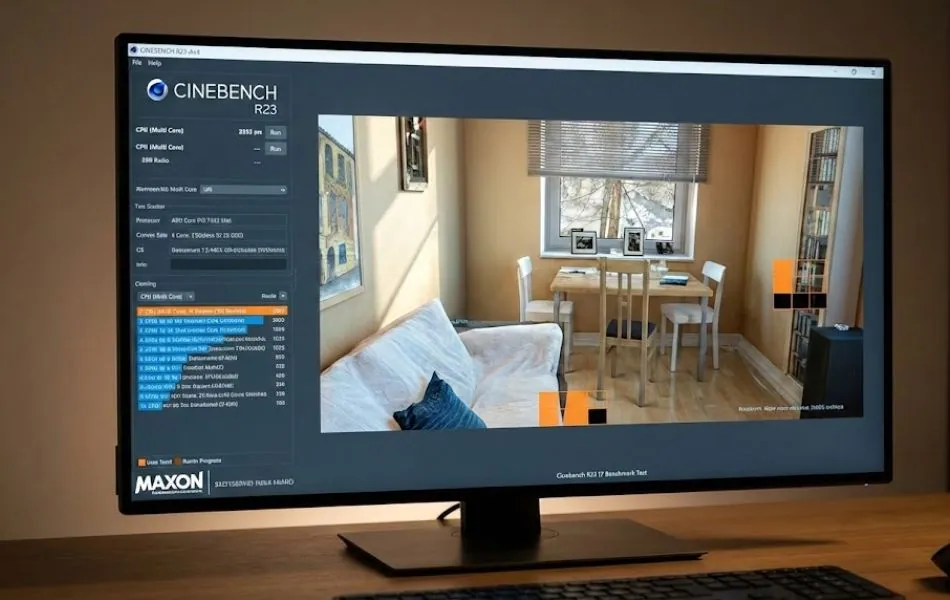
Understanding loop tests:
The 10-minute multi-core loop repeats the rendering continuously. This extended test reveals thermal throttling behavior. Scores typically stabilize after 3-5 minutes once cooling reaches equilibrium.
Monitor score progression during loop tests. Consistent scores indicate adequate cooling. Declining scores show thermal throttling or power limit constraints.
Results display immediately after test completion. Save screenshots for future reference when comparing system configurations or troubleshooting performance issues.
Cinebench R23 vs Geekbench 6
Cinebench R23 and Geekbench 6 measure CPU performance through different methodological approaches. Each benchmark serves distinct evaluation purposes.
Workload type:
Cinebench R23 runs sustained rendering calculations. The test maintains full CPU load for several minutes, stressing thermal systems and revealing throttling behavior.
Geekbench 6 executes short burst tasks across various workload types. Tests include encryption, image processing, machine learning, and file compression. Individual subtests run for seconds rather than minutes.
Performance measurement:
Cinebench emphasizes sustained multi-threaded performance. Results correlate with long rendering jobs in professional software.
Geekbench measures peak burst performance across diverse scenarios. Results reflect system responsiveness and multi-tasking capability.
When to use each:
| Use Cinebench R23 | Use Geekbench 6 |
|---|---|
| Testing rendering workstations | Evaluating general productivity systems |
| Identifying thermal throttling | Comparing cross-platform performance |
| Video editing system evaluation | Mixed workload performance |
| CPU cooling effectiveness | Quick performance snapshots |
| Sustained workload verification | Mobile device benchmarking |
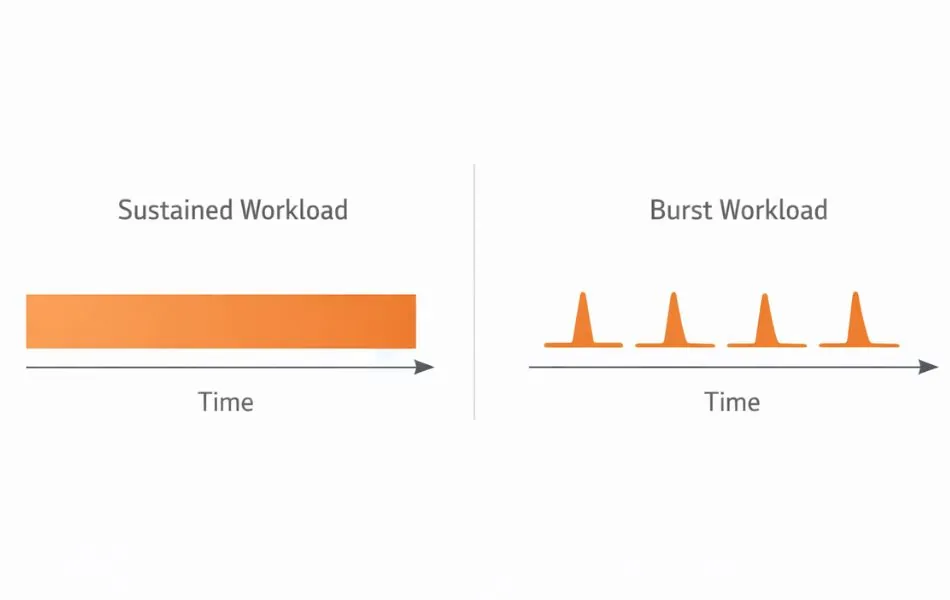
Both benchmarks provide valuable insights when used together. Cinebench reveals sustained performance characteristics while Geekbench shows burst capability across varied tasks.
Is Cinebench R23 Safe and Free?
Cinebench R23 is completely free software available directly from Maxon. No paid upgrades or subscriptions exist. The benchmark does not install background processes or collect personal data.
Safety considerations:
The benchmark is safe for all modern CPUs. Processors include built-in thermal protection that prevents damage from high temperatures. Automatic throttling reduces clock speeds if temperatures exceed safe limits.
Running Cinebench creates normal operational stress similar to video rendering or gaming. The test does not damage hardware or void warranties.
Loop test caution for laptops:
Extended 10-minute loop tests generate sustained heat in laptops with limited cooling. While safe for the processor, repeated extended testing on inadequately cooled laptops may stress thermal components over time.
Run loop tests on hard surfaces allowing airflow underneath laptops. Avoid soft surfaces like beds or couches that block ventilation.
Desktop systems handle loop tests without concern due to superior cooling capacity.
Free version features:
The free version includes all testing capabilities. No features require payment. Results export easily for comparison purposes.
Limitations of Cinebench R23
Cinebench R23 provides specific CPU performance data but does not represent complete system evaluation.
CPU-only testing: The benchmark measures processor capability exclusively. Real-world application performance depends on GPU, storage speed, and RAM capacity. Photo editing, video games, and professional software utilize components beyond the CPU.
No GPU testing: Graphics card performance remains unmeasured. Tasks like 3D modeling, viewport navigation, video effects preview, and gaming rely heavily on GPU capability that Cinebench cannot assess.
Not daily usage simulation: The benchmark runs intensive rendering calculations uncommon in typical productivity work. Web browsing, document editing, and media playback create minimal CPU load compared to Cinebench workloads.
Sustained load focus: The test emphasizes continuous multi-threaded performance. Burst performance characteristics important for system responsiveness receive less emphasis compared to benchmarks like Geekbench.
Best used with other benchmarks: Comprehensive system evaluation requires multiple testing tools. Combine Cinebench with GPU benchmarks, storage speed tests, and real-world application performance measurements.
Battery life, display quality, keyboard comfort, and build quality affect laptop usability more than Cinebench scores for most users.
Frequently Asked Questions
What is Cinebench R23 used for?
Cinebench R23 is used to measure CPU performance during sustained 3D rendering workloads.
It helps evaluate how well a processor handles continuous load, thermal limits, and long rendering tasks.
The benchmark is commonly used to compare CPUs and test cooling effectiveness.
Is Cinebench R23 good for laptops?
Yes. Cinebench R23 is well suited for laptop testing.
The 10-minute loop test reveals thermal throttling and power limits that affect sustained performance.
This makes it useful for understanding real-world laptop behavior beyond specifications.
How long does the Cinebench R23 test run?
A single Cinebench R23 test usually takes 2 to 10 minutes, depending on CPU speed.
The optional loop test runs continuously for 10 minutes to measure sustained performance.
Running both single-core and multi-core tests typically takes 15 to 20 minutes.
Can Cinebench R23 damage a CPU?
No. Cinebench R23 cannot damage modern CPUs.
Processors include built-in thermal protection that reduces speed if temperatures rise too high.
The workload is similar to video rendering or heavy productivity tasks.
Is Cinebench R23 better than Geekbench?
No. Cinebench R23 and Geekbench serve different purposes.
Cinebench R23 focuses on sustained CPU rendering performance, while Geekbench measures short burst workloads.
Both benchmarks are useful when used together.
Conclusion
Cinebench R23 focuses on measuring sustained CPU rendering performance rather than short performance bursts. It reveals how processors behave under continuous load, something specifications alone cannot show.
This insight is especially important for laptops, where cooling and power limits often reduce long-term performance. Desktop systems usually maintain more stable results due to better thermal design.
Scores should always be interpreted in context. Device type, cooling quality, and power limits strongly influence results. Cinebench R23 works best when combined with other benchmarks to form a complete view of overall system performance.