These days, having a good webcam on your laptop is really important. Whether attending online classes or streaming content, having clear, high-quality scene is a big deal.
It’s wise to choose quality when your work requires it. The difference in good webcam quality becomes noticeable during video calls. In a competitive laptop market, the models mentioned in this post stand out with top-notch webcams, as confirmed by thorough reviews.
A laptop needs a good webcam, high-quality audio, a microphone, and a sharp display for the best virtual communication. All the laptops discussed in this post have these crucial features in mind.
Table of Contents
What to Look for in a Laptop with a Good Webcam?
Higher-resolution webcams will produce clearer images and videos. A good resolution for a laptop webcam is at least 720p. Choose a laptop with a high-resolution webcam, such as 1080p (Full HD), QHD (2K), or UHD (4K), for superior quality.
The frame rate of a web camera refers to the number of video frames captured per second. Choose at least 30 fps for a smoother video experience on your laptop.
A webcam’s field of view is the angle it captures. The field of view should be at least 78 degrees for laptops to include more people or objects in the frame.
Autofocus is a handy feature that keeps you focused even when you’re on the move. A laptop’s camera should have an autofocus function.
Noise cancellation helps reduce background noise, making your voice clear and easy to hear. The laptop should have noise-reduction capabilities with a webcam.
A privacy shutter is a cover that fits over your webcam when not in use. This helps protect your privacy. A laptop with a good webcam should have a privacy shutter.
Windows Hello is a feature that lets you sign in to a Windows computer using your face. A good laptop’s webcam should support Windows Hello.
Laptops with Good Webcam Recommended Requirements
| Specs | Minimum | Recommended |
|---|---|---|
| Camera | HD 720p | FHD 1080p+ |
| Screen | HD (1366 x 768) | Full HD (1920 x 1080) or more |
| CPU | 10th Gen Intel Core i3 or equivalent AMD Ryzen 3 | 12th, 13th, or 14th Gen Intel Core i5, i7 or equivalent AMD Ryzen 5,7 or more |
| GPU | Intel UHD or equivalent AMD graphics | Intel Iris Xe, AMD Radeon or NVIDIA GeForce GTX, RTX graphics |
| Memory | 4GB | 8GB or more |
| Storage | 128GB SSD | 256GB SSD or more |
| Battery Life | 4 Hour | 6 hours or more |
Recommended Laptops with Best Webcam
| Image | Product | Feature | Price |
|---|---|---|---|
TOP Pick
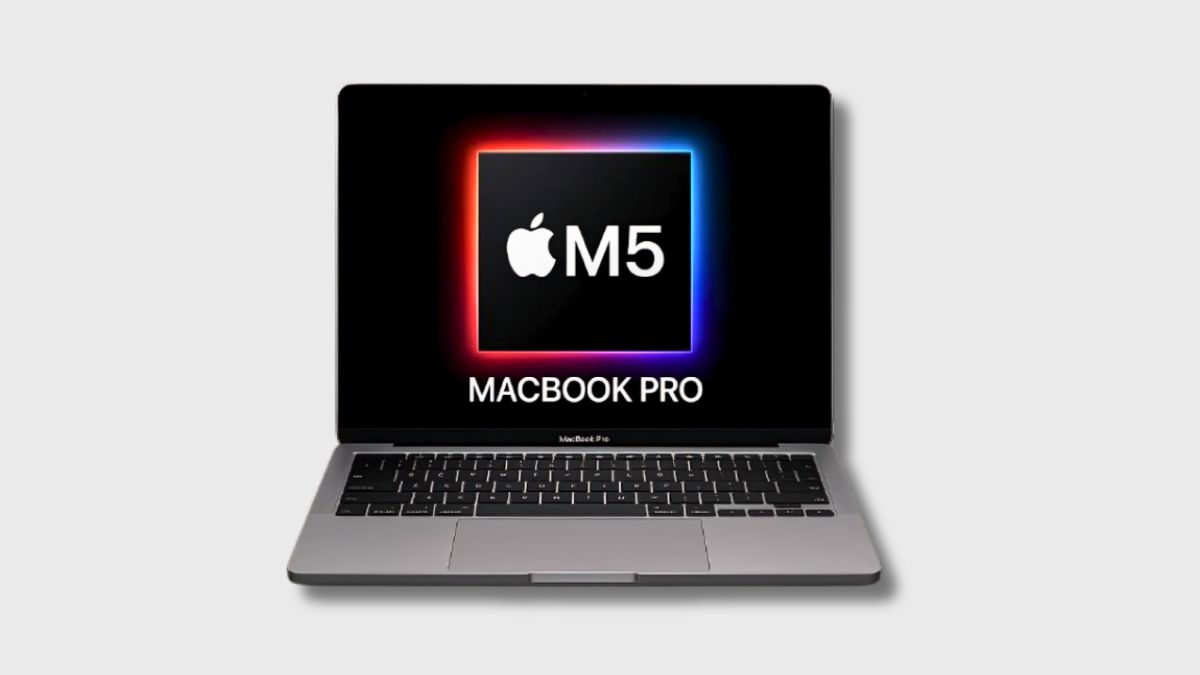 |
Apple MacBook Pro M5 |
| Check Price |
Best Overall
 |
HP OmniBook X |
| Check Price |
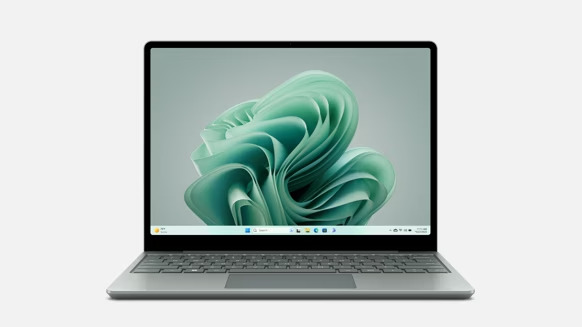
 | Microsoft Surface Laptop 7 |
| Check Price | 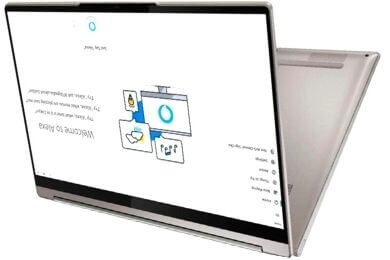 |
Lenovo Yoga 7i |
| Check Price |
 |
HP Dragonfly Pro Chromebook |
| Check Price |
 |
Lenovo ThinkPad X1 Carbon Gen 13 |
| Check Price |
 |
Microsoft Surface Pro 11 |
| Check Price |
 |
Apple MacBook Air M4 |
| Check Price |
1. Apple MacBook Pro M5
Key Specifications
| CPU (Processor) | Apple M5 chip (10-core CPU) |
| GPU | Apple 10-core GPU |
| RAM | 16GB Unified Memory |
| Storage | 512GB SSD |
| Screen | 14.2-inch Liquid Retina XDR (3024 × 1964), ProMotion |
| Weight | 3.41 lbs (1.55 kg) |
| Battery Life | 72.4Wh battery (Up to 24 hours) |
Webcam Experience and Everyday Video Calls
The Apple MacBook Pro M5 features a 1080p FaceTime HD webcam, providing clear and stable video quality for online classes, office meetings, and everyday video calls. Compared to the older MacBook Pro M3 and M4 models, the webcam quality is similar in terms of resolution, but the image processing is significantly improved, especially in indoor lighting conditions.
Apple utilizes Center Stage, which keeps the subject centered during calls. This is helpful if you move around slightly during meetings or presentations. While some Windows laptops on this list, such as those with 5MP webcams, might capture more detail in bright light, the MacBook focuses more on stable colors and natural skin tones rather than raw resolution.
Performance During Calls and Multitasking
The M5 chip handles video calls with ease, even when running multiple apps simultaneously. Compared to the MacBook Pro with M3 and M4 chips, the M5 demonstrates better efficiency during long calls, keeping the system cool and stable.
Compared to Windows laptops with Intel Core Ultra or Snapdragon X chips in this list, the performance during video calls is quite similar. The difference is that macOS keeps background processes lightweight, so the system feels more consistent during long meetings and screen sharing.
Battery Life Compared to Other Laptops
The MacBook Pro M5’s battery life is one of its biggest strengths. It offers up to 22 hours of video playback and 17 hours of web browsing, which is significantly longer than most Windows laptops on this list, many of which have an average battery life of between 8 and 15 hours.
Compared to the MacBook Pro M3 and M4, the battery performance is slightly better, especially during video calls and streaming. This is particularly useful for students and professionals who attend long online sessions without access to a power outlet.
Display Quality for Meetings and Work
The 14.2-inch Liquid Retina XDR display is bright and sharp, which helps during video calls where clear faces and shared screens matter.
Compared to standard IPS displays on many Windows laptops, this screen offers higher brightness and better contrast.
However, some OLED Windows laptops in this list provide deeper blacks, which can look better in dark rooms. The MacBook display focuses more on brightness and color accuracy than dramatic contrast.
Ports and Connectivity in Daily Use
The MacBook Pro M5 includes Thunderbolt 4 ports, HDMI, an SD card slot, MagSafe 3, Wi-Fi 6E, and Bluetooth 5.3, which covers most professional needs.
One thing to note is that it does not include a USB Type-A port, which is still available on some Windows laptops in this list. Users who rely on older USB devices may need an adapter.
Pros
✔ Clear and stable 1080p webcam for video calls
✔ Smooth performance during multitasking and meetings
✔ Very long battery life compared to most laptops
✔ Bright and accurate display for work and calls
✔ Premium build quality
Cons
✘ No USB Type-A port
✘ Higher price compared to similar Windows laptops
2. HP OmniBook X
Specifications
| CPU (Processor) | AMD Ryzen AI 5 340 |
| GPU | AMD Radeon Integrated Graphics |
| RAM | 16GB LPDDR5X |
| Storage | 512GB PCIe Gen 4 SSD |
| Screen | 16-inch WUXGA (1920 × 1200) IPS Touch, 400 nits |
| Weight | ~4.43 lbs (2.0 kg) |
| Battery Life | Up to 21 hours |
The type of computer system you use can affect how webcam software performs. Some computer systems better support advanced webcam features. A high-performing CPU can also improve webcam quality and overall system stability. This laptop comes with the Windows 11 Home operating system.
The HP OmniBook X features an AMD Ryzen AI 5 340 processor with 6 cores, 12 threads, and a dedicated AI engine with a 50 TOPS NPU. It has a base clock speed of 2.0 GHz and can boost up to 4.8 GHz, providing smooth performance for everyday tasks, video calls, and multitasking.
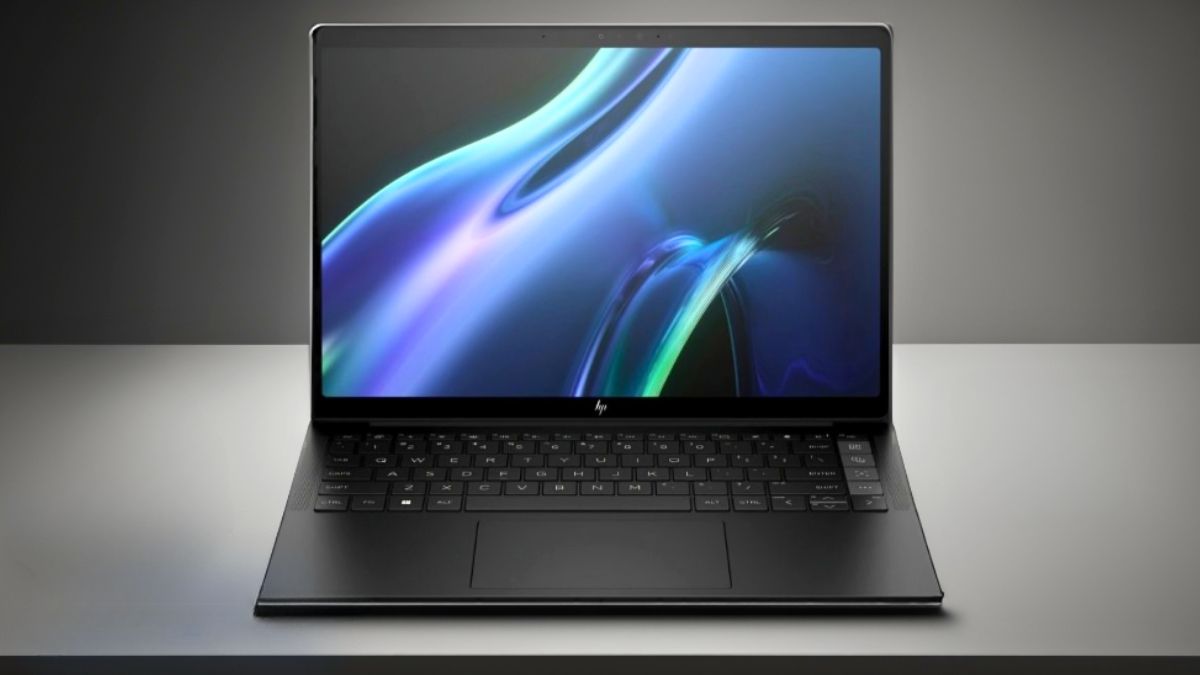
It boasts a 16-inch WUXGA (1920 × 1200) IPS touchscreen display with a 16:10 aspect ratio and 400 nits of brightness. The larger screen provides more vertical space, which is beneficial for productivity, video calls, and content consumption.
Furthermore, both the visual quality and audio output appear well-balanced. This laptop features Poly Studio-tuned speakers with DTS:X Ultra support, delivering clear and crisp sound for meetings, movies, and online classes.
The HP OmniBook X utilizes AMD Radeon integrated graphics, which are built into the processor. This setup is sufficient for video playback, online meetings, everyday tasks, and light creative work.
Additionally, it features 16GB of LPDDR5X memory, which enables smooth multitasking and rapid app switching. The 512GB PCIe Gen 4 SSD ensures fast boot times and quick file access, keeping the overall performance responsive.
The laptop has a slim and modern design and weighs approximately 4.43 pounds (2.0 kg), which is reasonable for a 16-inch 2-in-1 laptop. The HP OmniBook X stands out in terms of webcam quality. It features a 5MP IR camera with HDR support and AI noise reduction. The wide-angle lens captures clear and sharp video, while the advanced microphones pick up voices distinctly, making it an excellent choice for video calls and online meetings.
Battery performance is another strong point. This laptop comes with a high-capacity battery that provides up to 21 hours of use on a single charge. With fast charging support, it can quickly regain power when needed.
The HP OmniBook X also features a backlit keyboard, making it easy to work in low-light conditions. In terms of connectivity, it offers a variety of ports, including USB-C, USB-A, HDMI 2.1, and Thunderbolt, covering most everyday needs.
Pros
✔ Excellent 5MP webcam for clear video calls
✔ Large and bright touchscreen display
✔ Smooth performance for daily work and multitasking
✔ Long battery life for all-day use
✔ Good audio quality for meetings and media
Cons
✘ Not suitable for heavy gaming
✘ Slightly heavy compared to smaller laptops
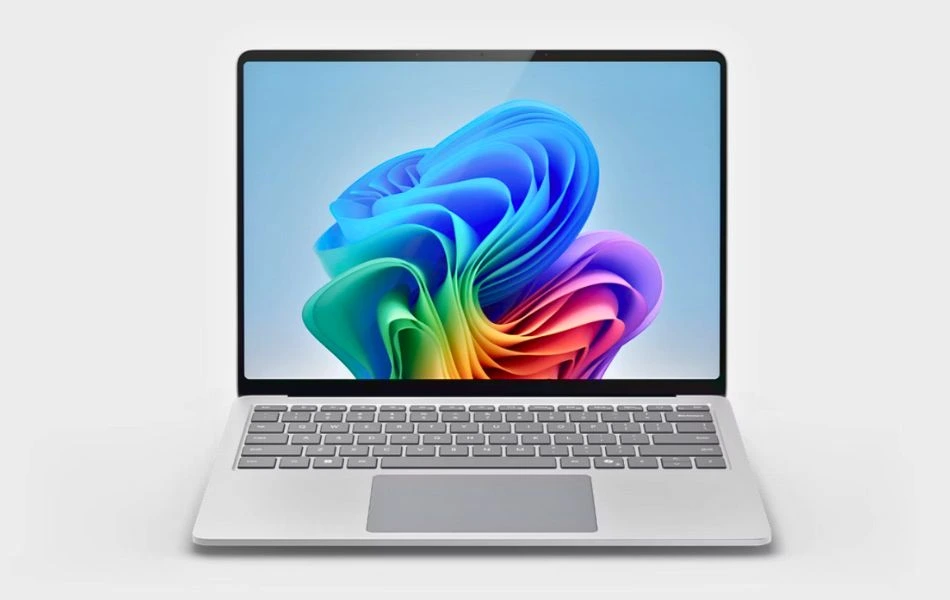
3. Microsoft Surface Laptop 7
Key Specifications
| Processor (CPU) | Snapdragon X Plus |
| AI Engine (NPU) | Qualcomm Hexagon NPU (Blazing AI Performance) |
| RAM | 16GB LPDDR5X |
| Storage | 256GB SSD |
| Display | 13.8″ HDR Touchscreen, Razor-Thin Bezel |
| Graphics | Integrated Adreno GPU |
| Battery Life | Up to 20 Hours |
| Weight | Approx. 2.9 lbs (1.3 kg) |
| Operating System | Windows 11 Home (Copilot+ PC) |
The Microsoft Surface Laptop 7 sets a new benchmark in the laptop category with its exceptional webcam and video call quality. Designed for modern professionals, this laptop combines sleek design, powerful performance, AI-driven productivity, exceptional display clarity, and portability.
It’s perfect for those who prioritize video conferencing, design tasks, and extended workdays.
Performance
Powered by a Snapdragon X Plus deca-core processor and 16GB of LPDDR5X RAM, this laptop delivers smooth multitasking, fast file handling, and efficient performance.
A 256GB SSD provides fast storage for all your files, while the onboard NPU (Neural Processing Unit) enhances AI features like real-time transcription and background noise removal during video calls.
Display and Design
The 13.8-inch HDR touchscreen offers a crisp 2880×1920 resolution, making images, videos, and presentations appear vibrant and lifelike. Its slim bezels and lightweight aluminum construction (2.96 pounds) make it extremely portable, while its minimalist design gives it a premium feel.
Webcam and Audio
One of its strongest features is the 1080p Full HD front-facing camera with two studio-grade microphones. Whether you’re meeting with clients, taking an online course, or having a casual video chat, you’ll get superb clarity.
The camera also incorporates AI tools that automatically adjust lighting and optimize video quality, ensuring you look professional even in less-than-ideal conditions.
Other Features
Surface Laptop features Wi-Fi 6E and Bluetooth 5.3 for seamless connectivity. A 20-hour battery life means you can stay productive and attend meetings all day without worrying about charging.
This laptop runs Windows 11 Copilot+ and uses AI to assist with note-taking, task management, and creative brainstorming.
Why It’s Special for Webcam Users
What makes this laptop special is that it combines a crystal-clear 1080p webcam with AI-enhanced features to make video calls more professional and natural. For students, remote workers, and professionals, the Surface Laptop 7 is not only a productivity tool but also a powerful communication tool.
Pros
✔ Copilot+ AI features: Recall, Cocreator, subtitle translation
✔ Lightweight and premium design
✔ Up to 20 hours of battery life
✔ Brilliant HDR touchscreen
✔ Quiet, fanless operation
Cons
✘ Only 256GB storage — not ideal for media-heavy users
✘ No discrete GPU for heavy visual workloads
✘ Some AI features (like Recall) require future updates
4. Lenovo Yoga 7i
Specifications
| CPU (Processor) | Intel Core Ultra 7 155U (up to 4.8 GHz) |
| GPU | Intel Integrated Graphics |
| RAM | 16GB DDR5 |
| Storage | 1TB PCIe SSD |
| Screen | 16-inch 2K (1920 × 1200) IPS Touchscreen, 16:10 |
| Weight | 4.63 lbs (2.1 kg) |
| Battery Life | Up to 14 hours (typical use) |
The Lenovo Yoga 7i is a good all-rounder laptop that performs very well for everyday tasks, even without a dedicated graphics card. This laptop is a great option for students, office users, and professionals who do a lot of multitasking and prefer a flexible 2-in-1 device over a traditional laptop.
Multitasking performance is handled by the Intel Core Ultra 7 155U processor, which offers a smooth balance of power and efficiency. It can boost up to 4.8 GHz, allowing it to handle tasks like video calls, office work, browsing, light editing, and content creation without slowing down. Additionally, the laptop features 16GB of DDR5 RAM, which keeps the system responsive and smooth during heavy multitasking.
Having sufficiently fast storage is crucial, especially when using webcam apps, saving recordings, or working with large files. The Lenovo Yoga 7i includes a 1TB PCIe SSD, ensuring fast file saving, quick boot times, and smooth performance when using webcam software, making it a good choice for users who rely on video calls and online meetings.
Lenovo has included Intel integrated graphics in this laptop, which are not designed for gaming. However, they are capable of handling media playback, productivity apps, and light creative work without any issues.
The laptop features a backlit keyboard that is comfortable to type on and works well in low-light conditions. It also includes a fingerprint reader, adding an extra layer of security and making logins faster and more convenient. The display is a 16-inch 2K (1920 × 1200) IPS touchscreen with a 16:10 aspect ratio, providing good clarity and ample screen space for productivity and multitasking. The touchscreen support also makes it easy to use in tablet or tent mode.
The Lenovo Yoga 7i’s overall design is clean and modern, without being overly flashy. It weighs approximately 4.63 pounds (2.1 kg) and offers reliable battery life for everyday use, making it suitable for work and studies throughout the day.
In terms of connectivity, the Lenovo Yoga 7i supports Wi-Fi 6E and Bluetooth, ensuring stable wireless connections. For ports, it includes a Thunderbolt 4 port, USB-C, USB-A, HDMI, a microSD card reader, and a headphone jack, covering most everyday connectivity needs.
Pros
✔ Smooth performance for daily work and multitasking
✔ Large and clear touchscreen display
✔ Flexible 2-in-1 design for different usage modes
✔ Comfortable backlit keyboard with fingerprint security
✔ Good port selection including Thunderbolt 4
Cons
✘ Not suitable for heavy gaming
✘ Slightly heavy compared to smaller 2-in-1 laptops
5. HP Dragonfly Pro Chromebook
Specifications
| CPU (Processor) | Intel Core i5-1235U |
| GPU | Intel Iris Xe graphics |
| RAM | 16 GB LPDDR5-5200 MHz RAM |
| Storage | 256 GB PCIe NVMe M.2 SSD |
| Screen | 14-inch WXQGA (2560×1600), multitouch, IPS, BrightView, 1200 nits, 100% sRGB |
| Weight | 3.33 lbs (1.51 kg) |
| Battery Life | 4-cell, 51.3 Wh, Li-ion polymer (Up to 11.5 hours) |
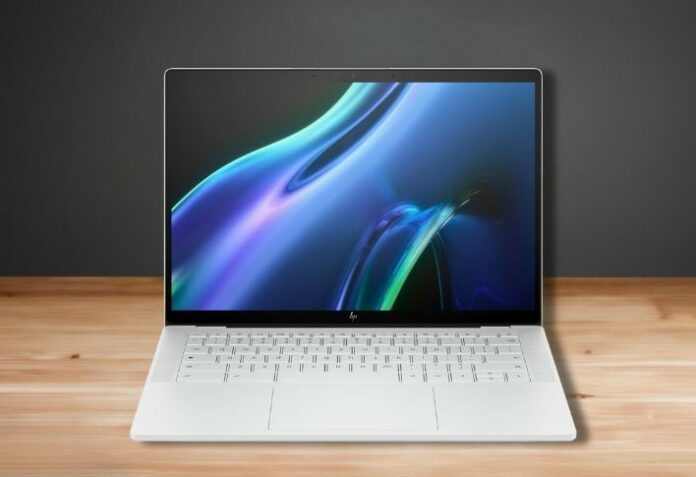
HP Dragonfly Pro Chromebook is powered by an Intel Evo processor, which lets you get things done quickly and is three times faster for Wi-Fi, charging, video editing, and more.
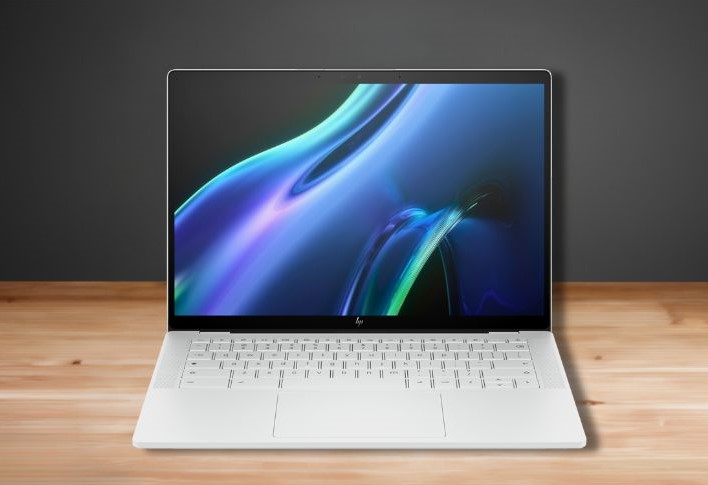
It has a 14-inch WXQGA IPS Brightview display that boasts a 2560×1600 resolution and delivers superior colors that don’t look bland, as you would notice on cheaper display panels. It has 100% sRGB and a 1200 nit screen brightness.
Furthermore, it has a micro-edge display because it gives users extra space to work without dealing with thick black borders, which is truly magnificent.
Now that you know how well-crafted the screen is, let’s take a look at the performance specifications; this laptop is backed with highly power-conservative 12th-generation Intel Core i5-1235U which has a total of 10 cores, 12 threads, and a turbo frequency of up to 4.4 GHz.
Having enough RAM in the laptop lets it do many things simultaneously. This is important when you’re using apps that use the webcam, like video call software and streaming services. It has 16 GB LPDDR5-5200 MHz RAM and doesn’t allow your laptop to get slow or freeze during video calls.
This laptop pushes boundaries boldly with its 256 GB PCIe NVMe M.2 SSD storage, which works flawlessly in a snappy manner.
And since this nifty device is all about having convenience in your lap, HP has integrated the Wide Vision Feature, which even has double microphones to catch every word with crisp quality, all while minimizing the ambient noise.
One of the most important parts is that it has a 4-cell, 51.3 Wh, Li-ion polymer battery and can provide up to 11 hours and 30 minutes of battery life. It weighs only 3.33 pounds (1.51 kg).
Talking about ports and connectivity, it has the latest Wi-Fi 6E, Bluetooth 5.3, four Thunderbolt 4 ports with USB Type-C, etc, and is powered by ChromeOS.
| PROS |
|---|
| ✔ Sleek and Portable |
| ✔ Excellent Battery Backup |
| ✔ Powerful Processor |
| ✔ Amazing Multi-touch IPS Display |
| ✔ 4 Thunderbolt port |
| ✔ Fastest Fingerprint Sensor |
| CONS |
|---|
| ✘ Not for Gaming |
6. Lenovo ThinkPad X1 Carbon Gen 13
Specifications
| CPU (Processor) | Intel Core Ultra 7 255U |
| GPU | Intel Integrated Graphics |
| RAM | 32 GB DDR5 |
| Storage | 1 TB NVMe PCIe SSD |
| Screen | 14-inch WUXGA (1920 × 1200), IPS, Touch, 100% sRGB |
| Weight | 2.14 lbs (0.97 kg) |
| Battery Life | Up to a full workday (business usage) |
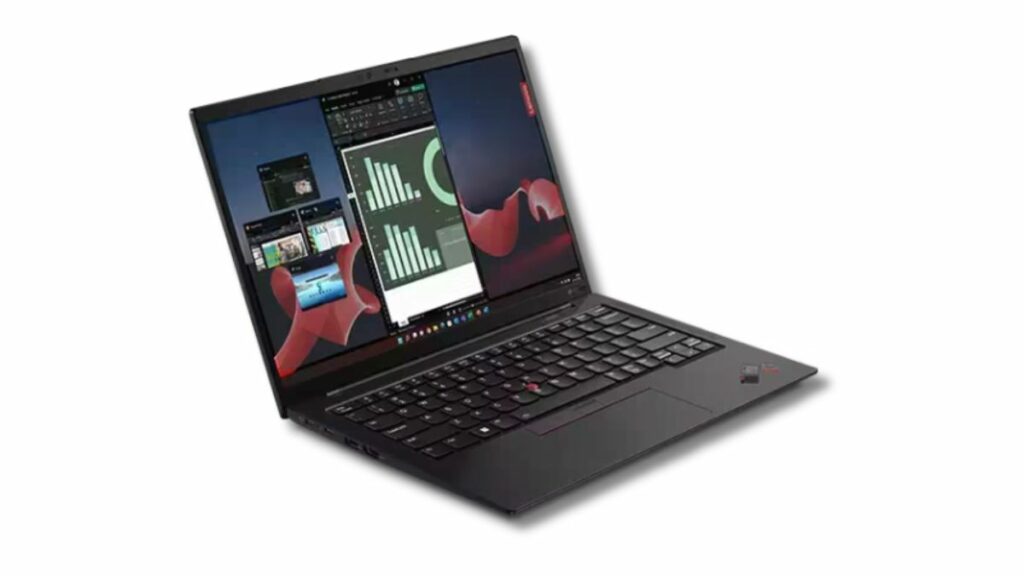
The Lenovo ThinkPad X1 Carbon Gen 13 is an excellent business laptop with a great webcam and the ability to handle demanding tasks with ease.
This laptop comes with powerful 32GB DDR5 memory and a fast 1TB NVMe PCIe SSD, enabling smooth multitasking and quick file access. It’s powered by an Intel Core Ultra 7 255U processor, which delivers excellent performance for office work, multitasking, and long video meetings. The system runs on Windows 11 Pro, making it ideal for professional and business use.
Its display features a 14-inch WUXGA IPS touchscreen with 100% sRGB color coverage, an anti-glare coating, and a 1920 × 1200 resolution. The screen looks sharp and color-accurate, which is helpful for extended work sessions. It also includes Intel integrated graphics, which easily handle productivity tasks and media. The laptop has a comfortable backlit keyboard, allowing you to work easily even in low light conditions.
It’s a very portable laptop, weighing only 2.14 lbs (0.97 kg), making it ideal for frequent travelers and professionals on the go. It doesn’t feel heavy even when carried in a bag all day. It features a Full HD IR + RGB webcam that delivers clear video quality with good face tracking and color accuracy, making it one of the best laptops with a good webcam for meetings and online work.
Wireless connectivity includes Wi-Fi 6E and Bluetooth, ensuring fast and stable connections. For security, it has a fingerprint reader and an IR camera for Windows Hello, along with a privacy shutter for the webcam. In terms of ports, it includes two Thunderbolt 4 (USB-C) ports, two USB-A ports, an HDMI port, and a headphone combo jack, which covers most professional needs.
The far-field microphones and high-quality speakers perform well during conferences and video calls, providing clear voice and crisp audio output for meetings and presentations.
Pros
✔ Extremely lightweight and easy to carry
✔ Strong performance for business and multitasking
✔ Excellent keyboard for long typing sessions
✔ Sharp and color-accurate display
✔ Very good webcam quality for meetings
Cons
✘ Not designed for gaming
✘ Premium pricing compared to regular laptops
7. Microsoft Surface Pro 11
Specifications
| CPU (Processor) | Snapdragon X Elite (12-core) |
| GPU | Qualcomm Adreno Integrated Graphics |
| RAM | 16GB |
| Storage | 512GB SSD |
| Screen | 13-inch OLED PixelSense Touchscreen (2880 × 1920), 120Hz |
| Weight | 1.97 lbs (0.9 kg) |
| Battery Life | Up to 14 hours |
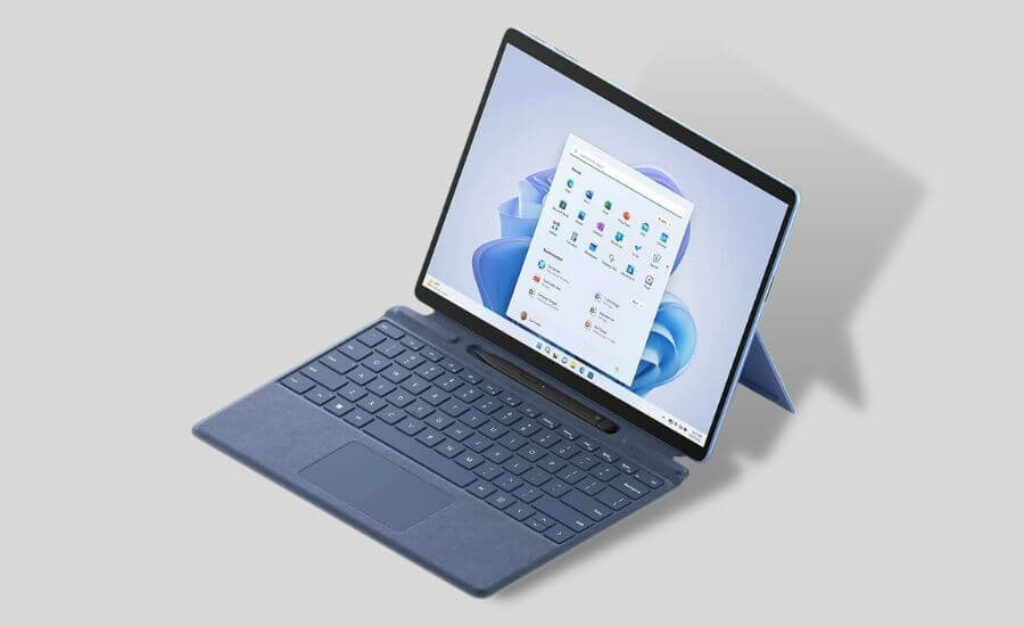
The Microsoft Surface Pro 11 is a stylish and attractive “part tablet, part laptop” device. It looks modern, premium, and is very practical for everyday use.
If you’re not heavily into gaming and primarily need a device for entertainment, online classes, or office work, this 13-inch laptop-cum-tablet with a built-in kickstand and detachable keyboard is a great option. It works well as an all-in-one solution for productivity and portability.
The Microsoft Surface Pro 11 features a 13-inch OLED PixelSense touchscreen display with a sharp 2880 × 1920 pixel resolution and a 120Hz refresh rate, delivering smooth visuals and rich colors.
It’s a highly portable device, weighing only 1.97 pounds (0.9 kg), making it easy to carry anywhere without any hassle.
This compact workstation delivers excellent visual quality with its high-resolution OLED display, further enhanced by Qualcomm Adreno integrated graphics. The visuals are crisp, vibrant, and pleasing to the eye for videos, presentations, and creative work.
A powerful processor plays a crucial role in enhancing webcam performance by ensuring smooth and clear video output. To deliver a high-quality video calling experience, the Surface Pro 11 is powered by the Snapdragon X Elite processor, coupled with 16GB of RAM and a 512GB SSD, which easily handles multitasking, video calls, and everyday workloads.
Battery performance is reliable and can last up to 14 hours on a single charge. It also supports fast charging, allowing you to quickly get back to work. It runs on Windows 11 Home and supports Wi-Fi 6E and Bluetooth, providing fast and stable wireless connectivity wherever you use it.
Pros
✔ Very lightweight and easy to carry anywhere
✔ Sharp and smooth OLED display with 120Hz refresh rate
✔ Excellent performance for multitasking and daily work
✔ Good webcam quality for video calls and meetings
✔ Long battery life for all-day use
Cons
✘ Not suitable for gaming
✘ Keyboard and pen are sold separately
8. Apple MacBook Air M4
As a web developer, I’ve had a great experience with Apple products, especially the MacBook Air. It has the best battery life for professional work and is incomparable to other brands. It’s truly impressive!
Apple is known for creating strong competitors to other brands, and the Apple MacBook Air M4 is no exception. It’s expensive, but it’s worth every cent. It offers exceptional quality and reliability, now powered by the famous M4 chip.
You won’t get a better screen for a non-gaming laptop than Macbook Air’s 13.6-inch panel. It offers more colors than a standard laptop – an LED-backlit display with IPS technology. The result is a crystal-clear display with sharp yet soft colors that are easy on the eyes. The text appears true to its colors, including subtitles, no matter the background.
The Apple MacBook Air M4 has a 10-core M4 chip CPU, offering considerable strength and efficient task processing. It also has an Apple 10-core M4 GPU, making graphics performance smooth. The 16-core Neural Engine improves the performance and efficiency of machine learning applications.
With 16GB of Unified Memory and a 512GB SSD, the laptop will handle multitasking smoothly for years. You can even play light games on it, but it truly excels at tasks related to your studies or professional work.
It is a highly portable notebook, weighing just 2.7 pounds (1.22 kg), making it easy to carry anywhere. The battery lasts for about 18 hours with light usage. It also has a 1080p FaceTime HD camera and a three-mic array, making it one of the best laptops with a good Webcam.
Talking about ports and connectivity, it has the latest Wi-Fi 6E, Bluetooth 5.3, two Thunderbolt 4 ports via USB-C, a MagSafe port, and a headphone jack.
Read Apple MacBook Air M4 Full Specifications and Review
| PROS |
|---|
| ✔ Sleek and ultra-portable design |
| ✔ Long-lasting battery life |
| ✔ Upgraded webcam (12MP Center Stage) |
| ✔ Exceptional performance with the new M4 chip |
| ✔ Fanless design for quiet operation |
| CONS |
|---|
| ✘ No dedicated GPU for heavy gaming |
| ✘ No USB Type-A port |
How to Choose a Laptop with Best Webcam
When buying a laptop, please pay attention to its performance as it is directly related to the quality of the camera. Check processor specifications, generations, and performance scores.
Determine whether your laptop has a dedicated or integrated graphics card and understand its capabilities.
Check the RAM capacity and storage space and evaluate whether you can upgrade later.
Evaluate a laptop’s portability and consider its importance when used outdoors. Also, double-check the display quality and battery life, which are crucial for students and professionals who often use their laptops outside.
Choosing a thin, light laptop with excellent display quality ensures a practical option for every need.
Webcam resolution and frame rate
Higher resolution results in clearer and more detailed images. For standard video calls, a 720p (HD) webcam is sufficient, but for professional conferencing or content creation, a 1080p (Full HD) or even a 4K webcam is better.
Additionally, a frame rate of at least 30 frames per second (fps) ensures smooth video playback. Higher frame rates, such as 60 fps, provide even smoother visuals, which can be beneficial for dynamic presentations or streaming.
Lens quality
The material of the lens significantly affects the clarity of the image. Glass lenses usually provide sharper and clearer images than plastic ones. Therefore, choosing a laptop with a webcam with a glass lens can enhance video quality.
Field of view (FOV)
The FOV determines how much of the surroundings the webcam captures. A standard FOV ranges between 60° to 80°, which is suitable for individual use. For group meetings or to include more background, a wider FOV of 90° or more is ideal.
Low-light performance
Webcams with low-light correction capabilities adjust to low-light conditions, ensuring you remain visible even without additional lighting equipment. This feature is especially useful if you frequently make video calls from different environments with inconsistent lighting.
Highlight technologies like IR cameras, dual sensors, or software enhancements.
Built-in microphone quality
While the visual component is important, clear audio is just as important. Look for laptops equipped with high-quality, noise-canceling microphones that can effectively filter out background noise, providing clear sound during calls or recordings.
Webcams often include microphones. Mention dual-array mics vs. basic mics, and noise-cancelling features
Privacy features
Privacy is a growing concern with integrated webcams. Features like a physical shutter or an indicator light that signals when the webcam is active can provide peace of mind by ensuring the camera is only on when you want it to be on.
Software compatibility and enhancements
Some webcams come with proprietary software that offers additional functionalities like background replacement, facial tracking or better image adjustments. Make sure the laptop’s webcam is compatible with your preferred applications and consider the added value of any bundled software features.
Discuss AI-powered tools like background blur, auto-framing or eye contact correction.
Compatibility with apps like Zoom, Teams or OBS for customized settings.
FAQs
Why is the quality of a laptop’s webcam important?
The quality of your laptop’s webcam is crucial because it directly affects the clarity and effectiveness of virtual communications in all aspects of life, including work, education, and personal connections.
A good webcam ensures you are seen in the best light, enhancing the overall virtual communication experience with sharp and clear video conferencing, online meetings, streaming, security, and content creation.
What is a good resolution for a laptop webcam?
A higher-resolution laptop webcam provides more detailed images. For video calls, 720p is good; consider 1080p or 4K for streaming. Higher resolution requires more network power.
Quick guide: Use 720p for general, 1080p for streaming, and 4K for professional video work.
Can I use an external webcam or upgrade the built-in webcam on my laptop?
Yes, you can use an external webcam on your laptop, even if it already has one built-in. Plug your new webcam into your laptop’s USB port. This is very common, making your webcam more flexible and better.
However, changing a laptop’s built-in webcam is challenging and not a good idea for most people. That means buying a new webcam, turning on your computer, and switching them. When purchasing, buying a laptop with the best quality webcam is best.
How do I ensure my laptop’s webcam is secure?
Protect your laptop webcam with a cover when not in use. Check the privacy settings on your laptop to control application access to the camera. Always update your operating system with security patches. Use trustworthy security software such as anti-virus software to protect your IP camera from hackers.
Download with caution and only install apps from reliable sources. Keep your applications, especially video conferencing applications, updated to ensure security.
View and adjust application permissions in your laptop’s settings.
Activate the firewall for added protection against unauthorized access. Stay alert for signs of webcam use, and turn off your computer when not needed. Develop good online habits, use strong passwords, and treat personal information cautiously.
Final Words
A laptop is not a purchase you repeatedly buy like a mobile phone. Updating components in a laptop is challenging, so it is wise to invest more in the beginning and choose a powerful laptop with a good camera.
We have reviewed such laptops in this post, and they surpass others in the market with excellent webcam quality.
Nowadays, having a good laptop webcam is very important for online classes and streaming. Choosing a laptop with excellent performance is a wise move.
You can see the quality difference when you use the built-in webcam for video calls. Even though the competition is fierce, we are talking about laptops with great webcams.
A laptop needs a good webcam, top-notch audio, microphone, and a clear display for the best virtual presentations. As with all the laptops we discuss here, keep these essential things in mind.