Are you looking for a good-budget laptop for programming? You might not need an ultra-powerful machine that lasts for years.
The price and what you need as a programmer are the key factors.
You don’t want a laptop that’s too slow, but you don’t need the most expensive one.
Computers are excellent for coding, and our recommended laptops are more than capable.
You should aim for a laptop with at least the latest generation Core i5 to i7 or AMD Ryzen 5 to 7 processor, 8 GB of RAM, and an SSD.
I’ve listed some affordable laptop models in this article that will make programming easier.
What to Look for in a Programming Laptop?
Processor:
The processor is like the brain of any laptop or computer. The central processing unit also manages the other components like graphics cards, RAM, etc. So, you will need a powerful processor for programming.
A multicore CPU, like an Intel Core i5, i7, or AMD Ryzen 5, 7, can effectively handle programming tasks. Consider opting for the latest generation i9 or Ryzen 9 for more powerful performance.
Graphics Card:
An integrated graphics card is sufficient for most coding tasks, but a dedicated graphics card excels in scenarios of interesting heavy coding, such as 3D designing, game development, machine learning, and data science work.
Intel’s Iris Xe and AMD Radeon are among the best options for integrated graphics. However, if you prefer a dedicated graphics card, consider NVIDIA’s GTX 1600, RTX 2000, 3000, or 4000 Series.
RAM and Storage:
Before you pick the RAM for a laptop, check how fast it is. Faster RAM is better. It’s best to have at least 8GB of RAM for programming, but 16GB is even better. If you’re into heavy tasks like 3D work or game development, go for 32GB or more.
You should get a laptop with at least 256GB of SSD storage for programming. If you need to save documents, 512GB SSD is good. But if you have big files or want to store lots of data, consider 1TB SSD or more storage.
Screen:
The screen is important to programming because you’ll look at it often.
A 13- to 16-inch laptop is a good choice; it balances portability and plenty of screen real estate.
Larger screens give you more space to work but must be more portable.
Look for a laptop with a high-quality screen, such as one with a resolution of 1920×1080 (Full HD) or 2560×1440 (QHD). Using a laptop with a non-reflective screen can also help reduce glare.
Higher resolution gives you more screen real estate for encoding and clarifies everything.
Operating System:
You can use Windows, macOS, or different types of Linux on your laptop.
If you want Windows, choose Windows 11. If you prefer macOS, get a Mac. But if you want Chrome OS or Linux as your main system, consider a different device, not a laptop.
Many coders use Linux and Ubuntu. If your laptop has enough RAM, you can install Windows and Linux.
Choose the Operating System you like best that is compatible with your coding tools.
Portability:
Whether you need a portable laptop depends on your location and the purpose for which you want the budget laptop, such as programming. Portability becomes important if you often work away from home, at coffee shops, libraries, or shared spaces.
A thin and small laptop is easy to carry, increasing your productivity. Additionally, if you work in a compact space, a small laptop can easily fit in, allowing you to code comfortably.
On the other hand, some individuals prefer a non-portable setup. A larger and more powerful laptop may be the preferred choice if you have a dedicated workspace where you constantly do your programming work.
Recommended Laptop System Requirements for Programming
| Specs | Minimum | Recommended |
|---|---|---|
| Screen | Full HD (1920 x 1080) | Full HD (1920 x 1080) or more |
| CPU | 11th Gen Intel Core i3, or equivalent to AMD Ryzen 3 | 12th, and 13th Gen Intel Core i5, i7, i9 or equivalent to AMD Ryzen 5, 7, 9 |
| GPU | Intel UHD | Shared Intel Iris Xe or Dedicated GPU |
| Memory | 4GB | 8GB or more |
| Storage | 128GB SSD | 512GB SSD or more |
| Battery Life | 4 Hour | 8 hours or more |
| OS | Windows 10 | Windows 11 |
Top 10 Cheap Laptops for Programming: Best Picks
| Image | Product | Feature | Price |
|---|---|---|---|
TOP Pick 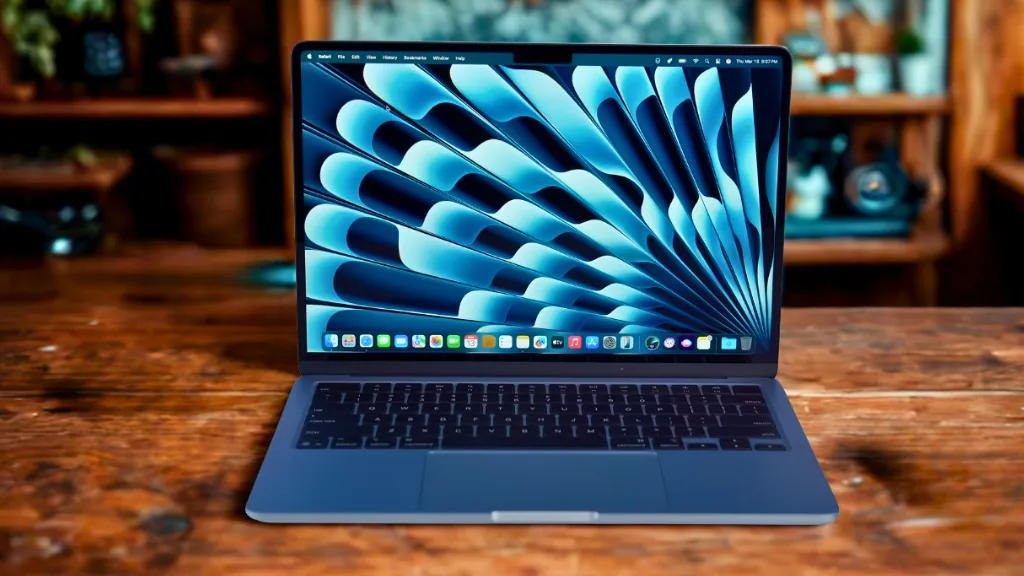 |
Apple MacBook Air M4 |
| Check Price | Best Overall
 |
Acer Nitro V |
| Check Price |
 |
MSI Thin 15 |
| Check Price |
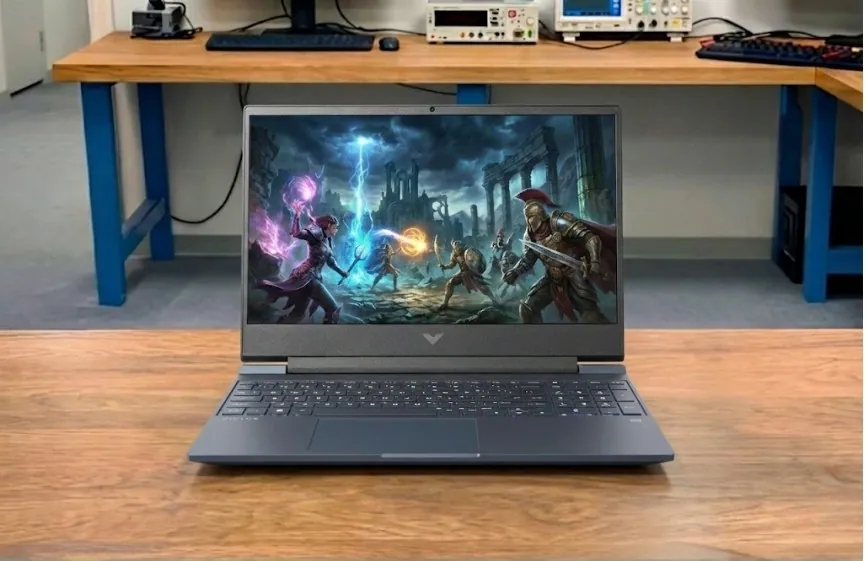 |
HP Victus 15 |
| Check Price |
 |
Lenovo LOQ 15 |
| Check Price |
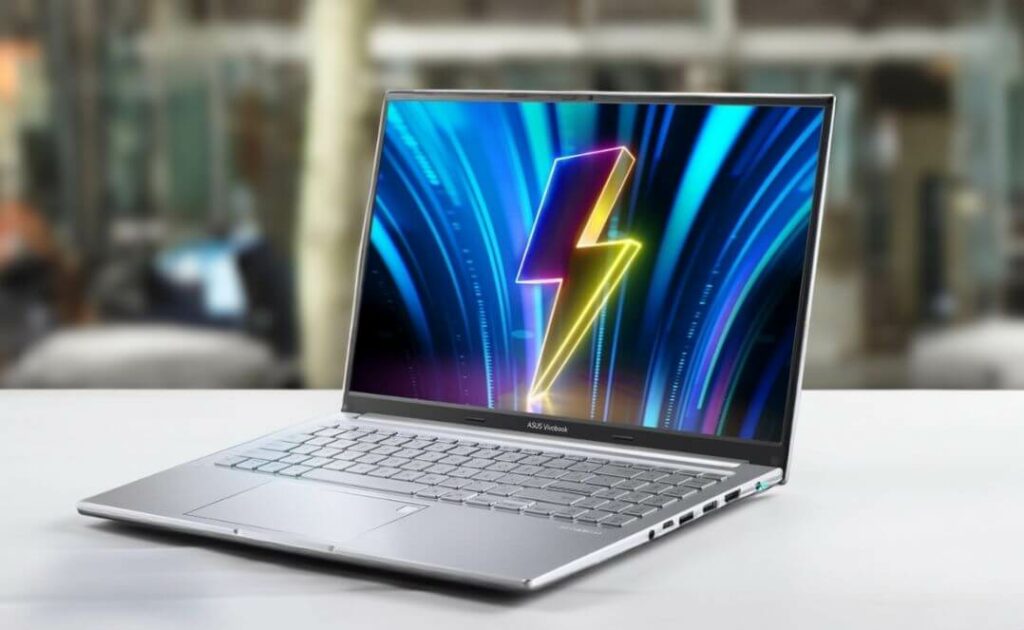 |
ASUS VivoBook 16 |
| Check Price |
Dell 16 Plus |
| Check Price |
Best Overall Budget Laptop for Programming
1. Apple MacBook Air M4
Key Specs
| Processor | Apple M4 |
| Graphics | Apple M4 GPU (10-core) |
| Memory | 16 GB LPDDR5 |
| Storage | 512 GB SSD (M2) |
| Display | 13.6-inch Liquid Retina display with True Tone |
| Weight | 1.24 kg (2.73 lbs) |
Check Current Pricing
The MacBook Air is a laptop that does not compromise on any aspect of its functionality. Its sleek design, long battery life, and strong performance make it an excellent choice for a wide range of users!
The Latest Apple MacBook Air has a definitive quality you won’t find in any other brand’s laptops. It can last for years, depending on your use, of course. That’s because Like many modern systems, it uses SSD swap memory when RAM is fully utilized. Heavy reliance on SSD swap can lead to increased wear over time, but modern SSDs are built to handle typical usage well.
Still within its limits, the Apple MacBook Air M4 is the best laptop for programmers.
The reason for that lies in its M4 chip. It’s referencing the same chip twice, confusingly. It features an Apple M4 chip with an 8-core CPU, up to a 10-core GPU, and a 16-core Neural Engine, depending on the model configuration, providing the best performance in the current Apple market.
Open as many tabs as you want, run Final Cut and Logic Pro, IDEs, and the chip will still carry on. However, do keep in mind the limitation of its memory. While 16GB LPDDR5 RAM handles most programming and creative tasks well, power users may find it limiting for intensive multitasking or large datasets. The RAM and SSD are soldered to the motherboard, meaning they can’t be upgraded after purchase.
The M4 also supports light gaming and tons of iPhone apps. The MacBook Air M4 features a 13.6-inch Liquid Retina display with True Tone technology, offering sharp and vivid visuals. The keyboard is responsive and comfortable, though preferences may vary when compared to some Windows alternatives.
With up to 18 hours of battery life, this laptop is exceptionally portable, weighing only 2.74 pounds (1.24 kg). You can enjoy a full day of usage without worrying about charging.
In terms of connectivity, the MacBook Air M4 includes a MagSafe charging port, two Thunderbolt ports via USB 4 Type-C, and a headphone jack.
Pros
✔ Sleek and lightweight ultrabook design
✔ Gorgeous OLED display with vibrant colours
✔ Good everyday performance with modern processors
✔ Long-lasting battery for productivity tasks
✔ Easy to carry and ideal for travel or students
Cons
✘ No dedicated GPU for heavy gaming or 3D work
✘ Speakers lack strong bass and volume
✘ Battery life slightly behind some competitors
✘ Limited upgrade options for RAM/storage
Read Apple MacBook Air M4 Full Specifications and Review
Best Budget Gaming Laptop for Programming


2. Acer Nitro V
Key Specs
| Processor | Intel Core i5-13420H |
| Graphics | NVIDIA GeForce RTX 5050 |
| Memory | 16GB DDR4 |
| Storage | 512GB SSD |
| Display | 15.6-inch Full HD (1920 × 1080) IPS, 165Hz |
| Weight | 4.66 lbs (2.11 kg) |
Check Current Pricing
The Acer Nitro V is an excellent choice for budget-conscious programmers who do not want to compromise on performance. It handles compiling, coding tasks, and multitasking smoothly while also serving as a capable gaming laptop.
If you are an engineering or programming student looking for an affordable, durable, and reliable laptop, this model is one of the strong choices for 2026.
Performance
Powered by a 13th Gen Intel Core i5-13420H processor with 8 cores and 12 threads, the Acer Nitro V delivers solid multitasking performance and reliable compile speeds for programming workloads.
It comes with 16GB of memory and a fast 512GB PCIe Gen4 SSD, ensuring quick boot times, smooth code execution, and enough storage for projects, applications, and development tools.
The NVIDIA GeForce RTX 5050 GPU with 8GB GDDR7 VRAM also adds strong graphics acceleration, making it useful for AI experimentation, GPU-accelerated programming tasks, and modern gaming.
Display and Design
It features a 15.6-inch Full HD IPS display with a 165Hz refresh rate that delivers clear visuals and smooth motion. This makes it suitable for both gaming and long coding sessions.
The slim-bezel design gives the laptop a modern look, while the backlit keyboard helps during long programming sessions. At around 4.66 pounds (2.11 kg), it is slightly heavy but still portable for students and professionals.
Other Features
The Nitro V supports Wi-Fi 6 for fast and stable internet connectivity and includes Thunderbolt 4 through the USB-C port for high-speed data transfer and external displays.
It also includes multiple USB ports, HDMI 2.1, and Ethernet connectivity for flexible workstation setups.
Acer’s dual-fan cooling system and efficient exhaust design help maintain stable performance during long programming or gaming sessions.
Why It’s Special
What makes the Acer Nitro V stand out is its balance between programming performance and gaming capability. Few laptops in this price range combine a 13th Gen Intel processor, RTX 50-series graphics, fast SSD storage, and a 165Hz display, making it a versatile machine for programmers, students, and gamers.
Pros
✔ Strong performance for programming and gaming
✔ Smooth 165Hz IPS display
✔ RTX 5050 provides solid GPU power
✔ Fast SSD for quick boot and loading
✔ Good cooling for long sessions
Cons
✘ Battery life is average
✘ 512GB storage may fill up quickly
✘ Slightly bulky for daily travel
Best High-Performance Budget Laptop for Coding
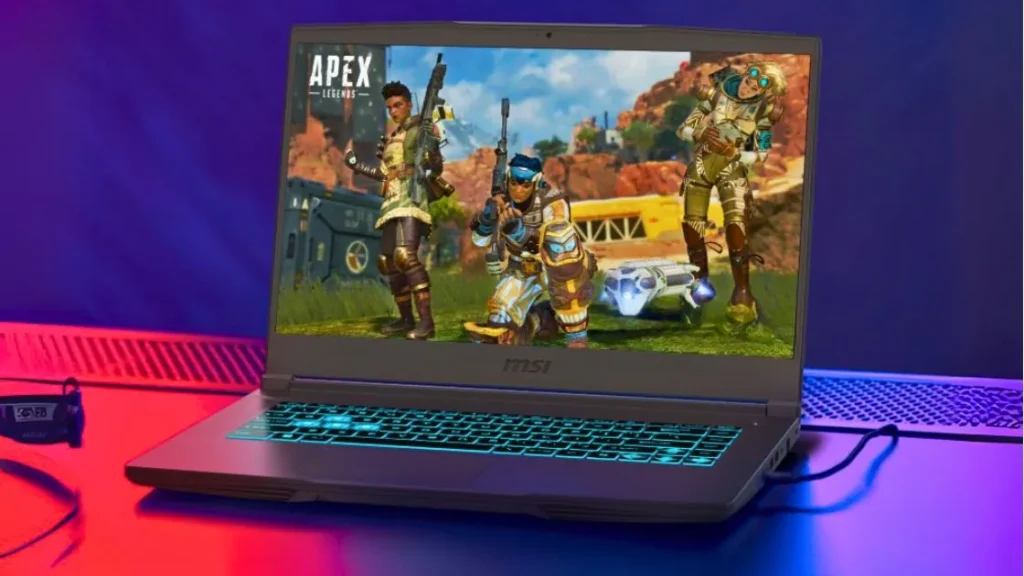
3. MSI Thin 15
Key Specs
| Processor | 13th Gen Intel Core i7-13620H |
| GPU | NVIDIA GeForce RTX 4050 |
| RAM | 16GB DDR4 |
| Storage | 512GB SSD |
| Display | 15.6-inch FHD (1920 × 1080), IPS 144Hz |
| Weight | 4.1 pounds (1.86 kg) |
Check Current Pricing
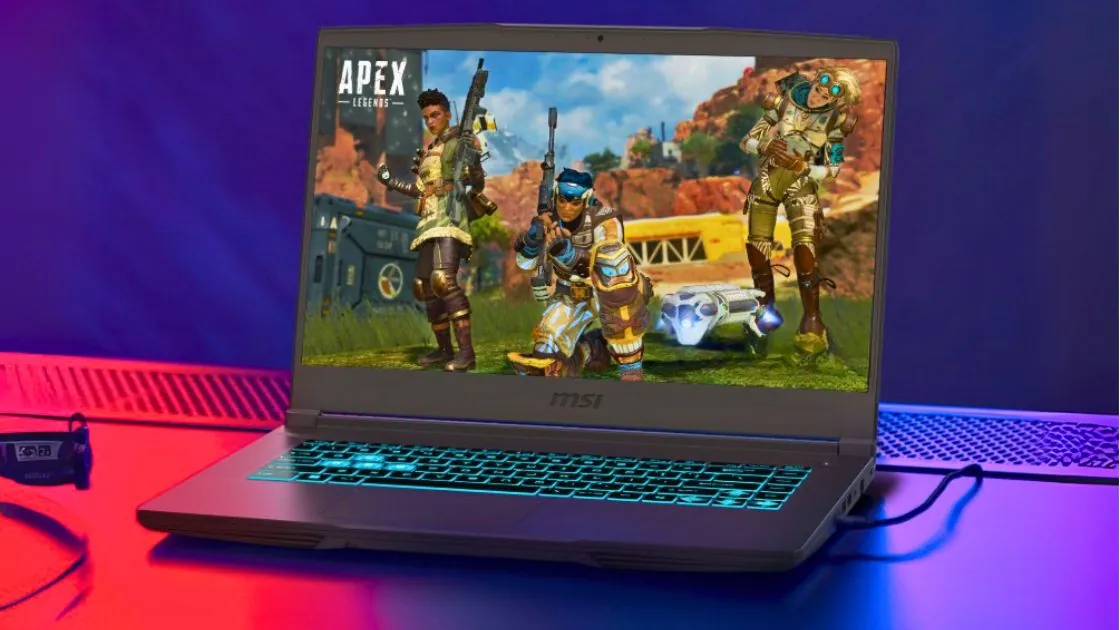
The MSI Thin 15 is an affordable laptop that delivers excellent performance for everything from programming to light gaming. Powered by a 13th Gen Intel Core i7 processor and an RTX 4050 GPU, it’s capable of handling GPU-accelerated tasks like Python, Java, C++, and even TensorFlow or PyTorch. This makes it a future-proof choice for students and professionals.
Performance
The Thin 15 features 16GB of DDR5 memory and a 512GB NVMe SSD, ensuring fast boot times, seamless multitasking, and quick compiling of large projects. Its RTX 4050 is an excellent choice for anyone working with data visualization, machine learning, or GPU-intensive libraries.
Display and Design
The 15.6-inch Full HD IPS panel with a 144Hz refresh rate ensures smooth visuals whether you’re coding, watching tutorials, or testing UI applications. Weighing only 1.86 kg, its thin yet sturdy chassis strikes the perfect balance between portability and performance.
Other Features
The backlit keyboard is ideal for extended programming sessions in low-light environments. Cooler Boost technology helps manage heat under heavy load, but the system will still feel warm after extended periods of heavy use. Advanced connectivity features include Wi-Fi 6E, Bluetooth 5.2, USB Type-C, HDMI, and USB 3.2 ports.
What It’s Special
Unlike most budget laptops, the MSI Thin 15 features a dedicated RTX GPU and a 13th Gen Intel CPU, making it an affordable laptop suitable for both general and advanced programming tasks like machine learning, artificial intelligence, or big data projects, all in a thin and portable package.
Pros
✔ Lightweight design for daily carrying
✔ Quiet operation even under load
✔ Good color accuracy on the high refresh rate display
✔ MSI Center software is intuitive and useful
✔ Expandable RAM for future needs
✔ Competitive pricing
✔ Solid build quality with minimal flex
Cons
✘ GPU limits high-end gaming potential
✘ Battery provides mediocre endurance
✘ No webcam (dealbreaker for online classes)
Best Budget Laptop for Programming Students
4. HP Victus 15
Key Specs
| Processor | Intel Core i5-13420H |
| Graphics | NVIDIA GeForce RTX 4050 |
| Memory | 16GB DDR4 |
| Storage | 512GB SSD |
| Display | 15.6-inch FHD, 144Hz, IPS anti-glare |
| Weight | 5.13 lbs (2.33 kg) |
Check Current Pricing
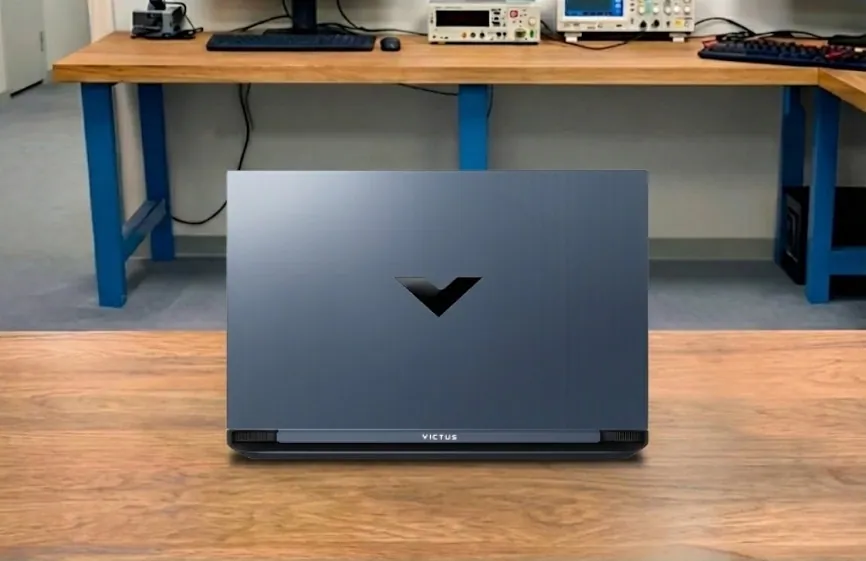
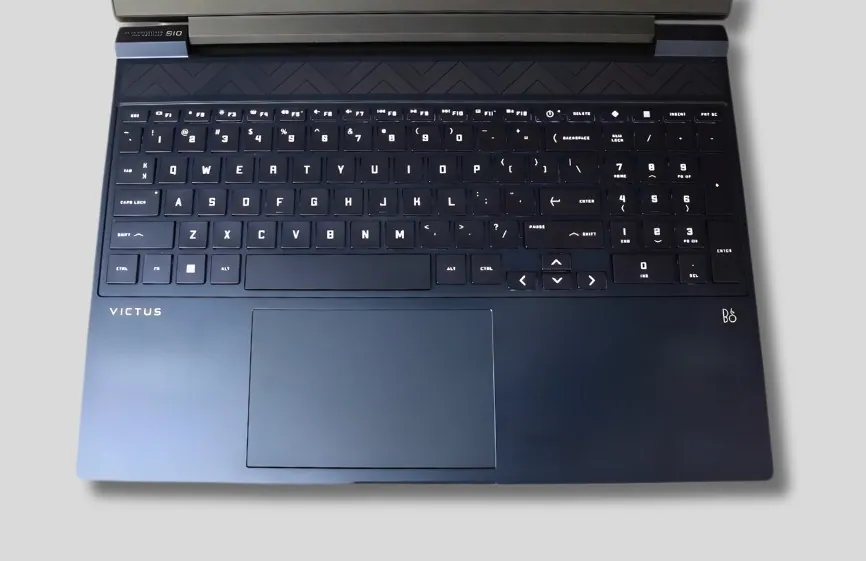
The HP Victus 15 is an affordable laptop that offers programmers ample speed for both study and work. Its 15.6-inch Full HD 144Hz IPS display is large and sharp, making long periods of coding easier on the eyes. The backlit keyboard is comfortable to type on, allowing you to work late into the night without fatigue.
It features an AMD Ryzen 7 7445HS processor and 16GB DDR5 RAM. During our testing, code compiled quickly, and apps like Visual Studio Code, PyCharm, and Android Studio ran smoothly. Even when a browser with multiple tabs was open in the background, the system continued to run without slowdowns.
The NVIDIA GeForce RTX 4050 GPU isn’t just for gaming. It can support game engines like Unity, accelerate Python libraries, and handle light machine-learning workloads. This makes the laptop a strong option for programmers who want to explore development areas beyond basic coding.
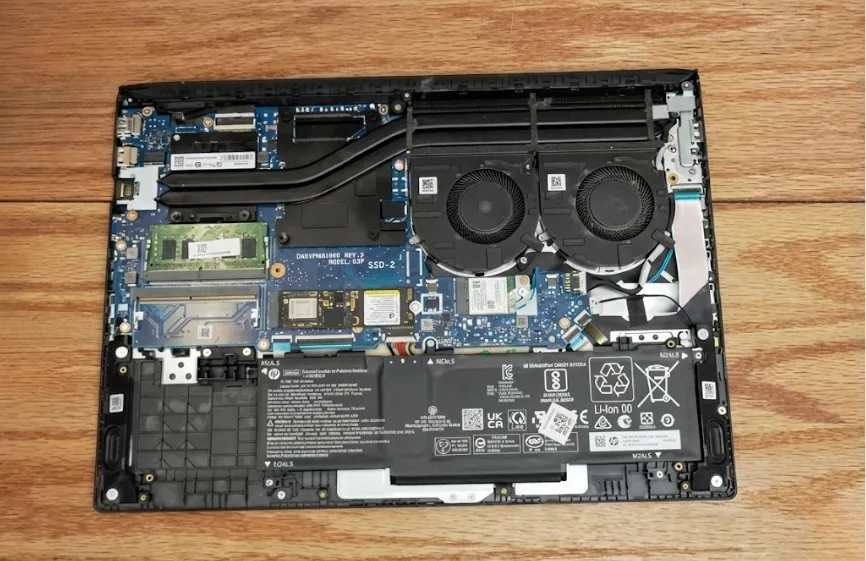
The 512GB SSD provides fast boot times and enough space for most programming projects, though larger datasets or game assets may require additional storage later. Battery life is average with its 52.5Wh battery, so it is better suited for desk use. The chassis is simple but sturdy enough for everyday use.
Compared to entry-level laptops like the Acer Aspire 3, the Victus 15 handles heavier workloads much more smoothly. While premium laptops like the MacBook Pro are lighter and offer longer battery life, they are also significantly more expensive. For programmers who want strong specifications at a reasonable price, the Victus 15 is a very practical choice.
Who is it Best For: Programmers and students who want an affordable laptop for coding, compiling, game development, and learning AI or data science.
Who Should Skip It: Users who need an ultra-light laptop with long battery life or a premium color-accurate display for professional design work.
Pros
✔ Strong Ryzen 7 processor for coding and multitasking
✔ RTX 4050 GPU useful for gaming and development tasks
✔ Smooth 144Hz display for better visuals
✔ 16GB DDR5 RAM handles heavy apps easily
✔ Good performance for the price
Cons
✘ Battery life is only average
✘ Slightly heavy for daily travel
✘ 512GB storage may fill up quickly
Best Budget Laptop for Programming and Game Development


5. Lenovo LOQ 15
Key Specs
| Processor | AMD Ryzen 5 7235HS |
| Graphics | NVIDIA GeForce RTX 4050 |
| RAM | 16GB DDR5 |
| Storage | 512GB SSD |
| Display | 15.6-inch FHD, IPS, 144Hz refresh rate |
| Weight | 5.25 Pounds (2.38 Kg) |
The Lenovo LOQ Gaming laptop has made my life easier because it is fast, and the boot times are practically negligible, which is exactly what I require for my daily coding projects. It also allows you to play games in your free time.
The Lenovo LOQ is a programming cum gaming laptop, thanks to its powerful graphics card. While most programmers might prefer something other than a dedicated graphics card because they need multitasking, this one will be a healthy addition. You could play multiple low to mid-range games easily.
The NVIDIA GeForce RTX 4050 with 6GB GDDR6 VRAM doubles as a gaming and programming laptop. It’s not the highest-end GPU, but it performs significantly better than previous entry-level graphics cards. Games like CS:GO, Valorant, and other popular online titles run smoothly. However, you should expect demanding games like GTA V or modern AAA titles to run at medium settings for stable performance. To sum up, the card at this price is suitable for most modern games.
For programmers, working with graphics-intensive visual software, such as Unity and Unreal Engine, would be a breeze, thanks to the dedicated GPU.
The CPU works wonders because it is powered by an AMD Ryzen 5 7235HS processor with multiple cores, efficient performance architecture, and a boost frequency of up to around 4.2 GHz.
In simple terms, multitasking would run seamlessly with certain minute limitations. That’s because the RAM is 16GB DDR5, which is good for programming, multitasking, and running multiple development tools simultaneously. The storage is 512GB SSD, which ensures faster boot times and quick loading of projects.
It has a 15.6-inch FHD IPS display with sharp colors that won’t disappoint you while programming. Of course, its 144Hz refresh rate is excellent for gaming and smooth visuals in this price range. Added to the good things are its backlit keyboard, minimal bezels, and a clean interface.
It’s a portable laptop weighing around 5.25 pounds (2.38 kg) and offers decent battery performance for daily productivity tasks.
Talking about its ports and connectivity, it has Wi-Fi 6 and Bluetooth connectivity and ports such as USB-A ports, a USB-C port with DisplayPort support, HDMI, RJ45 Ethernet, and an audio combo jack.
Pros
✔ Strong RTX 4050 gaming performance
✔ Smooth 144Hz display
✔ Good multitasking performance
✔ Fast DDR5 RAM
✔ Good port selection
Cons
✘ Average battery life
✘ Slightly heavy
✘ Storage may feel limited
Best Budget Productivity Laptop for Developers

6. ASUS Vivobook 16
Key Specs
| Processor | Intel Core i5-13420H |
| Graphics | Intel Iris Xe Graphics |
| Memory | 16GB DDR4 |
| Storage | 512GB SSD |
| Display | 16-inch WUXGA (1920 × 1200), 60Hz |
| Weight | 4.41 lbs (2.0 kg) |
Check Current Pricing
The ASUS Vivobook 16 is a reliable laptop for programmers who want a balance of performance and productivity. Powered by the Intel Core i5-13420H processor and running Windows 11, the Vivobook 16 is designed to handle coding tasks, multitasking, and everyday productivity smoothly.
It features a 16-inch WUXGA ultra-slim NanoEdge bezel display with a resolution of 1920 × 1200. The 16:10 aspect ratio provides more vertical workspace, making it convenient for programming, browsing documentation, or watching media with clear and sharp visuals.
With Windows 11 pre-installed, you can take advantage of modern productivity tools and security features. If you’re looking for a versatile laptop suitable for programming and daily work, the ASUS Vivobook 16 is a practical option.
For performance, the laptop comes with 16GB DDR4 RAM, which ensures smooth multitasking when running development tools, browsers, and other applications simultaneously. It also includes a 512GB SSD, providing fast boot times and enough storage for coding projects, applications, and files.
The Vivobook 16 also includes a backlit keyboard, making it comfortable to type in low-light conditions. The keyboard offers responsive feedback, which is helpful for long coding sessions.
In terms of connectivity, the laptop includes several useful ports. It supports dual-band Wi-Fi 6E and Bluetooth for wireless connectivity. You also get a USB Type-C port, USB Type-A ports, an HDMI port, and a 3.5mm audio combo jack, allowing easy connection to external devices and accessories.
Pros
✔ Large 16-inch WUXGA display for productivity
✔ Strong Core i5 H-series processor performance
✔ 16GB RAM handles multitasking smoothly
✔ Comfortable backlit keyboard for long typing sessions
✔ Good connectivity with USB-C, HDMI, and Wi-Fi 6E
Cons
✘ No dedicated GPU for heavy gaming or 3D work
✘ Display limited to 60Hz refresh rate
✘ Build quality is average compared to premium laptops
Best Budget Laptop with Large Display for Programming
7. Dell 16 Plus
Key Specs
| Processor | Intel Core Ultra 7 256V |
| Graphics | Intel Arc Graphics |
| Memory | 16GB LPDDR5X |
| Storage | 1TB SSD |
| Display | 16-inch 2.5K (2560 × 1600), 16:10 |
| Weight | 4.12 lbs (1.87 kg) |
Check Current Pricing
The Dell 16 Plus is a strong productivity laptop and a great option for programmers who want a large display and reliable performance. It balances performance and portability, making it suitable for coding, multitasking, and everyday work.
It starts with the Intel Core Ultra 7 256V processor, which delivers fast and efficient performance for programming tasks, compiling code, and running development tools. This Dell model comes with integrated Intel Arc graphics, which is suitable for everyday tasks, light creative work, and smooth UI performance, but it is not designed for heavy gaming.
But again, this laptop isn’t meant for gaming. It focuses more on productivity, and with 16GB LPDDR5X RAM and a 1TB SSD, you should be able to handle coding projects, multitasking, and storing large files without any issues.
The screen is impressive on this one. It features a 16-inch 2.5K (2560 × 1600) display with a 16:10 aspect ratio, giving you more vertical space for coding, reading documentation, or multitasking. The higher resolution also delivers sharper text and clearer visuals.
Dell 16 Plus also provides good battery performance for daily productivity tasks, making it suitable for long working sessions. With its efficient processor and optimized power management, it can handle extended work without frequent charging.
On top of that, the keyboard is backlit, so you can comfortably type even in dim lighting conditions during late-night coding sessions.
Talking about connectivity, it supports Wi-Fi 6 and Bluetooth for stable wireless connections. It also includes several useful ports such as USB-A, USB-C with DisplayPort and Power Delivery, HDMI 2.1, Thunderbolt 4, and an audio combo jack, making it easy to connect external displays and accessories.
Pros
✔ Sharp 2.5K 16-inch display with 16:10 aspect ratio
✔ Fast Intel Core Ultra processor for productivity
✔ 16GB LPDDR5X RAM ensures smooth multitasking
✔ Large 1TB SSD for projects and files
✔ Good connectivity including Thunderbolt 4
Cons
✘ No dedicated GPU for heavy gaming or 3D work
✘ Premium price for a non-gaming laptop
✘ Battery life may drop during heavy workloads
What Kind of Laptop is Best for Programming?
The best laptop for Programming Language will depend on your budget and specific requirements. You should be prepared to invest more money if you want a laptop with a powerful processor, ample RAM, fast SSD storage, and a high-resolution display.
Gaming laptop:
A gaming laptop is the best option for programming because it has a powerful processor and dedicated graphics card. There is a strong need for a laptop with a high-end CPU and powerful graphics card to do any coding.
Remember that taking a gaming laptop to a university or engineering college may pose challenges due to its weight. Gaming laptops are heavier and more expensive than traditional laptops.
A gaming laptop is best if you like programming, playing games, editing videos, and creating 3D designs.
2-in-1/ Touchscreen laptop:
A 2-in-1 laptop is the best option for people who want versatility, offering tablet, studio, and tent modes.
Carrying a touchscreen laptop to a university or college is convenient due to its slim and lightweight design. However, there are many better choices for programming or handling heavy tasks.
A touchscreen laptop can heat up if you intend to run the latest games or software that demands notable processing power and graphics power.
A touchscreen laptop is a suitable choice for those interested in light coding, creating art, and making presentations.
Business/Traditional laptop:
A business laptop is better if you want a strong and dependable computer. Business laptops come with many features that are great for work, like improved security and longer battery life.
They are also portable and easy to carry, which is good for students who need to take their laptops around.
Students who want a sleek and lightweight laptop find business laptops attractive. If you choose a business laptop with a good processor, graphics card, memory, and storage, it can also be used for programming.
FAQs
Which budget laptop is best for programming?
If you’re on a tight budget, the MSI Thin 15 is an excellent choice for programming. It’s affordable (Under $600) and has impressive hardware specifications, making it one of the best value-for-money gaming laptops we’ve ever reviewed.
Is a cheap laptop good for programming?
You don’t need an expensive and super-powerful computer for coding and programming. Even if your laptop is old or does not have advanced hardware, it will still work fine.
But some programming languages (like MATLAB and Data Science) require very powerful hardware for this, and you will need more money to run them on a cheap or budget laptop.
Is 8GB RAM enough for coding?
A laptop with 8GB of RAM is a good choice for coding and programming, but it’s important to ensure its RAM speed is at least 3200 MHz.
If you want a laptop that will serve you well for the next 3-4 years without needing a RAM upgrade, consider getting one with 16GB of RAM.
Final Words
What’s a budget laptop? It’s a laptop with basic to medium-level features, a decent screen, a good keyboard, and a battery that lasts around 5 hours.
A low-cost laptop can handle programming tasks well, but don’t go for one so cheap that it won’t last for at least three years or you can’t run tasks like MATLAB coding or machine learning smoothly.
I’ve discussed several of these laptops, and each has its strengths. Just expect them to perform something other than expensive laptops. They’re great for programming on a budget in the long run.