
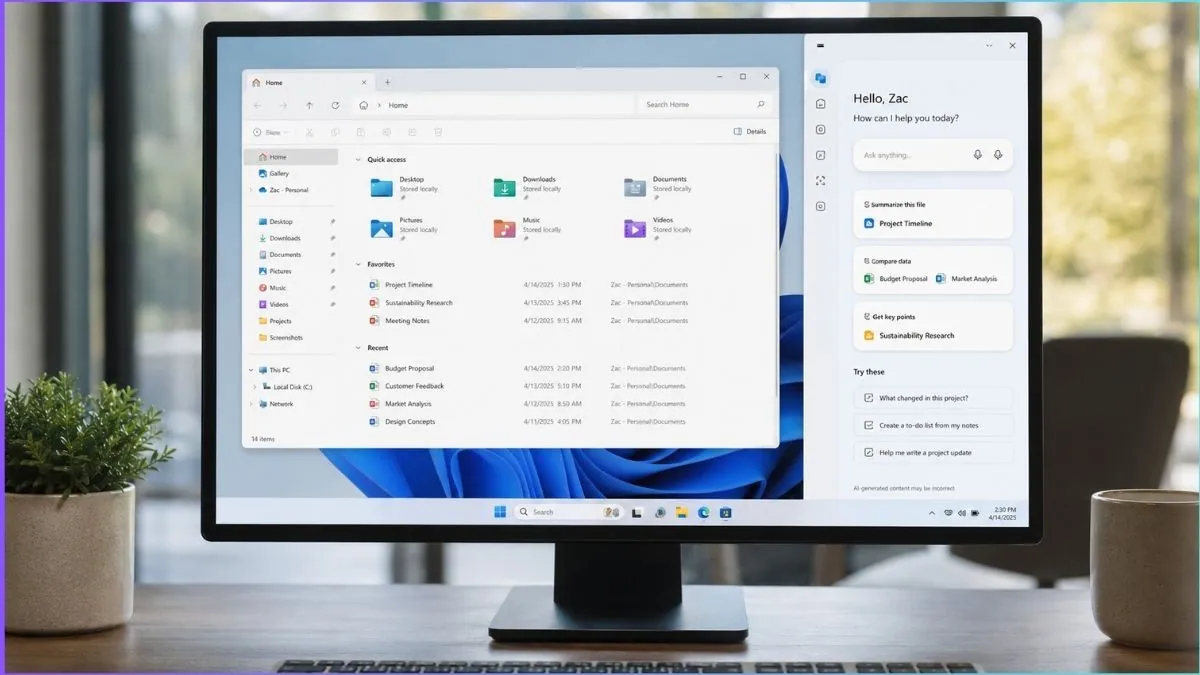
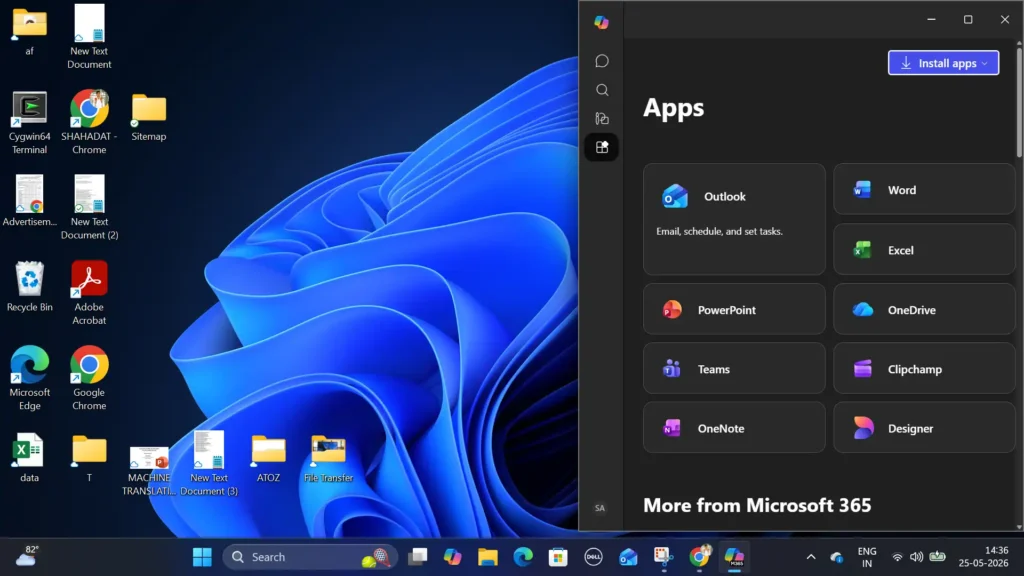
Microsoft is testing another major redesign for Copilot on Windows 11, this time bringing back a docked sidebar layout that stays pinned alongside desktop apps and automatically resizes the workspace around it.
The feature is currently appearing in newer Copilot app builds through a staged rollout. By default, Copilot still opens as a standalone application, but a new menu inside the title bar now lets users switch between several layout modes. Alongside the standard app view and picture-in-picture mode, the assistant can now be pinned to either the left or right side of the desktop.
Once enabled, Windows 11 immediately adjusts the desktop layout to make room for the sidebar. Open windows resize automatically instead of overlapping the panel. Screenshots shared by Windows Latest show File Explorer shrinking in real time while the Copilot sidebar remains fixed to the edge of the screen.
Microsoft originally introduced Copilot as a desktop sidebar in 2024 before later moving it into a standalone app experience. The new redesign brings back that earlier layout, but with more flexible docking controls and optional placement on either side of the display.
Although the interface resembles Windows Snap Layouts, the docking controls appear to be built specifically for Copilot rather than the native snapping system already used in Windows 11. Hovering over the new layout menu reveals dedicated positioning options designed for the AI assistant.
The redesign also changes how Windows handles screen space, especially on smaller displays where a permanently docked AI panel can reduce the usable area available for apps. Microsoft appears to be treating Copilot less like a floating utility and more like a persistent desktop element integrated into the workspace itself.
The company is still adjusting how tightly Copilot should connect with the Windows desktop experience. Recent builds have expanded features such as Copilot Vision, which allows the assistant to analyze content currently visible on the screen.
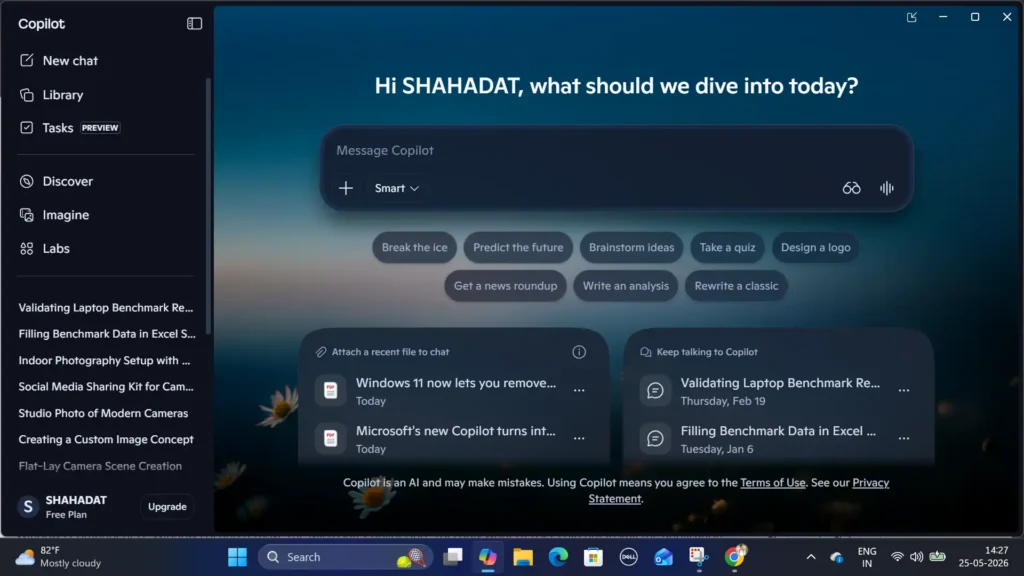
At the same time, Microsoft has quietly introduced easier ways to remove Copilot entirely from Windows 11. A recent policy update added a new “Remove Microsoft Copilot app” setting under Group Policy inside Windows AI settings. The policy can automatically uninstall both Copilot and Microsoft 365 Copilot under certain conditions, particularly on managed systems.
According to Windows Latest, the Group Policy only works if Microsoft 365 Copilot and the standard Copilot app are both installed, the user did not manually install the apps, and Copilot has not been used for more than 28 days.
Windows 11 Home systems do not officially support the new policy, but the same behavior can still be enabled manually through a registry edit. Microsoft also continues to allow standard uninstall methods directly from the Start menu.
The current Copilot app now runs through a dedicated Edge-based runtime, which may help support newer interface behavior such as desktop docking and persistent sidebar layouts.
The latest redesign follows several major interface changes for Copilot over the past two years. Microsoft first introduced it as a built-in Windows sidebar, later rebuilt it as a standalone app, and eventually shifted toward a web-based experience powered through Edge technologies.
Microsoft has not confirmed when the redesigned sidebar mode will roll out broadly to all Windows 11 users.